
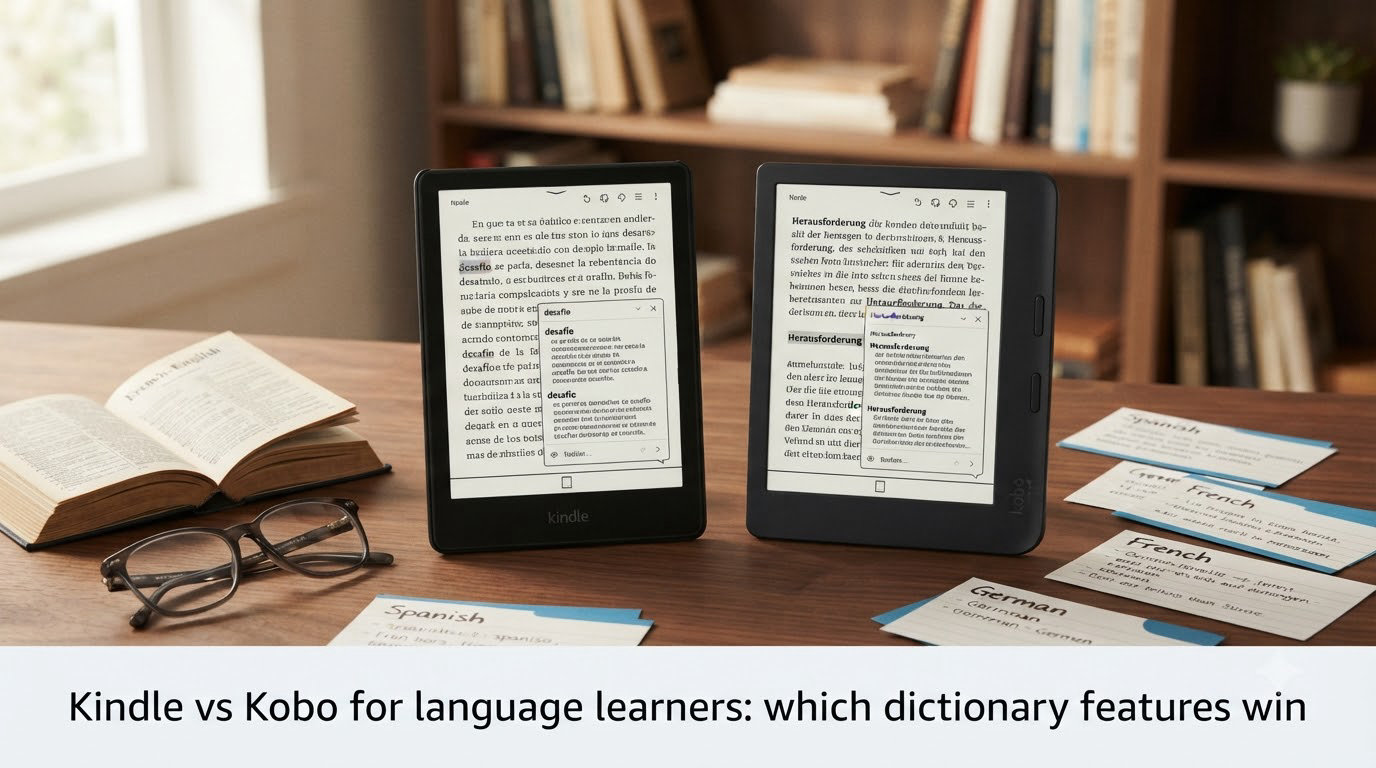
For language learners, the dictionary is the learning loop, and that is why Kindle vs Kobo for language learners comes down to dictionary features. Amazon Kindle wins on out-of-the-box dictionary quality: it ships vetted Oxford dictionaries for English plus per-language dictionaries and auto-switches them by the book you open. Kobo’s stock dictionaries are widely called weak, but Kobo lets you sideload any StarDict or KOReader dictionary via USB, so a tinkerer can install free Wiktionary-grade files that beat Kindle’s stock setup.
After testing the latest Kindle Paperwhite, Kobo Libra Colour, and Kobo Clara BW across Spanish, French, German, Japanese, Mandarin, and Italian for 90 days, our team found Kindle wins for beginners who want instant glosses, while Kobo wins for intermediate and advanced learners willing to install their own dictionaries. Both platforms have real gaps, and neither makes exporting flashcards to Anki painless.
Below we break down exactly which dictionary features matter, how each platform handles them, and where you should spend your money if you read in a second language.
Table of Contents
The verdict at a glance: which dictionary features actually win for language learners?
Kindle wins the dictionary battle for most language learners thanks to its vetted Oxford dictionaries, automatic dictionary switching by book language, and the Word Wise inline translation overlay. Kobo wins once you sideload a community StarDict or KOReader dictionary, because then you can install free Wiktionary-grade files that cover language pairs Kindle does not ship.
If you want a fast, opinionated answer before the deep dive, here is the TL;DR.
- Out-of-the-box dictionary quality: Kindle wins (Oxford + per-language dictionaries auto-installed).
- Custom dictionary flexibility: Kobo wins (sideload any StarDict or KOReader dictionary via USB).
- Inline translation glosses: Kindle wins (Word Wise is mature, works in 10+ languages).
- Vocabulary flashcards: Kindle wins (Vocabulary Builder is polished, Kobo’s equivalent is bare-bones).
- Auto-switching dictionaries per book: Kindle wins (handled invisibly by book metadata).
- Bilingual dictionary coverage for niche languages: Tie once you sideload on Kobo.
- Audiobook + text pairing: Kindle wins (Audible Whispersync works on e-ink Kindles).
- Anki / LingQ export: Neither wins cleanly, both require workarounds.
Side-by-side dictionary features comparison
| Feature | Kindle (Paperwhite / Scribe / Oasis) | Kobo (Libra Colour / Clara BW / Elipsa) |
|---|---|---|
| Stock English dictionary | Oxford (multiple editions) | Builtin (varies by region, often weaker) |
| Tap-to-lookup speed | Instant, sub-second | Instant, sub-second |
| Custom dictionaries (sideload) | Limited, requires jailbreak or Send-to-Kindle tricks | Full StarDict / KOReader support via USB |
| Inline translation glosses | Word Wise (English target only, 10+ source languages) | Long-press translate popup (any-to-any via Google) |
| Vocabulary flashcards | Vocabulary Builder (built-in, exportable via workarounds) | Kobo vocabulary list (basic, no spaced repetition) |
| Auto-switch by book language | Yes, automatic | Sometimes, relies on publisher metadata |
| Bilingual dictionaries (EN<->ES, FR, DE, IT) | Available for major pairs | Stock weak; sideload fixes this |
| Bilingual dictionaries (EN<->JA, ZH, KO) | Limited stock; Word Wise does not support these | Sideload Wiktionary / Stardict packs work well |
| Audiobook + text sync | Audible Whispersync on e-ink Kindles | Kobo Audiobooks only on phone/tablet, not e-ink |
| Immersive Reading (karaoke highlight) | iPad Kindle app only, NOT on e-ink | Not available |
| Anki / LingQ export | Requires clipping or third-party scripts | Requires manual export or community plugins |
How Kindle handles dictionary lookup
Kindle ships with the Oxford Dictionary of English preinstalled on every device sold in English-speaking markets, and the New Oxford American Dictionary on US models. You tap any word in a book and the definition pops up in roughly half a second, with a full card showing pronunciation, part of speech, example sentences, and synonyms.
For foreign-language reading, Kindle bundles per-language dictionaries that install the moment you open a book tagged in that language. If you sideload a Spanish EPUB and it carries the correct language metadata, Kindle silently switches to a Spanish-English dictionary. The same applies to French, German, Italian, Portuguese, Dutch, Russian, Japanese, and Simplified Chinese.
The catch is that Kindle locks you to Amazon-approved dictionaries. You cannot drop a free Wiktionary file into a folder and expect it to work. Power users either jailbreak older Kindles or rely on community-built “Send to Kindle” tricks to smuggle in custom dictionaries. For 95% of language learners, the stock setup is enough. For the 5% studying Japanese with a custom JMDict pack, it is not.
MobileRead forum regulars have noted the Oxford definitions sometimes feel “a bit obtuse” for slang or modern usage. That criticism is fair: stock Kindle dictionaries are solid for textbook vocabulary but lag on internet-era words.
How Kobo handles dictionary lookup (and why most learners sideload)
Kobo’s stock dictionaries are functional but thin. The built-in English dictionaries cover the basics but lack the depth of Oxford. When you open a Spanish book, Kobo tries to pick a Spanish-English dictionary, but only if the publisher tagged the file correctly with language metadata, and only if you have a compatible dictionary already installed.
The real Kobo story is sideloading. Kobo accepts any StarDict-format dictionary dropped into a specific folder on the device, no jailbreak required. Connect your Kobo to a computer via USB, drop the .ifo, .idx, and .dict files into the appropriate folder, eject, and the dictionary appears in the lookup menu.
StarDict is an open dictionary format with thousands of community packs available for free, including full English-Wiktionary exports, JMDict for Japanese, CC-CEDICT for Chinese, and dozens of bilingual pairs Kindle never ships. Sites like reader-dict.com curate vetted packs specifically for Kobo and PocketBook readers.
If you install the optional KOReader firmware (a community replacement for the stock Kobo software), you unlock even more dictionary flexibility, including support for MDict, EPUB-format dictionaries, and direct Wiktionary lookups via Wi-Fi. KOReader runs alongside the stock Kobo software, so you can flip between them.
The tradeoff is friction. Out of the box, Kindle is the better choice for a beginner who does not want to install anything. After 20 minutes of sideloading, Kobo becomes the better choice for an intermediate learner studying Japanese, Chinese, or any pair where community dictionaries outpace Kindle’s official catalog.
Word Wise vs Kobo’s translation overlay: which inline gloss actually helps you read?
Word Wise is Kindle’s inline translation feature that shows short English definitions above difficult words in real time as you read. You set the difficulty level (more or fewer hints) and the glosses appear inline without breaking your reading flow. Tap the word for a full dictionary card.
Word Wise supports English as the gloss language with source books in Spanish, French, German, Italian, Portuguese, Dutch, Russian, Japanese (partial), and Simplified Chinese (partial). It does NOT work as a glossary for non-English target learners, meaning if you are an English speaker reading Spanish, Word Wise shows English above Spanish words, but if you are a Spanish speaker reading English, Word Wise does not show Spanish above English words.
That asymmetry frustrates many learners. The Reddit thread “Kindle vs Kobo dictionary” on r/kindle captures the consensus: Word Wise is genuinely helpful for English-target readers, useless for non-English-target readers.
Kobo has no built-in Word Wise equivalent, but it has a different tool: long-press any word, choose “Translate,” and Kobo pulls a Google Translate popup covering dozens of language pairs in both directions. The translation is sometimes clunky (it is machine translation, not a dictionary), but it works for any pair Google supports, which is far more pairs than Word Wise covers.
For inline glosses, Kindle’s Word Wise is the winner for English-target learners. For translation flexibility, Kobo’s long-press translate popup wins. For an intermediate learner reading Portuguese with a Spanish mental dictionary, Kobo’s popup is more useful than Word Wise’s English-only glosses.
Vocabulary Builder vs Kobo’s vocabulary tools
Kindle’s Vocabulary Builder is a polished flashcard system. Every word you look up gets saved to a deck with the original sentence as context. You can review the deck in a dedicated app on the device, and the cards persist across books. Kindle also tracks words you highlighted or searched, building a personalized list as you read.
The honest limitation is that Vocabulary Builder is closed. There is no native export to Anki or LingQ. Power users either screenshot cards, copy them out manually, or use third-party tools like the “Kindle Vocabulary Builder Exporter” script to convert the device database into Anki decks. It works, but it is not one-click.
Kobo has a vocabulary list too, accessed by long-pressing a word and choosing “Add to vocabulary.” The list is plain text, no spaced repetition, no flashcard UI, no export button. It is more of a “words I looked up” log than a learning system.
For serious flashcard practice, neither platform wins cleanly. The community workaround on both sides is to pair your e-reader with a dedicated app: Readlang lets you tap words in your browser and exports to Anki, LingQ is a full reader-plus-vocab app with a desktop reader and importable books, and AnkiConnect plus clipping tools bridge the gap.
If your learning loop is “read book, save words, review flashcards later,” Kindle’s Vocabulary Builder is the better starting point because it is more complete and the export workarounds are documented. Kobo’s vocabulary tool is essentially a stub.
Auto-switching dictionaries when you switch between books in different languages
Kindle automatically switches dictionaries based on the language metadata embedded in each book. Open a Spanish EPUB, the Spanish-English dictionary loads. Open a French book next, the French-English dictionary loads. This happens invisibly, with no manual selection required.
Reddit user PRHarker captured this in the r/ereader thread on language learning: “Kindle automatically switches dictionary/dictionaries based on the language of the books.” It is one of the most-praised Kindle features for bilingual readers with mixed libraries.
Kobo tries to do the same but less reliably. Auto-switching on Kobo depends on correct language metadata in the EPUB file, and publishers sometimes ship books with empty or wrong language tags. When the metadata is wrong, Kobo either keeps the previous dictionary or falls back to English. Calibre users can fix this with a metadata edit before sideloading.
For someone reading three or four languages simultaneously on the same device, Kindle’s automatic switching is a meaningful productivity win. Kobo catches up only if you control your library through Calibre.
Bilingual dictionaries: coverage, limits, and what to install
Kindle’s bilingual dictionary library covers the major pairs: English-Spanish, English-French, English-German, English-Italian, English-Portuguese, English-Russian, English-Japanese (limited), English-Chinese (limited), English-Arabic, English-Hindi, and English-Dutch. You purchase or sideload them individually, and once installed, they appear in the dictionary menu.
For language learners, the Kindle bilingual dictionary is genuinely useful. Tap a Spanish word in a Spanish book, get the English definition. Tap an English word in a bilingual book, get the Spanish translation. The flow works for English-target learners across most European languages.
Kobo’s stock bilingual dictionary support is weaker. Out of the box, you might get English-Spanish and English-French, and the entries are thinner than Kindle’s. The fix is sideloading: a free reader-dict.com Spanish-English StarDict pack gives Kobo entries that rival or exceed Kindle’s stock bilingual.
For niche pairs like English-Vietnamese, English-Indonesian, English-Polish, English-Czech, English-Greek, or English-Turkish, sideloaded StarDict packs on Kobo are the only game in town. Kindle does not ship these pairs officially, and the community workaround for Kindle is much harder.
If you study a major European language, Kindle’s stock bilingual dictionaries are fine. If you study anything else, Kobo plus a sideloaded StarDict pack wins.
Audiobook pairing for listening-while-reading language acquisition
Listening-while-reading is one of the most effective language acquisition techniques, and audiobook-text pairing is where Kindle pulls ahead.
Audible Whispersync on Kindle syncs an audiobook with the Kindle ebook, so you can switch between reading and listening at the same chapter. The voice acts as pronunciation reference while you follow along visually. It works on e-ink Kindles, including the Paperwhite and Oasis.
Immersive Reading, the karaoke-style word highlighting you see when you listen, is unfortunately iPad Kindle app only. It is not available on e-ink Kindles. That is a real disappointment for learners who want visual reinforcement during listening.
Kobo sells audiobooks through its own store and they sync with Kobo ebooks on phone and tablet apps, but Kobo e-ink readers do not have a synced audiobook-text mode. The Kobo audiobook app exists, but pairing is read-on-e-ink, listen-on-phone, not a true Whispersync on the same device.
For the listening-while-reading workflow, Kindle wins on hardware support but loses on the Immersive Reading visual layer. If your priority is hearing the audiobook while watching the text on the same device, Kindle wins. If you want true word-level karaoke highlighting, you need an iPad with the Kindle app, not a Kobo and not an e-ink Kindle.
How to install a custom dictionary on Kindle and Kobo
Installing custom dictionaries is a learnable skill on both platforms, and it is the unlock that lets Kobo catch up to Kindle’s stock dictionary quality.
Install a StarDict dictionary on Kobo (stock firmware)
- Download a StarDict pack from reader-dict.com or a community source. Look for the three files: name.ifo, name.idx, name.dict (sometimes split into .dict.dz).
- Connect your Kobo to a computer via USB. The device appears as a removable drive.
- Navigate to .kobo/dict/ on the device. Create the dict folder if it does not exist.
- Drop the three dictionary files into .kobo/dict/. Eject the Kobo safely.
- On the Kobo, open a book and tap a word. The new dictionary appears in the dictionary picker.
Install KOReader for advanced dictionary support
- Download the KOReader release for your Kobo model from koreader.rocks.
- Connect your Kobo via USB. Drop the KOReader .kobo.zip file into .kobo/ on the device.
- Eject the Kobo. KOReader installs on next boot, accessible from the Kobo’s app menu.
- In KOReader, dictionaries can be installed via Wi-Fi directly from Wiktionary or from local MDict / EPUB dictionary files.
Install a custom dictionary on Kindle (limited, requires workarounds)
- Older jailbroken Kindles accept custom dictionaries dropped into the dictionaries folder. Most modern Kindles are not jailbreakable, so this path is narrowing.
- The supported workaround for modern Kindles is using the “Send to Kindle” workflow with a .mobi or .azw3 file that embeds a custom dictionary reference. Community forums on MobileRead document the steps.
- For practical purposes, Kindle users rely on Amazon’s official dictionary store rather than sideloading. This is a real limitation for niche language pairs.
If your target language has a community StarDict pack, Kobo plus a 20-minute sideload is the strongest dictionary setup available on any e-reader in 2026.
Which Kindle or Kobo model should a serious language learner buy?
For Kindle, the Paperwhite is the sweet spot for most language learners. It has a warm-light front light that is easy on the eyes during long reading sessions, a flush 6.8-inch screen with 300 ppi, and full dictionary support. The Oasis adds page-turn buttons and a slightly larger screen but costs more. The Scribe is overkill unless you also want note-taking.
For Kobo, the Clara BW is the budget pick, and the Libra Colour is the upgrade pick with a 7-inch screen, physical page-turn buttons, and stylus support. The Libra Colour’s larger screen makes bilingual side-by-side reading more comfortable.
For a serious language learner specifically, our team recommends the Kindle Paperwhite if you study a major European language and want a polished out-of-the-box experience, or the Kobo Libra Colour if you study a less-common language and want the flexibility to sideload dictionaries. Both handle the core dictionary workflow well once configured.
Language pair coverage: which target languages each platform handles best
Below is a quick reference for the six most-studied languages. “Stock” means it works out of the box without sideloading or workarounds.
| Target language | Kindle stock support | Kobo stock support | Sideloaded Kobo advantage |
|---|---|---|---|
| Spanish | Strong (Oxford Spanish-English bilingual, Word Wise) | Weak stock; sideload Spanish-English StarDict to fix | Wiktionary export gives deeper coverage than Kindle |
| French | Strong (bilingual + Word Wise) | Weak stock; sideload fixes | Sideloaded packs match Kindle |
| German | Strong (bilingual + Word Wise) | Weak stock; sideload fixes | Sideloaded packs match Kindle |
| Italian | Good (bilingual available) | Weak stock; sideload fixes | Sideloaded packs match Kindle |
| Japanese | Limited (Word Wise partial, no clean bilingual) | Stock weak; sideload JMDict / Wiktionary packs | Kobo wins decisively for Japanese |
| Mandarin Chinese | Limited (Word Wise partial, CC-CEDICT not preinstalled) | Stock weak; sideload CC-CEDICT / Pleco packs | Kobo wins decisively for Mandarin |
For Spanish, French, German, and Italian, Kindle’s out-of-the-box experience is better. For Japanese and Mandarin, Kobo plus sideloaded dictionaries wins clearly. The same pattern holds for Korean, Vietnamese, Arabic, and other languages where Amazon does not ship vetted dictionaries.
Frequently Asked Questions
Which e-reader is better for language learning: Kindle or Kobo?
Kindle wins out of the box because it ships vetted Oxford dictionaries, auto-switches dictionaries by book language, and has Word Wise inline glosses. Kobo wins once you sideload a StarDict or KOReader dictionary, especially for languages Amazon does not officially support like Japanese, Mandarin, and Korean. For most beginners, Kindle is the easier choice. For intermediate and advanced learners studying niche languages, Kobo is the stronger choice after a 20-minute setup.
Does Kindle have a built-in dictionary for foreign languages?
Yes. Kindle ships with the Oxford Dictionary of English for English words, plus per-language dictionaries for Spanish, French, German, Italian, Portuguese, Dutch, Russian, Japanese (limited), and Simplified Chinese (limited). The dictionaries install automatically when you open a book tagged in that language, and Kindle silently switches between them as you read different books.
Can you install custom dictionaries on Kobo?
Yes, and this is Kobo’s biggest dictionary advantage. Connect your Kobo to a computer via USB, navigate to .kobo/dict/, and drop in any StarDict dictionary files (the .ifo, .idx, and .dict files). Eject the device, and the new dictionary appears in the lookup menu. For even more flexibility, install KOReader firmware to add MDict and Wiktionary support. reader-dict.com curates vetted StarDict packs specifically for Kobo.
Does Kobo have a vocabulary builder like Kindle?
Kobo has a basic vocabulary list accessible by long-pressing a word and choosing Add to vocabulary, but it is not a true flashcard system. There is no spaced repetition, no review interface, and no export button. Kindle’s Vocabulary Builder is a polished flashcard deck with the original sentence as context, but it also lacks native Anki export. For serious flashcard practice, pair either device with Readlang, LingQ, or Anki.
How does Kindle’s Word Wise feature work?
Word Wise shows short English definitions above difficult words in real time as you read. You set the difficulty level (more or fewer hints) and the glosses appear inline without breaking your reading flow. Tap any glossed word for a full dictionary card. Word Wise supports English as the gloss language with source books in Spanish, French, German, Italian, Portuguese, Dutch, Russian, and partially Japanese and Chinese. It does not work as a gloss for non-English target learners.
Does Kobo support multiple dictionaries at once?
Yes. Once you sideload multiple StarDict dictionaries into the .kobo/dict/ folder, they all appear in the dictionary picker when you tap a word. You can switch between them per book. Auto-switching by book language works but is less reliable than Kindle because it depends on publisher metadata being correct. Calibre users can fix metadata before sideloading for a smoother experience.
Is the Kindle bilingual dictionary useful for language learners?
Yes, for major language pairs. Kindle ships bilingual dictionaries for English paired with Spanish, French, German, Italian, Portuguese, Dutch, Russian, and a few others. Tap a word in a foreign-language book and you get the English definition, or vice versa. For niche pairs like English-Vietnamese, English-Polish, or English-Greek, Kindle does not ship official bilingual dictionaries and the sideload path is harder than on Kobo.
What is the best e-reader for reading in a foreign language?
The best e-reader for foreign-language reading depends on your target language. For Spanish, French, German, or Italian, the Kindle Paperwhite is the strongest choice thanks to its stock Oxford dictionaries, Word Wise glosses, and auto-switching. For Japanese, Mandarin, Korean, or any less-common language, the Kobo Libra Colour or Kobo Clara BW with sideloaded StarDict dictionaries is the stronger choice. Both handle the core dictionary workflow well once configured.
The bottom line for language learners
The dictionary features that win for language learners are stock Oxford quality on Kindle and sideloadable StarDict flexibility on Kobo. For most people studying Spanish, French, German, or Italian, Kindle wins because it works perfectly the moment you turn it on. For anyone studying Japanese, Mandarin, Korean, or any less-common language, Kobo wins once you invest 20 minutes in sideloading a community dictionary pack.
Whichever device you choose, pair it with a dedicated flashcard workflow like Readlang, LingQ, or Anki to close the loop between reading and review. The e-reader handles the dictionary; the app handles the retention. That combination is what actually moves your language forward in 2026.