

Ask anyone who has spent ten hours on a long-haul flight with a tablet flat on the tray table, and you will hear the same complaint: the neck and upper back ache long before the movie ends. The best tablet holders for airplanes solve that in one move, lifting the screen off the tray and up toward eye level while also stopping your device from sliding across the table during turbulence. Since 2026, more and more aircraft have had their seatback screens removed, so a mount is no longer a comfort accessory. It is often the only way to watch anything at all.
We put this roundup together for passengers, not for pilots, and we will say why in the next section, because the phrase airplane tablet holder pulls in a lot of cockpit hardware. Our shortlist covers the mounts that genuinely work in a cabin: flexible stands, lap cushions, tray-table devices, and a family of clamps and arms that people also use in light aircraft. Each entry lists where it attaches, what it fits, and where it falls down, so you can match it to your seat before you buy.
Table of Contents
Passenger Mounts or Pilot Mounts: Read This First
The single most common mix-up on this topic is between passenger mounts and pilot hardware. A passenger mount attaches to a seat: the tray table, the seat-back pocket rim, your lap, or the armrest cup holder. A pilot mount clamps to a control yoke, sticks to cockpit glass with a suction cup, or straps to a kneeboard, and its job is to hold an electronic flight bag chart for a pilot flying a general aviation aircraft.
Pilots use iPads for charts, checklists, weather and navigation, which is why search results for this keyword are full of yoke mounts and EFB cradles. This guide is passenger-only. Where a mount below was built for aircraft use, we tell you exactly what it grips and what you would be adapting it to in a cabin, so you do not buy cockpit gear by accident.
Top 3 Tablet Holders for Airplanes (October 2026)
Our three favourite picks cover the three ways people actually fly: long-haul comfort on a budget, a pocket-sized flexible stand, and the simplest tray-table prop you can find.

Brookstone Tablet Lap Cushion
- Memory foam cushion
- Two angled viewing positions
- Side storage pockets

Flight Flap Airplane Tablet…
- Bendable aluminum core
- Folds completely flat
- Grippy foam surface

AIRGLO Flex Flap Tablet Stand
- Aluminum core in silicone
- Works with any device
- Folds back flat
All 10 Tablet Holders for Airplanes Compared in 2026
Every mount in the list, with the attachment method and the fit. The table is ordered exactly as the reviews below, so you can jump straight to the row that matters.
| Product | Specs | Action |
|---|---|---|
| Brookstone Tablet Lap Cushion |
|
Check Latest Price |
| Flight Flap Airplane Tablet Holder |
|
Check Latest Price |
| AIRGLO Flex Flap Tablet Stand |
|
Check Latest Price |
 Dosvsi Suction Cup Tablet Mount Dosvsi Suction Cup Tablet Mount |
|
Check Latest Price |
 FlightPro ProAviator Yoke Mount FlightPro ProAviator Yoke Mount |
|
Check Latest Price |
 FlightPro Airplane iPad Mount FlightPro Airplane iPad Mount |
|
Check Latest Price |
 RAM MOUNTS EZ-Rollr iPad mini Yoke Mount RAM MOUNTS EZ-Rollr iPad mini Yoke Mount |
|
Check Latest Price |
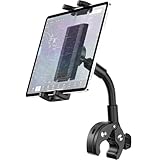 Dosvsi Yoke Mount for iPad Dosvsi Yoke Mount for iPad |
|
Check Latest Price |
 SWANOO Tray Cover and Tablet Holder SWANOO Tray Cover and Tablet Holder |
|
Check Latest Price |
 ZUZUXI iPad Yoke Mount ZUZUXI iPad Yoke Mount |
|
Check Latest Price |
1. Brookstone Tablet Lap Cushion – Best Overall Passenger Option
Brookstone Tablet Lap Cushion – Tablet and Phone Holder for Bed, Flights, and Travel, Two Angled Memory Foam Lap Desk for Reading and Hands Free Viewing, Compatible iPad and Kindle Accessories, Black
Memory foam and plush fill
Two angled viewing positions
10 x 6 x 10 inches, 0.47 kg
Pros
- Memory foam cuts wrist and neck strain over long sessions
- Two angles keep the screen near eye level
- Side pockets for cables and headphones
- Works with Kindle
- iPad
- iPad Pro and Galaxy devices
Cons
- Soft build is less rigid than an aluminum frame mount
- Bulky to pack once a case is in the seat-back pocket
This is the one we reach for first, and it is the only entry here with more than two thousand reviews averaging 4.6 stars. It is a lap desk rather than a mount in the traditional sense: a memory foam cushion with two angled slots that hold a tablet or e-reader at a viewing angle instead of flat.
On a 10-hour flight, that difference is everything. Reviewers repeatedly describe it as the thing that stops the neck cramp that arrives somewhere around hour four. It works with a Kindle Paperwhite, an iPad, an iPad Pro or a Samsung Galaxy, and the side pockets swallow a charger cable and a pair of headphones.
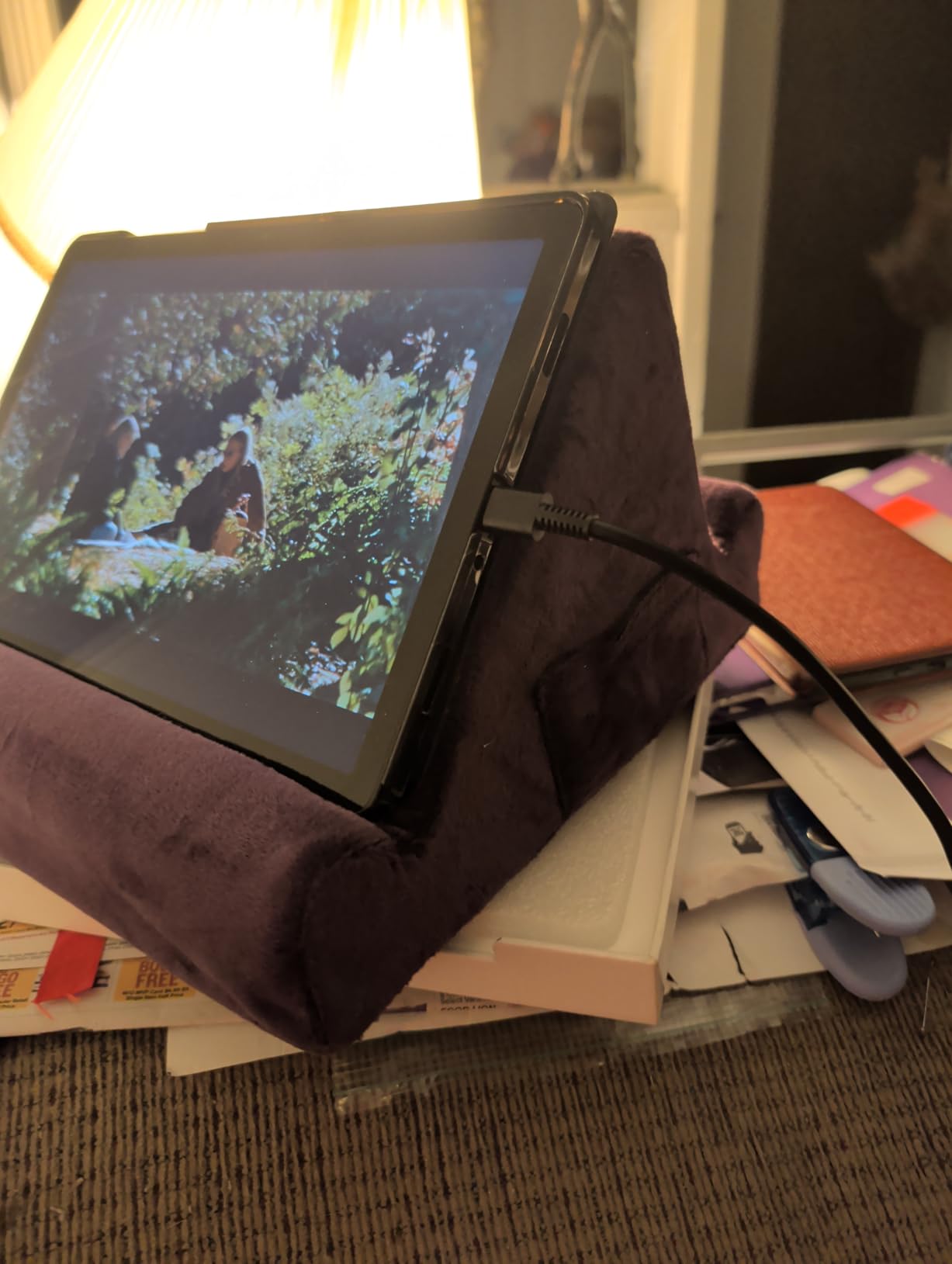
The trade-off is honesty about materials. Plush and memory foam are comfortable but not rigid, so this behaves like a pillow rather than a clamp. Rest it on your lap or flat on a lowered tray table and it is stable. Try to cantilever a heavy device off the side of it and you will get droop.
Size is the other consideration. At 10 by 6 by 10 inches, it is the bulkiest item in this roundup, and users note it is not a natural fit for an already crowded seat-back pocket. It travels better in a carry-on than in a seat pocket.

Who this suits
Long-haul economy and premium economy passengers who read or stream for hours, and anyone who already carries a neck pillow. It is the most forgiving option because nothing has to line up with a fitting, and it works across seat types and airlines without any adaptation.
Who should skip it
Carry-on-only minimalists, and anyone wanting a hands-free mount for a video call where the camera angle matters. One-bag travellers on r/onebag are notably reluctant to add another bulky item, and a squishy cushion is exactly the kind of thing they leave at home.
2. Flight Flap Airplane Phone and Tablet Holder – Best Value
Flight Flap Airplane Phone Holder, Flexible Airplane Tablet Holder Travel
Bendable aluminum core
Grippy foam surface
12 x 7 inches, folds flat
Pros
- Bends into tray
- seat back or freestanding shapes
- Folds completely flat for a personal item
- Light enough to add no carry weight
- Fits phones
- small tablets and e-readers
Cons
- Needs hand strength to reshape repeatedly
- Less stable in rough air than a rigid mount
- Some units arrive creased
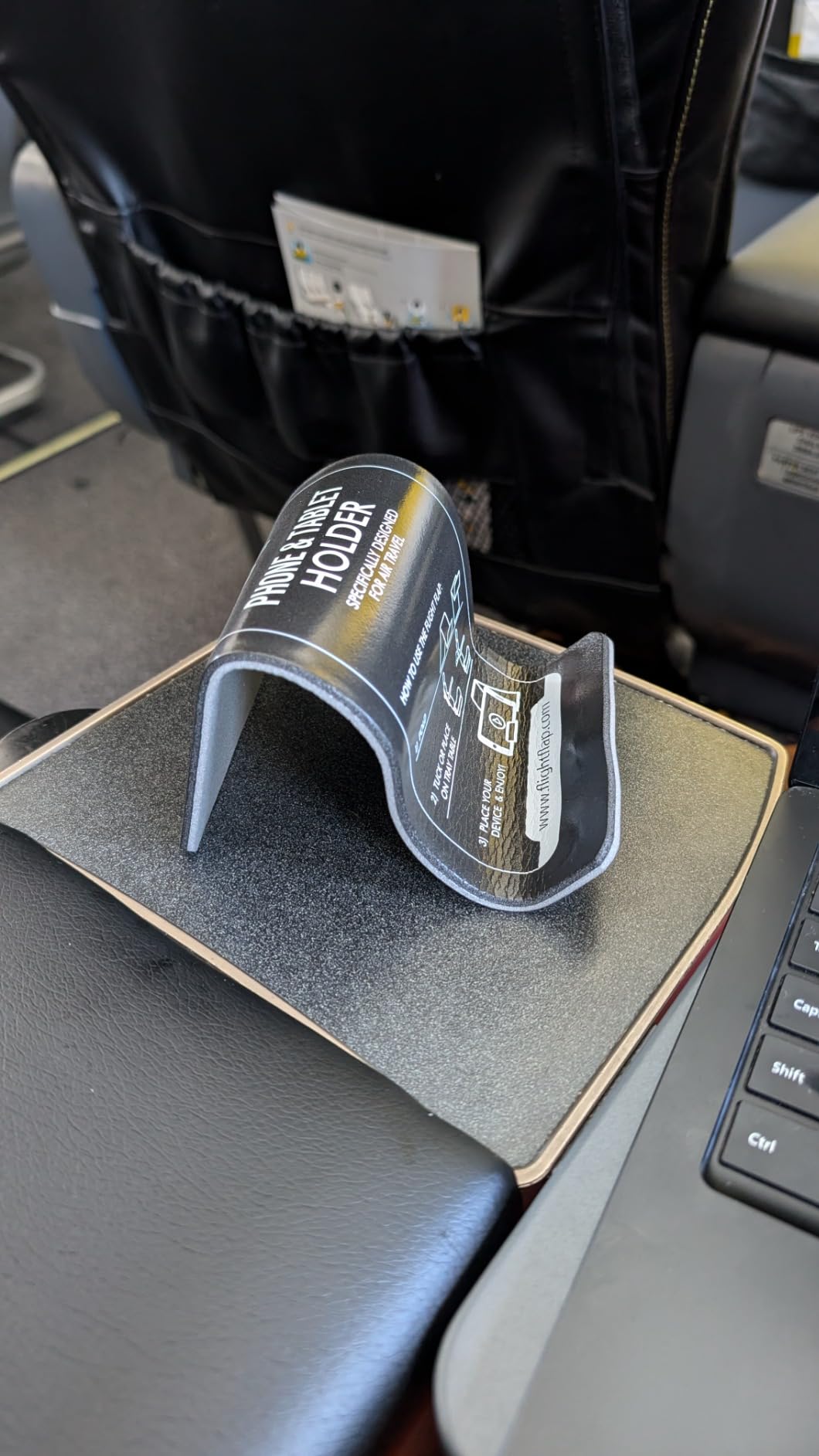
The idea is simple and it works: a sheet of aluminum core wrapped in grippy foam that you bend into whatever shape the moment needs. Fold it into a low wedge for a tray table, or bend it upward against the seat back to raise the screen toward eye level.
It is also one of the most reviewed items here at 688 ratings, and the 4.2 average reflects a specific trade-off rather than a fault. Owners like the portability, the low weight, and the fact that the same object works as a car or desk stand. About six in ten reviewers give it five stars.
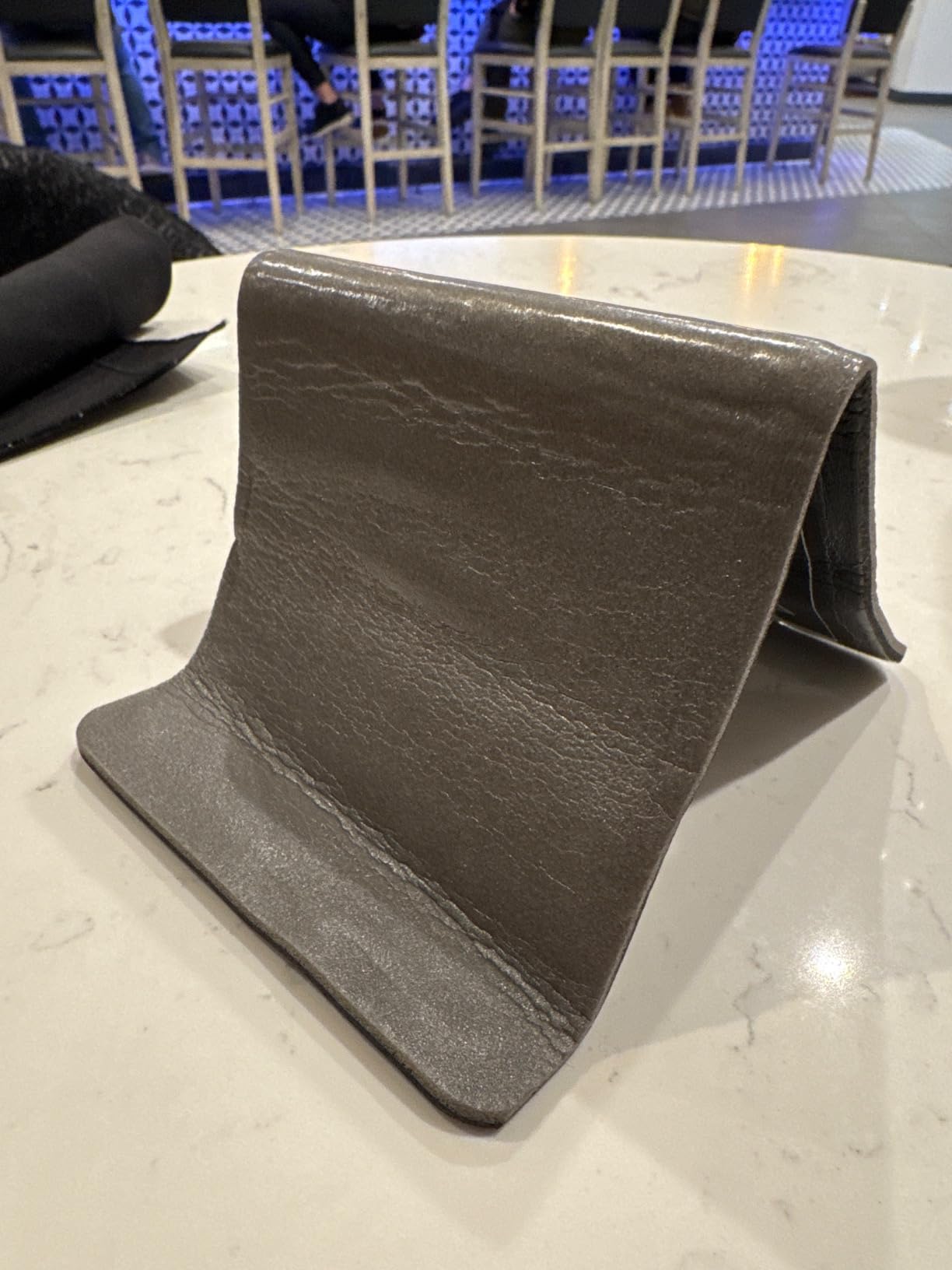
The complaints cluster around two things. Bending it takes real hand strength, and repeatedly reshaping the core over many flights can weaken it, so it is a travel tool you configure rather than a permanent installation.
Stability in rough air is the second theme, along with a note that it does not work on bulkhead rows or armrest-style tray tables where there is no flat lip to rest against. A few reviewers also received units that arrived creased or misshapen from compression in transit.
Who this suits
Anyone who wants one small object that covers phone and tablet use across a trip, especially r/NintendoSwitch users who want a surface with rubber feet that will not slide on the tray table while they play and charge at once.
Who should skip it
Passengers on an aircraft where the tray table hinges down without a flat resting edge, and anyone who expects a mount to hold rigid through severe turbulence rather than mild bumps.
3. AIRGLO Flex Flap Cell Phone and Tablet Stand – Best Budget Flexible Stand
Flex Flap Cell Phone Holder & Flexible Tablet Stand for Desk, Bed, Treadmill, Home & Airplane Travel – XL
Aluminum alloy core in soft silicone
Weighs 4.96 ounces
Returns to a flat form
Pros
- Silicone exterior grips without scratching devices
- Collapses flat for backpacks and purses
- Works with any device and any case
- Designed by a flight attendant for long haul use
Cons
- Softer body resists heavy turbulence less well
- Best suited to standard tray tables
- Small review base
This is the same bend-and-shape concept as the Flight Flap, wrapped in a soft silicone skin rather than exposed foam, and it is the lightest item in the roundup at under five ounces. That weight matters when every gram counts against a cabin bag allowance.
Reviewers give it a 4.2 average across 154 ratings, with roughly two thirds handing over five stars. The silicone is the differentiator: it grips a device without pressing hard edges into a screen or a case, which is the first thing owners mention. It also folds back to a flat form that slides into a purse.
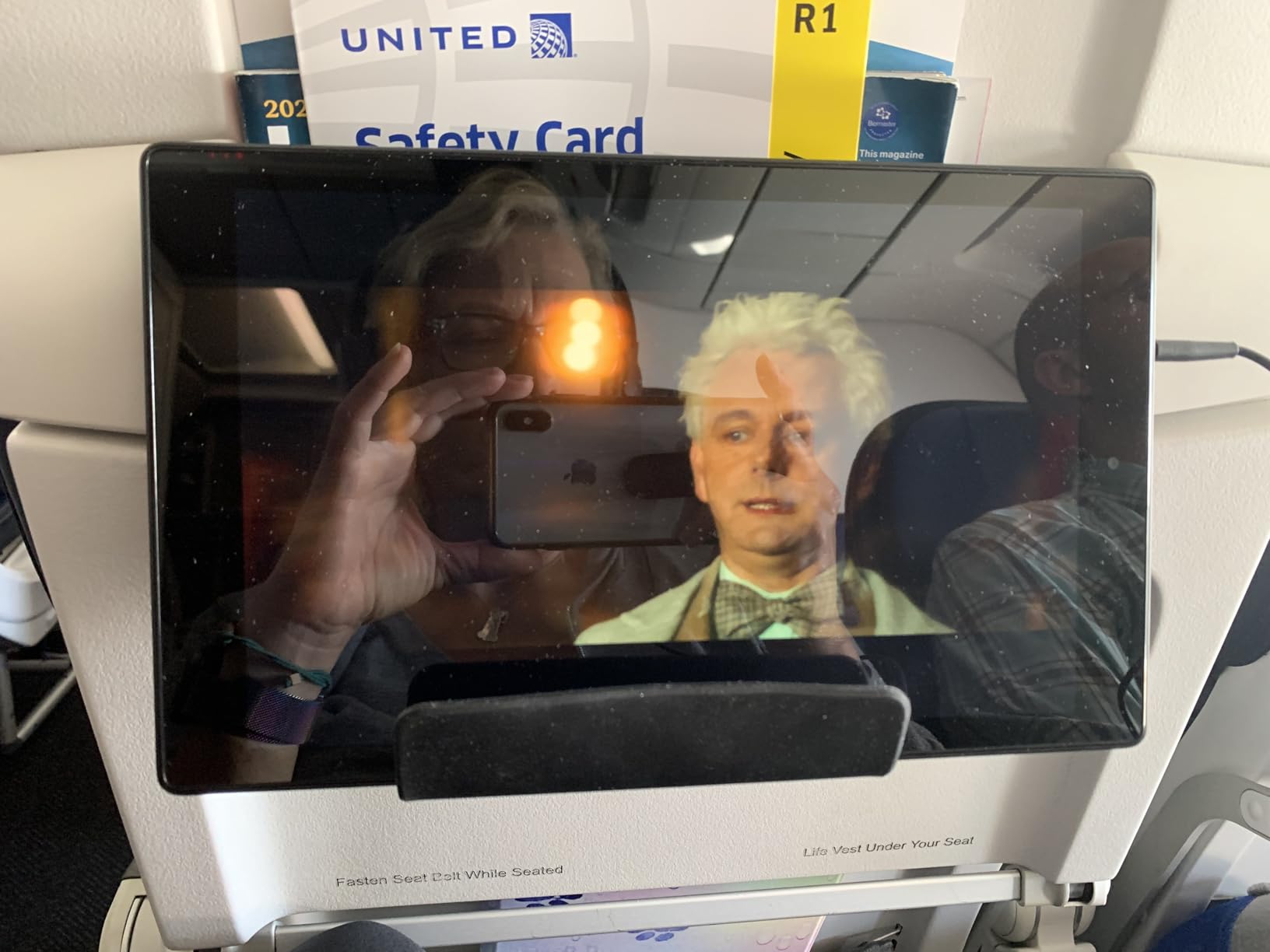
Universality is its other strength. Because the grip is friction-based rather than a sized clip, it takes an iPhone, an Android tablet, a Kindle or a handheld console with the case still on. Nothing needs to line up with a model.
The limit is structural. A silicone skin over a thin core is less rigid than a clamp, so in heavy turbulence the device can shift, and the same reviewers point out it is not built for armrest or bulkhead seating. There is also a small group of one-star ratings citing durability and grip over time.

Who this suits
Light packers and families who need something that vanishes into a side pocket, plus anyone whose previous stand scratched a screen. It handles a phone and a small tablet equally well in either orientation.
Who should skip it
Anyone flying a large iPad Pro in a rigid case, where the extra weight and size defeat a friction grip. If the device is more than about 12 inches, look at a cradled clamp instead.
4. Dosvsi Suction Cup Tablet Mount – Best for Smooth Hard Surfaces
Dosvsi Pilots Tablet Holder, [Strong Suction Cup] Aircraft Tablet Mount
Reusable vacuum suction cup
68 mm arm, 360 degree ball head
Fits 4 to 13 inch devices
Pros
- Suction locks to clean smooth surfaces and can be reused
- Adjustable arm holds the screen at eye level
- Holds devices with the case on
- Two year manufacturer warranty
Cons
- Suction drops on curved surfaces
- Some reports of release over time
- Needs smooth texture free panels
This mount is built to stick to a surface rather than to hold a device in a cradle. A reusable vacuum cup locks onto clean, smooth glass, and a short aluminum arm carries the device up on a 360-degree ball head that moves between portrait and landscape.
At 4.5 stars from 99 ratings, with roughly eight in ten reviews at five stars, the reception is strong. The 4 to 13 inch range covers most iPad and Galaxy Tab models, and it holds a device with the case still on, which is where lighter clamps tend to fail.
![Pilots Tablet Holder, [Strong Suction Cup] Aircraft Tablet Mount customer photo 1](https://www.afb-adlers.com/wp-content/uploads/2026/09/B0FD9JGW3N_customer_1.jpg)
The honest catch is that this is aircraft hardware. Its intended home is a general aviation windscreen, and the reviews come overwhelmingly from pilots and students. In a cabin, you would use it only on a smooth tray table, and cabin tray surfaces are often textured.
Even in its own environment there are reports of the cup losing suction on slightly curved glass, and a few pilots mention releases over time as temperature and pressure change in the cabin. A textured or matte panel defeats it entirely, since the cup needs a flat seal.
![Pilots Tablet Holder, [Strong Suction Cup] Aircraft Tablet Mount customer photo 2](https://www.afb-adlers.com/wp-content/uploads/2026/09/B0FD9JGW3N_customer_2.jpg)
Who this suits
Anyone who wants a rigid arm and a case-friendly grip for a large tablet, and who can guarantee a genuinely smooth, clean surface to mount on. The two year warranty is the longest in this roundup.
Who should skip it
Passengers on seats with fabric, plastic pockets or textured tables. There is no guarantee of a seal on a cabin surface, and a mount that lets go mid-flight is worse than no mount at all.
5. FlightPro ProAviator Yoke Mount – Best for Rigid Grip
FlightPro ProAviator Yoke Mount – iPad Pro, Mini, Phones
Rigid yoke clamp opening to 4.2 inches
4.5 inch arm, double ball head
Weighs 11.2 ounces
Pros
- Rigid clamp keeps the device wobble free in rough air
- One hand rotation switches portrait and landscape
- Tool free install with no cockpit modification
- Fits thick cased devices
Cons
- Clamp width limits the largest iPad Pro
- Listed under a generic brand name
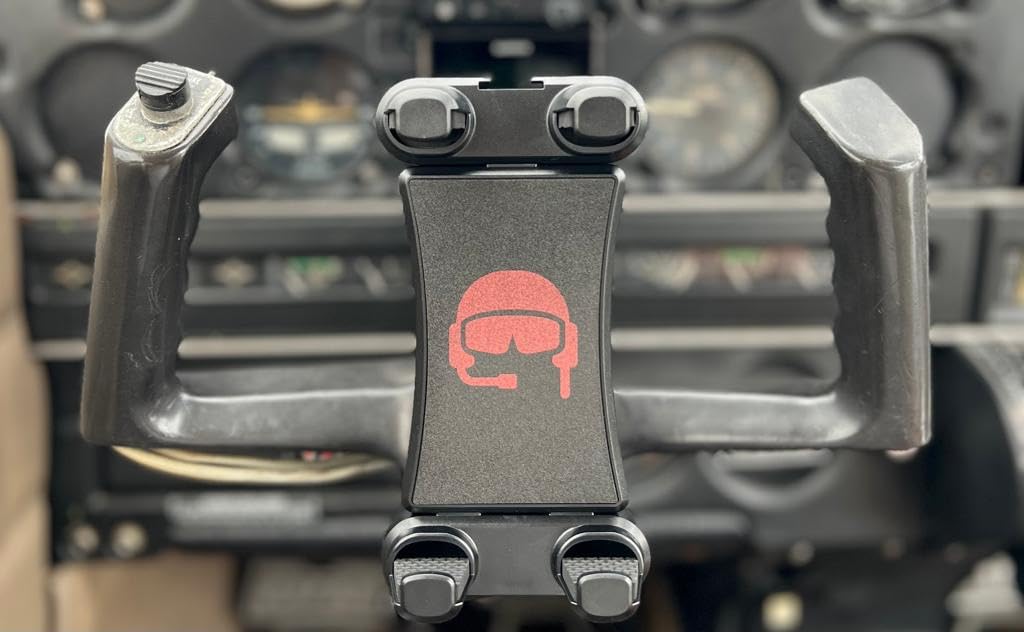
Where flexible stands trade rigidity for portability, this one is all clamp. A rigid yoke collar grips a post, a handlebar or a rail up to 4.2 inches across, and the device sits on a double ball head you can rotate and tilt one-handed mid-flight.
The 4.4 average across 58 ratings comes with about three quarters five stars. Pilots describe it as rugged and stable in turbulence with quick setup, and the clamp is one of the more forgiving designs for a device in a thick case.
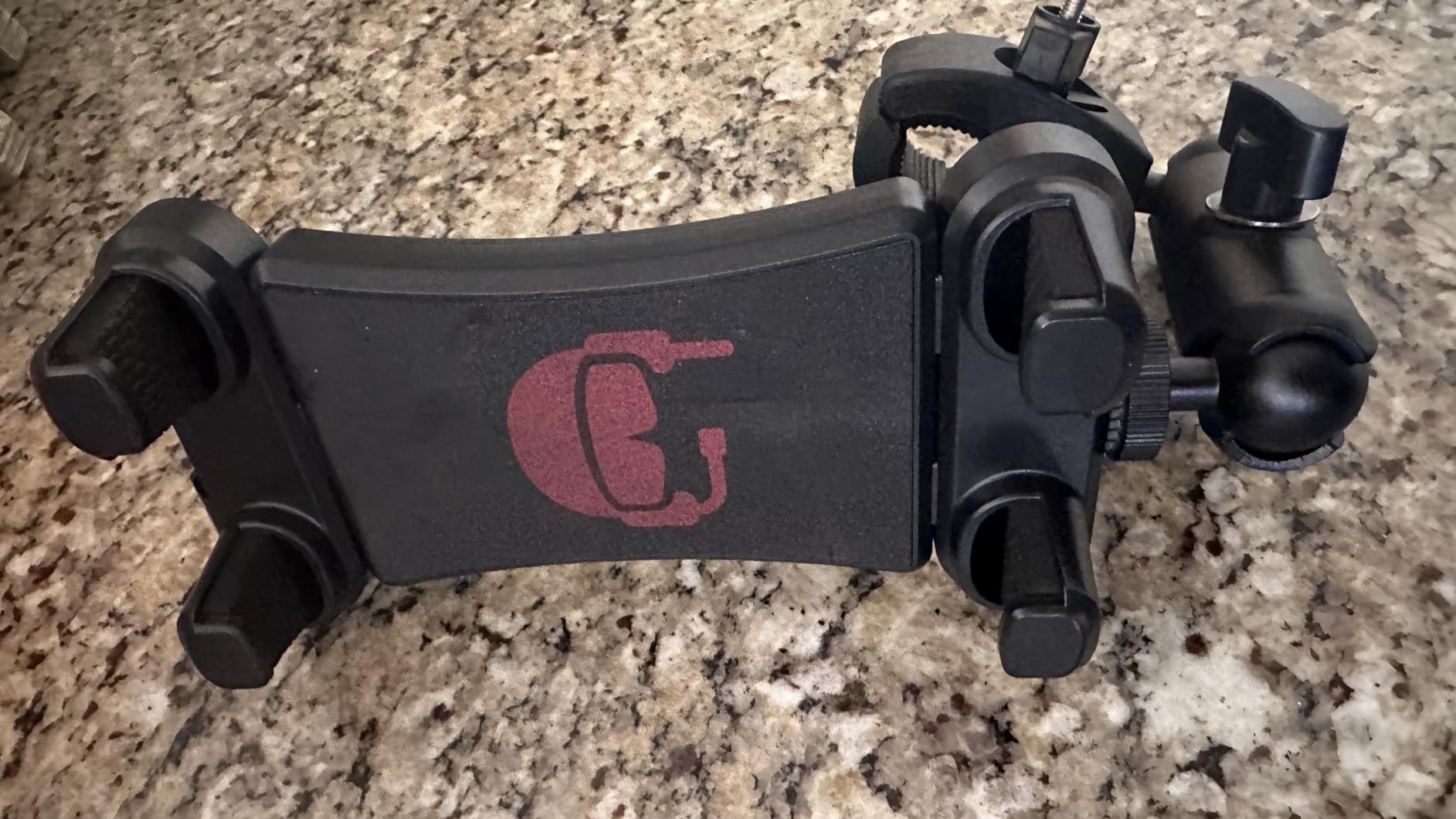
Two limits are consistent across reviews. The 4.2 inch clamp opening is not enough for the biggest iPad Pro models, and the product is listed under a generic brand rather than a traceable model line, so support is less predictable than an established brand.
For a passenger, the yoke clamp is really a mounting point for anything tubular nearby: the frame of a seat-back tray, a folding travel stand, or in the aircraft it was designed for, a control column. Its value is that a rigid clamp is the answer when turbulence is the deciding factor.
Who this suits
Travellers who prioritise a wobble-free hold over a low pack volume, and who can find a suitable post or rail in the cabin. It is also the most straightforward mount to reposition without taking your eyes off the screen.
Who should skip it
Carry-on minimalists, since a rigid 11 ounce clamp is not something you slide into a pocket. It also offers nothing to a seat with no reachable post.
6. FlightPro Airplane iPad Mount – Best for Large Screen Sizes
FlightPro Airplane iPad Mount – Suction Cup, Pilots, 4-13 in
Press lock suction cup
4 inch curved arm
Cradle adjusts 5.5 to 12 inches
Pros
- Cradle spans iPad mini through iPad Pro 12.9
- Quick release tab removes in seconds
- 4 inch arm places the screen at eye level
- Also offered as yoke and kneeboard variants
Cons
- Most polarizing in the set at 3.9 stars
- Suction rated for moderate turbulence only
- Very thick cases may not fit
This is the widest-reaching cradle in the list. The jaws open from 5.5 to 12 inches, so the same mount takes a small iPad mini and a 12.9 inch iPad Pro, and the 4 inch curved arm sets the screen at eye level instead of down at table height.
It is also the most polarising product here. The 3.9 average across 65 ratings hides a wide spread: about 58 percent five stars, but also a meaningful 11 percent one-star and 11 percent two-star group. That spread tells you fit and finish vary more here than elsewhere in the roundup.
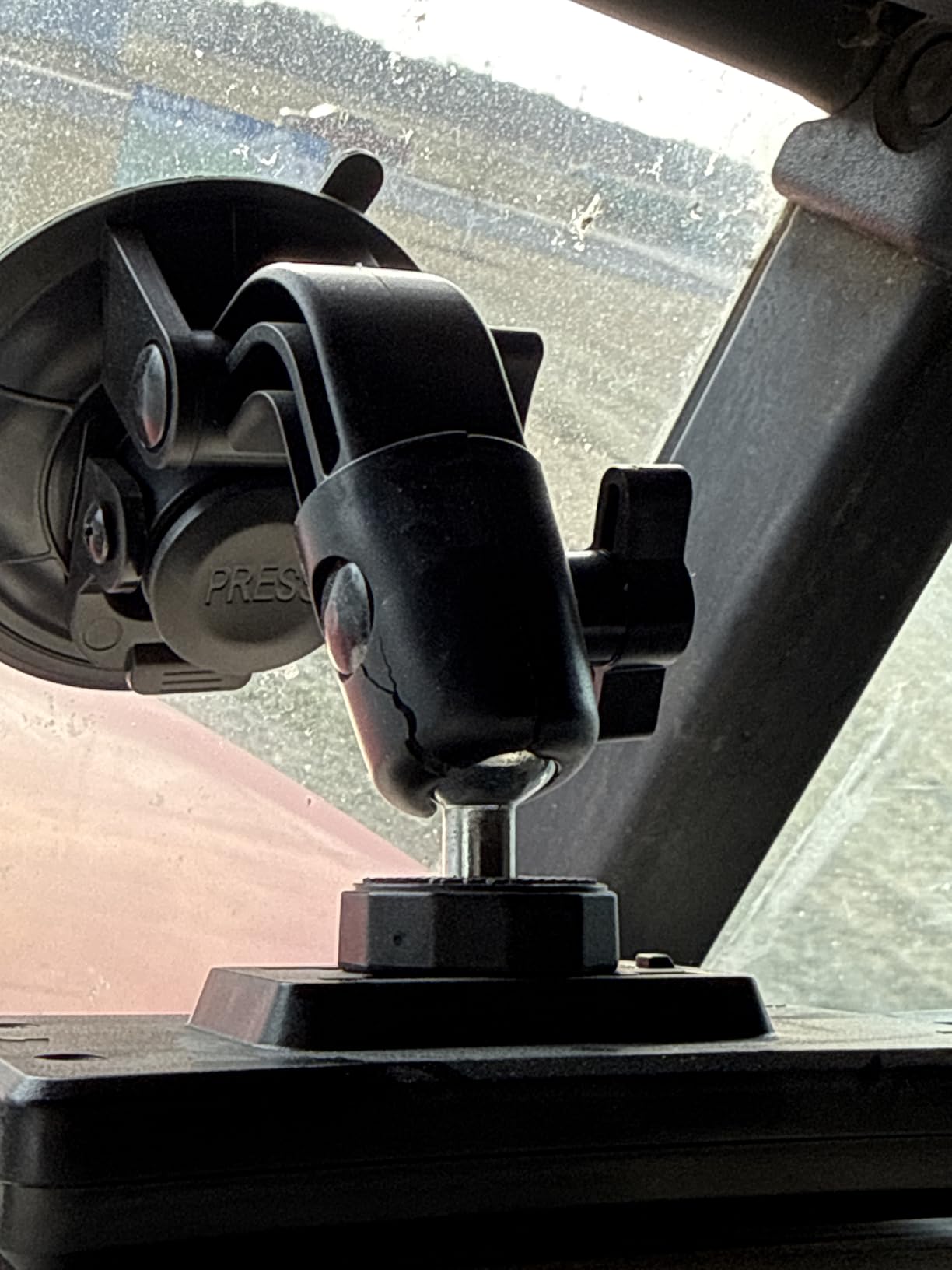
The suction cup is the reason for that spread. It grips well on a clean, smooth surface and is rated for light to moderate turbulence, not rough air, and a substantial group of reviewers report the grip and finish falling short of expectations. Very thick rugged cases over about half an inch may need removing to fit.
On the plus side, the quick release pull tab detaches the whole mount in seconds with no permanent modification, which matters when you want the seat back to look untouched. It is a good reminder that the same product family exists in a yoke clamp and a kneeboard strap version, both of which avoid the suction problem entirely.
Who this suits
Passengers with a large iPad Pro who need a widened cradle rather than a friction grip, and anyone who detaches the mount at the end of every film. Buying the clamp or strap variant of the same range is the smarter call where surfaces are textured.
Who should skip it
Anyone expecting a suction cup to hold a heavy tablet through severe turbulence. Check the variant carefully, because the suction, clamp and strap versions behave very differently.
7. RAM MOUNTS EZ-Rollr iPad mini Yoke Mount – Best Craftsmanship
RAM MOUNTS EZ-Roll’r iPad mini Yoke Mount for iPad mini 6 and A17
Cradle made for the caseless iPad mini 6
Clamp fits 0.625 to 1.25 inch rails
Lifetime warranty
Pros
- Purpose designed cradle gives an exact fit
- Powder coated marine grade aluminum build
- Yoke base spans a wide rail range
- Backed by a lifetime warranty
Cons
- Only fits the caseless iPad mini 6
- Will not hold other tablets or cased devices
- Narrowest device compatibility in the set
Every other mount here tries to be universal, with a jaw or a friction surface that has to accommodate whatever you own. This one does the opposite. The cradle is moulded for the caseless iPad mini 6, so the device seats in it correctly every time with no guesswork.
That precision shows in the reviews. A 4.6 average from 34 ratings puts about 77 percent of buyers at five stars, and owners point to the marine grade powder coated aluminum and high strength composite construction as much as the fit. It is also the only product here with a lifetime warranty.
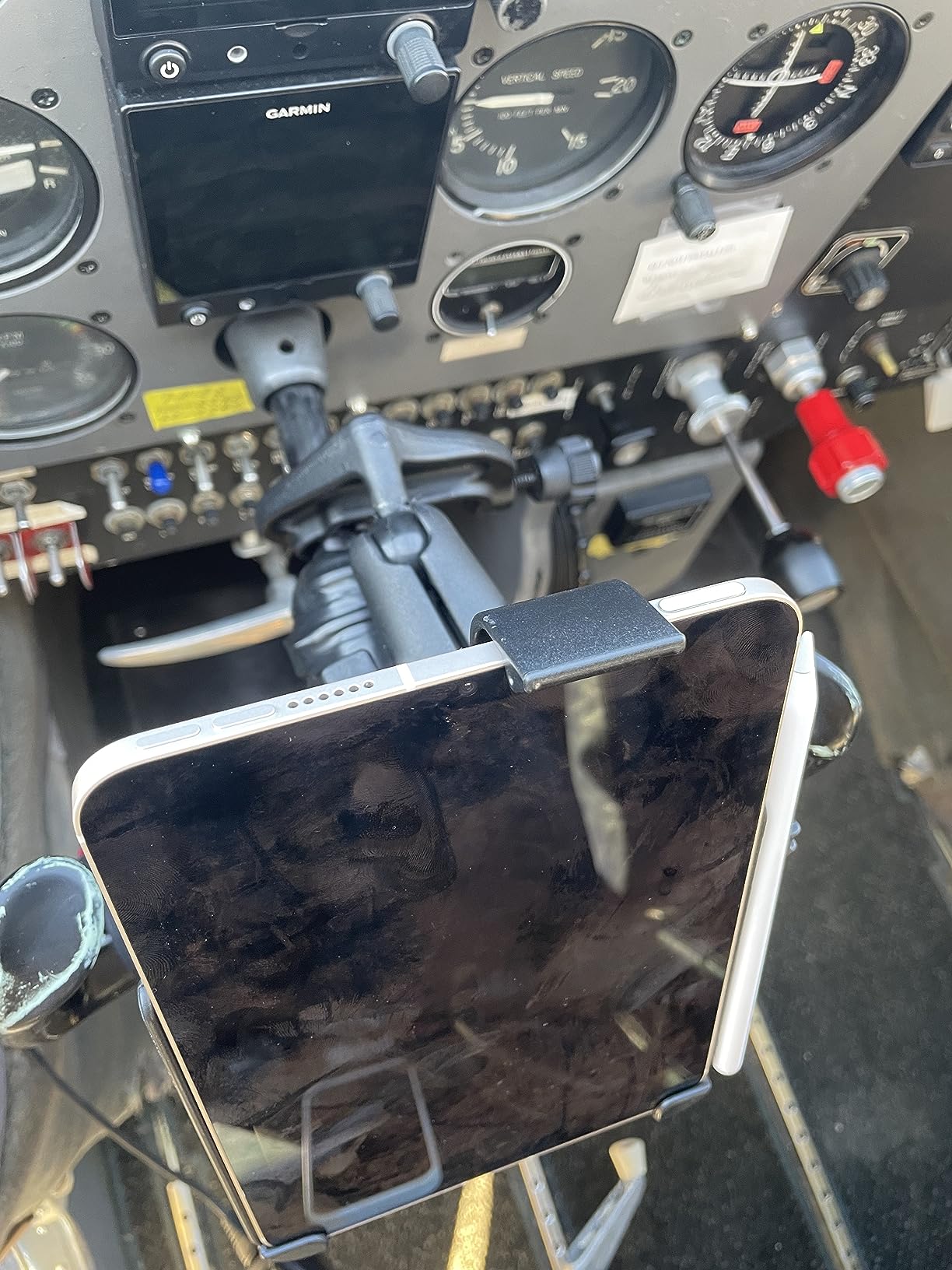
The cost of that focus is compatibility. It will not hold a full size iPad, a Galaxy Tab, or an iPad mini in a case, which makes it a poor choice for anyone who changes devices or travels with more than one tablet.
The clamp base is built around rails measuring 0.625 to 1.25 inches in diameter, which in a cabin is harder to find than in a cockpit. It is a specialist purchase for a specific device and a specific rail size, and worth it only if both match.
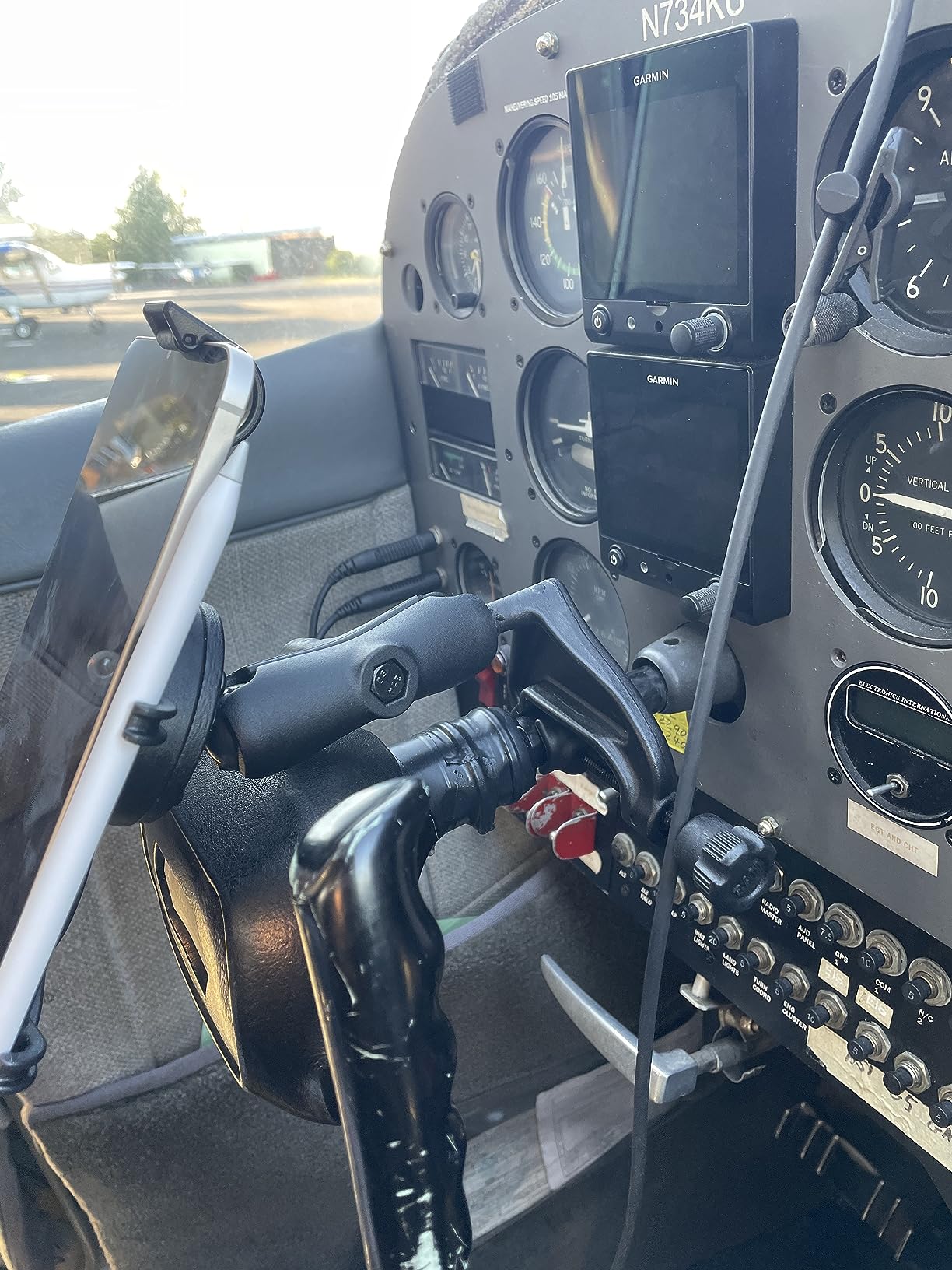
Who this suits
One person, one device, one rail size. If you fly with a caseless iPad mini and your mount point is within that range, this is the most precisely made and best warranted option in the roundup.
Who should skip it
Everyone else. The narrowest compatibility here means a wasted purchase for any other tablet, and a higher outlay than most flexible stands that handle several devices.
8. Dosvsi Yoke Mount for iPad – Best for Narrow Rails
Dosvsi Yoke Mount for iPad, Airplane Yoke Tablet Holder for Pilots
Tool free clamp from 0.5 to 1.6 inch rails
2.36 inch gooseneck arm
Weighs 10.59 ounces
Pros
- Rubber pads prevent scratching the mount point
- Tool free install on poles and rails
- 360 degree ball head with flexible gooseneck
- Spans 4 to 13 inch devices with cases on
Cons
- 3.9 star average with an inconsistent band
- Short arm gives less positioning range
- Small sample of 19 ratings
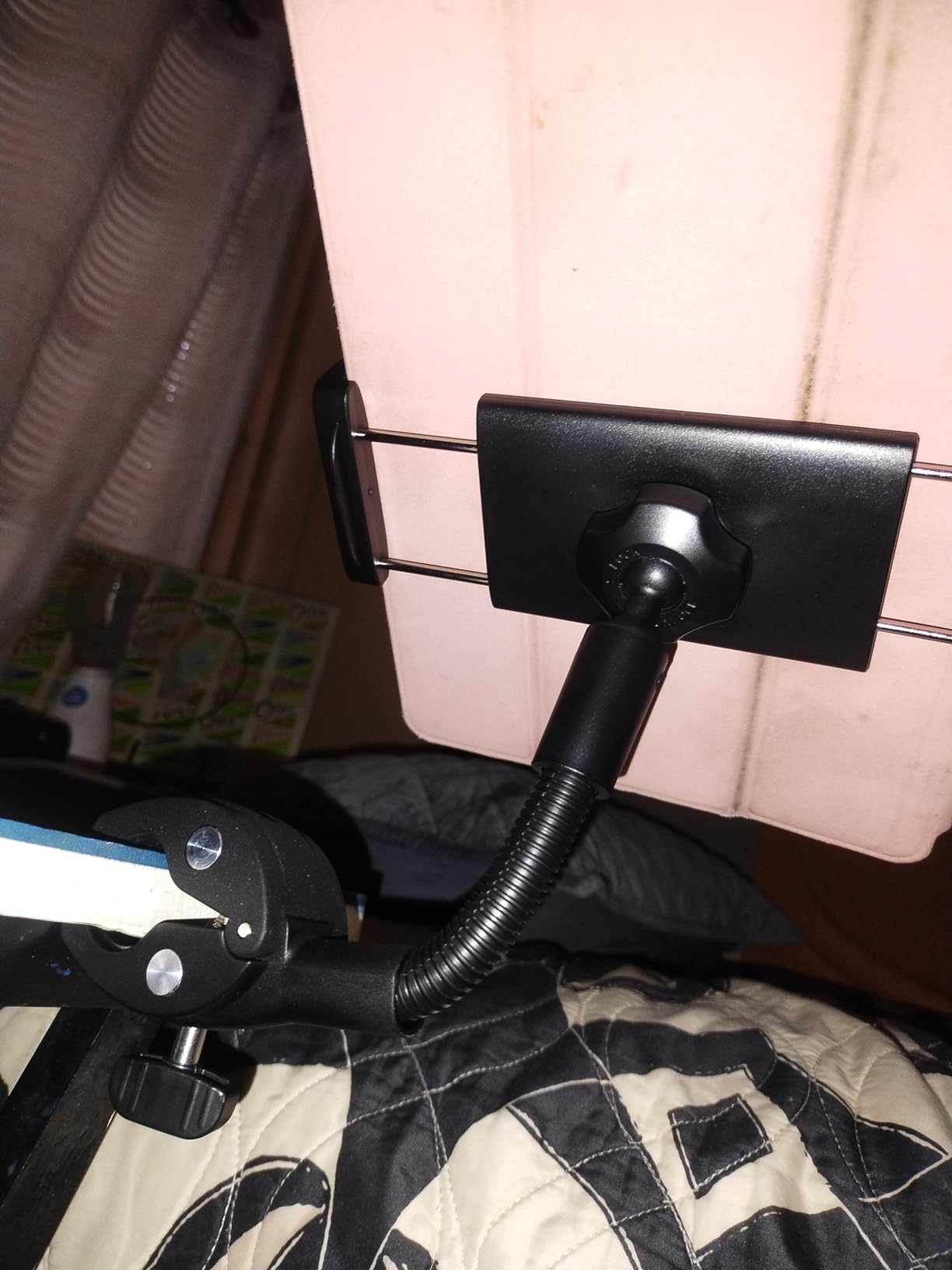
This clamp takes the widest range of post sizes in the roundup, from half an inch to one and five eighths inches, installed without tools. A 360 degree ball head sits on a short flexible gooseneck, so the device can sit at an angle in either portrait or landscape.
The rubber pads are the detail worth noting. Users consistently mention that they stop the clamp marking the surface it grips, which is exactly the concern people have about attaching anything to an aircraft seat.
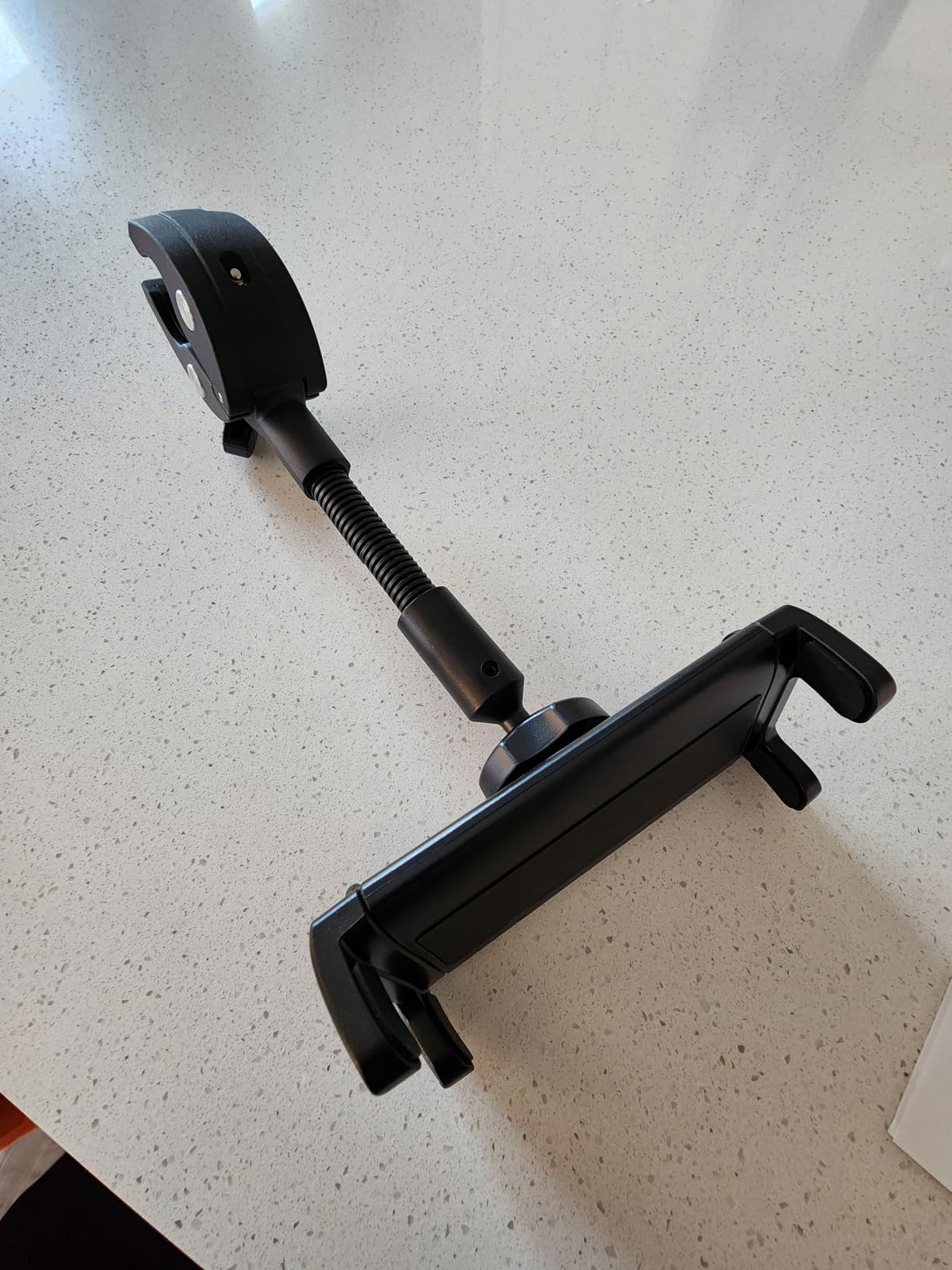
The ratings are the weak point. A 3.9 average from 19 ratings is a small sample, but the distribution shows a notable 22 percent one or two star group, which points to inconsistent build quality or grip rather than one isolated complaint.
The 2.36 inch arm is also short compared with the longer mounts here, so you get less reach to set a comfortable viewing angle. The manufacturer backs it with a 60 day refund window and a 12 month warranty, and support is listed as responding within 12 hours.
Who this suits
Anyone whose available mount point is a narrow post or rail, and who is particular about not marking a surface. The clamp range means it fits more shapes than most of its rivals.
Who should skip it
Anyone who wants a long reach arm or a large screen at eye level, since 2.36 inches of extension is not much. The thin rating history is also a reason to consider a longer established brand.
9. SWANOO Airplane Tray Cover and Tablet Holder – Best for Kids
SWANOO Airplane Tray Cover Kids & Toddler Travel Essentials & Tablet Holder
Tray cover that flips into a tablet stand
Elastic band fits 18.5 inch trays
Play surface 12 x 9.25 inches
Pros
- Folds to 13 x 6 x 0.5 inches for packing
- Elastic band grips standard airplane tray tables
- Activity sheets markers and eraser included
- Raised surface contains small items
Cons
- Tablet support stops at 12 x 9 inch screens
- Built for toddler travel rather than adult use
- Smallest review base among the top rated items
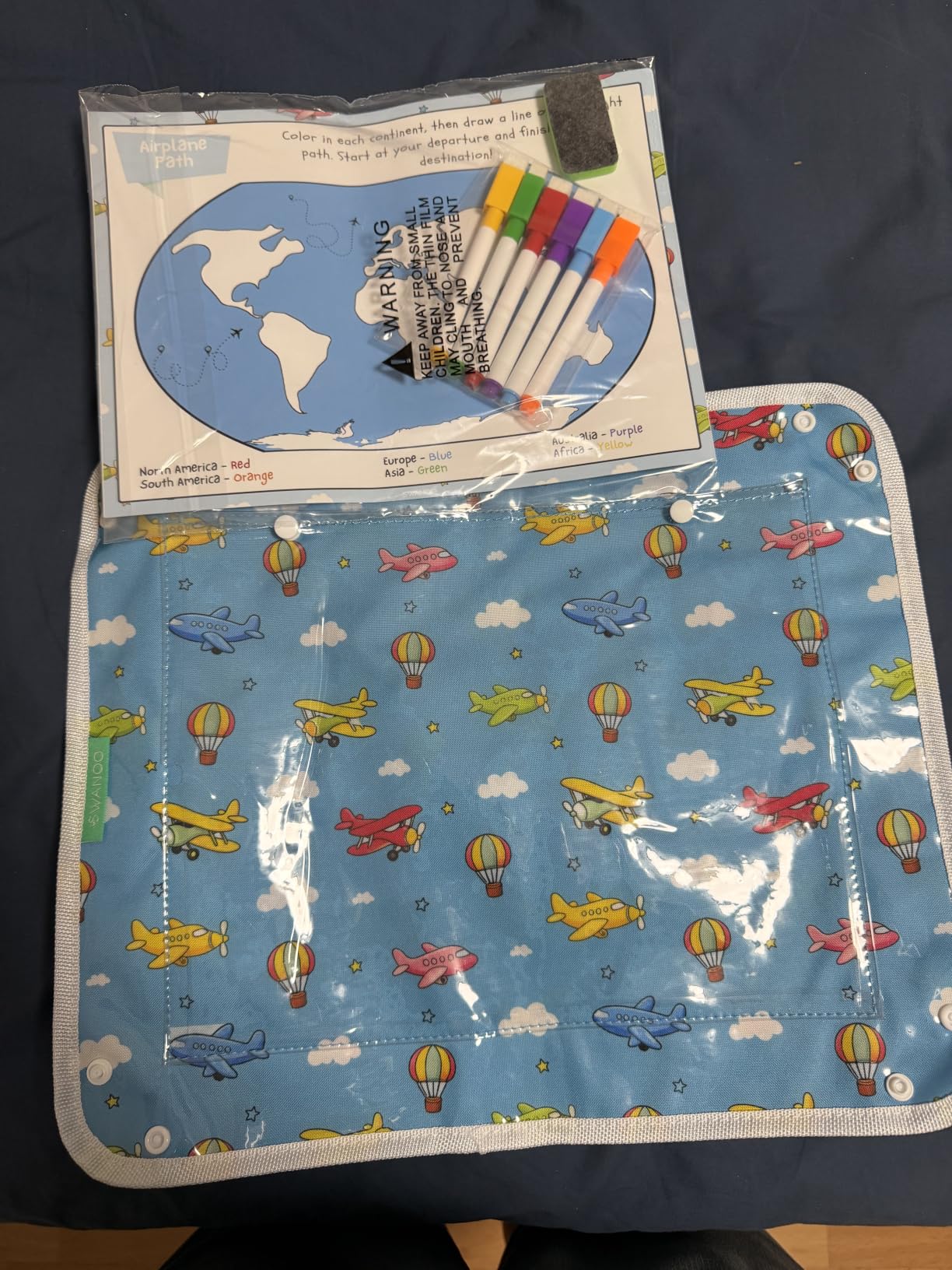
Where every other entry holds a screen, this one turns the whole tray table into a contained play surface. The elastic band loops over a tray up to 18.5 inches wide, a raised panel gives kids somewhere to draw and snack, and reach-in pockets keep small items from hitting the floor.
It scores 4.8 across 18 ratings with nothing below four stars, the highest average in the set, and owners single out the tray fit and the fact that the activity kit is usable rather than disposable. Flip it over and the panel props a tablet hands free.
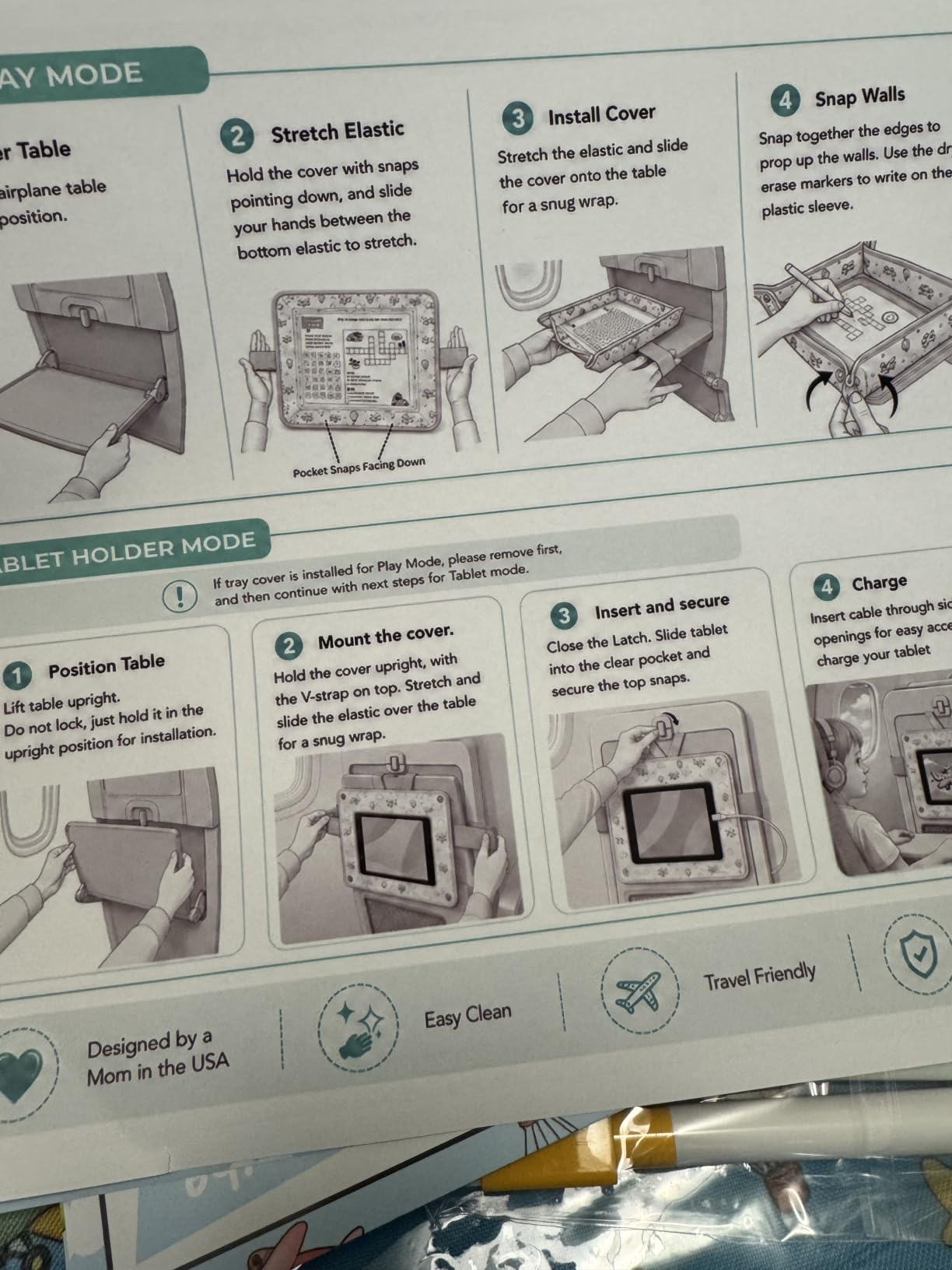
The fit limit is clear from the specifications. Tablet support stops at 12 by 9 inches, so a large iPad Pro in a case will not sit in the slot, and this is not an adult reading stand in any sense. It is a parenting tool for a flight with a toddler.
Packing is its quiet strength. It folds to 13 by 6 by half an inch, roughly the footprint of a paperback, which is far smaller than a rigid mount or a foam cushion, and it wipes clean after a snack spill.
Who this suits
Parents flying with toddlers and young children, and anyone who wants the tray table to do more than hold a drink. It is also the easiest item in the list to clean between flights.
Who should skip it
Adults and older children, and anyone with a large tablet. The 12 by 9 inch ceiling is the deciding factor, not the rating.
10. ZUZUXI iPad Yoke Mount – Best Long Reach Arm
ZUZUXI iPad Yoke Mount, Tablet Holder Clamp Mount for Aircraft, 360° Rotation Adjustable Aluminum Trainer Tablet Holder for iPad Pro 12.9/Air/Mini, 4.7-13″ Phones and Tablets
8 inch dual layer gooseneck
Clamp fits 0.5 to 2 inch rails
Load capacity 3.3 lbs
Pros
- Longest arm in the roundup reaches a comfortable angle
- Carbon steel core resists drooping
- Clamp takes rails up to 2 inches wide
- Soft rubber pads grip 4 to 13 inch devices with cases
Cons
- Smallest review base in the set at 15 ratings
- 13 percent two star band on clamp and finish
- Length makes it bulky to pack
The defining feature here is reach. The 8 inch gooseneck is more than three times the length of the shortest arm in this list, and it has a rigid carbon steel core inside the flexible layer so it holds position rather than drooping over a long session.
The 4.4 average comes from 15 ratings, with 65 percent five stars and 22 percent four stars and no one-star reviews at all. Buyers describe the reinforced neck and the wide clamp range as the two things that set it apart.
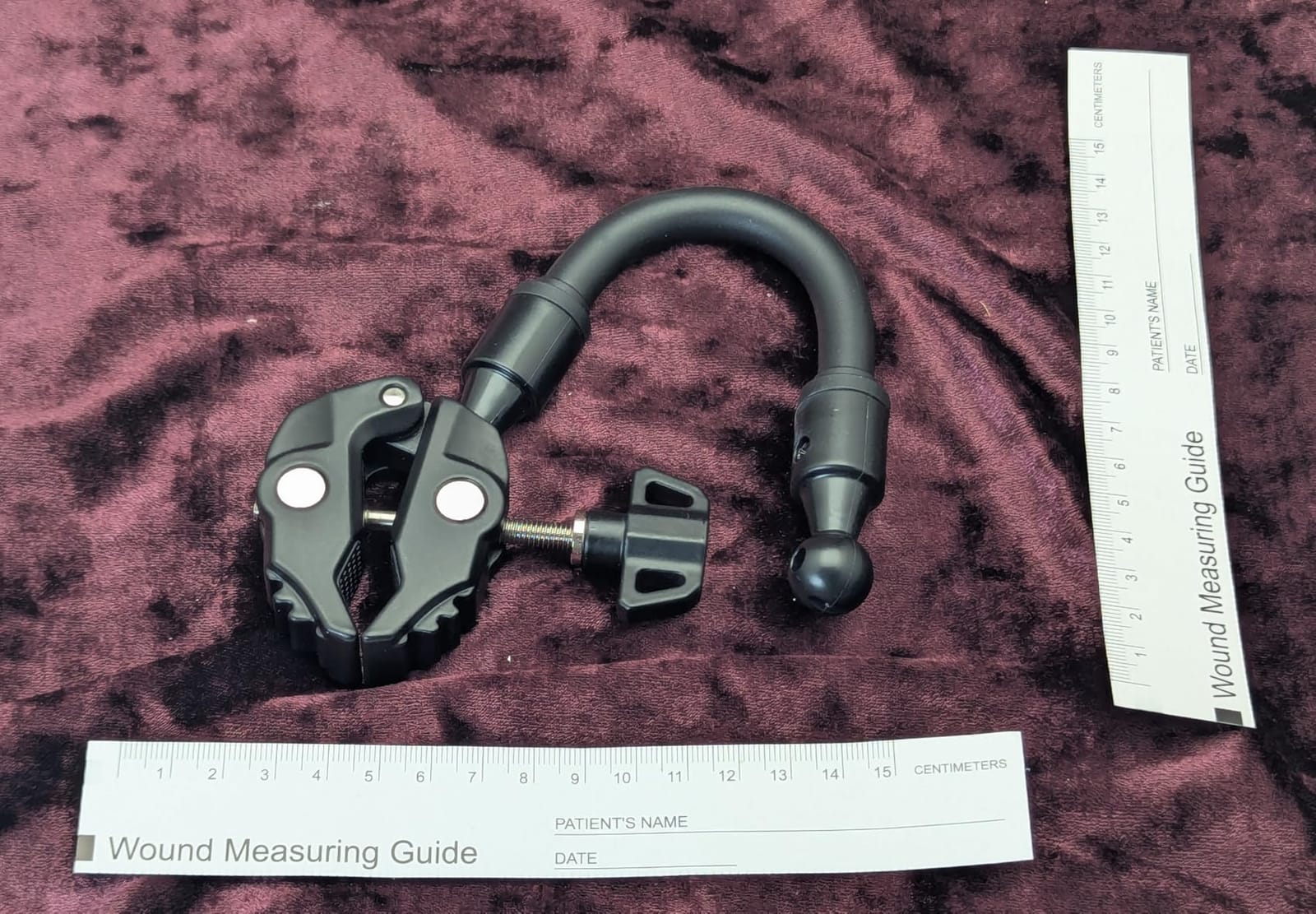
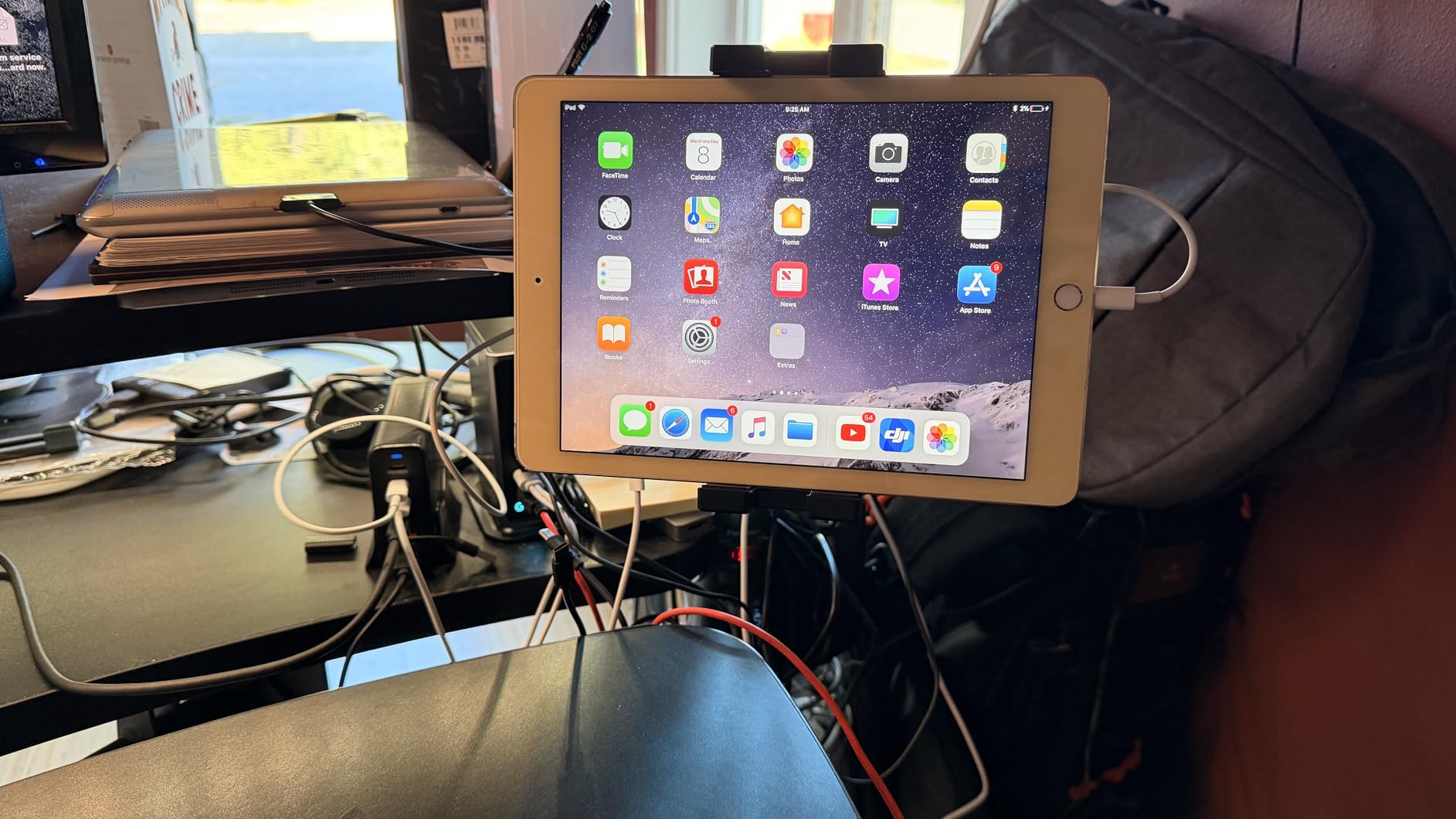
Reach solves real problems. A short arm on a tray table forces a screen angle that points at the ceiling; a long neck lets you bring an off-screen device back toward your lap. It also raises the screen away from a table surface, which helps with airflow around a device.
Against that, 15 ratings is a very thin base, and a 13 percent two-star group cites the clamp and finish. The load capacity of 3.3 lbs covers a large tablet in a case, but the length makes it the least pocketable item here.
Who this suits
Passengers who work or video call on long flights and need an angle they can dial in, and anyone mounting to a wide post up to 2 inches across. The reinforced core suits extended sessions.
Who should skip it
Light packers, since nothing about an 8 inch neck folds small. The thin review history also makes it a harder bet than the established brands in this category.
How to Choose an Airplane Tablet Holder
The right mount is decided by three things in this order: what surface you can attach to, how big and heavy your device is, and whether you pack light. Start with the surface, because every other feature is secondary to it.
Which mount point should you use?
A lap cushion or lap desk is the most forgiving option and needs no fitting, but it occupies both legs and is useless if you want to get up. A tray-table stand is the most reliable flat surface in the cabin, and users on r/ipad consistently call it the most dependable place to put a device, sturdier than a tablet case kickstand.
A seat-back pocket rim or a tray-table latch is where hook and strap mounts earn their keep, and it keeps the tray clear for a drink or a meal. A headrest mount sits at eye level and is ideal for economy seats with exposed metal guide rods, while a padded leather headrest in business or first class suits a strap or claw mount better than a hard clamp. A cup-holder mount in the armrest recess is the easiest to install one-handed and the least stable in rough air.
What the mount mechanism decides
A friction or bendable stand is the most portable and the least rigid. A clamp or cradle holds a device firmly and usually fits a case, but it depends on matching jaw width. A suction cup needs a genuinely smooth, clean surface, and it needs a margin of weight capacity. A magnetic mount is fast but only works with a magnetic case or adapter, which is an extra thing to carry.
Whatever you choose, test three things before you fly: install it one-handed without looking, shake the seat hard enough to simulate a bump, and leave it loaded for an hour to check for arm sag. Sags after sixty minutes are the single most common complaint across this category, and reviewers on r/GalaxyTab still ask for clearer guidance on whether a 12.4 inch tablet fits a given seat-back holder.
Stow it before takeoff and landing
Anything attached to a seat has to be stowed before takeoff and landing, and a loose device becomes a projectile in a sudden deceleration. Travellers on r/AlaskaAirlines describe genuine uncertainty about whether hanging an item from the seat in front is acceptable, and most resolve it by asking a flight attendant rather than guessing.
The same caution applies to the aircraft itself. Hard clamps can mark a tablet, and anything that could scratch a seat-back screen or stress a tray-table latch is the kind of damage an airline will charge a passenger for. Soft pads and silicone surfaces are safer than bare metal against airline fittings.
Should you pack a mount at all?
Sometimes no. The most shared real solution costs nothing: fold the safety card, or a laminated card, into a wedge and slide it into the tray table, a trick posted repeatedly on r/LifeProTips and Instagram as a flight hack. A related version hooks a phone case over the tray-table latch using the sick bag from the seat pocket. Both take no cabin space and cost nothing.
Against that, one-bag travellers on r/onebag are actively opposed to carrying another accessory, and the counter-argument has real merit: a mount only pays off if your flight is long enough for the neck to hurt. Our view is that anything under three hours does not need a mount, while a long-haul seat with no seatback screen genuinely needs one.
Frequently Asked Questions
What is the best iPad holder for airplanes?
The best iPad holder for airplanes is a flexible bendable stand or a memory foam lap cushion rather than a rigid cockpit mount. A foam lap cushion rated 4.6 across thousands of reviews holds a tablet at an angled eye-level position without needing anything to fit, while a bendable aluminum stand folds flat into a personal item. Rigid clamps and suction mounts are built for pilot use and need a post or smooth glass to grip.
Where do I put my tablet when flying?
The tray table is the most reliable flat surface in the cabin, and users on r/ipad describe it as sturdier than a tablet case kickstand. For a higher screen, hook a mount over the tray-table latch or the seat-back pocket rim, or clamp to the metal guide rods on an economy headrest. A cup-holder mount in the armrest is the easiest to install one-handed and the least stable in rough air.
How can I attach my tablet to an airplane seat?
There are four common methods. Clamp-style mounts grip the tray-table edge or headrest guide rods and are the most rigid. Hook-style mounts loop over the seat-back pocket rim or the tray-table latch. Strap mounts stretch silicone over a padded headrest without touching leather. Bendable and friction stands reshape to fit the tray table. Whatever the method, stow it before takeoff and landing.
Are tablet holders allowed on airplanes?
Removable mounts that clamp to your own tray table or seat back are generally fine, but anything attached to the seat in front, blocking an aisle, or resting against a seat-back screen may be removed by a flight attendant. Passengers on r/AlaskaAirlines report being unsure, and the safe approach is to ask the crew before you settle in. Never attach anything to the seat-back screen itself.
What do airline pilots use iPads for?
Pilots use iPads as an electronic flight bag, holding charts, checklists, weather and navigation data where a paper binder used to be. That work requires a rigid mount that cannot shift in turbulence, which is why a yoke clamp, kneeboard strap or suction cup is the standard. Those same parts are not passenger cabin mounts, and a cockpit suction cup needs smooth glass a cabin tray will not provide.
Final Verdict
For most passengers, the Brookstone memory foam lap cushion is the best tablet holder for airplanes we tested, because it needs no fitting, works across every seat class, and is the only product in this roundup backed by thousands of reviews at 4.6 stars. If you pack light, the Flight Flap gives you the most capable flexible stand at a modest outlay, and the AIRGLO Flex Flap is the lighter option when every gram counts.
Save the yoke clamps, suction cups and kneeboard arms for if you actually fly or need a rigid hold more than you need a small pack volume. Whichever you pick in 2026, stow it before takeoff, keep the grip surfaces off the airline’s seat-back screen, and check that your device is light enough for the mount to claim it can hold.