
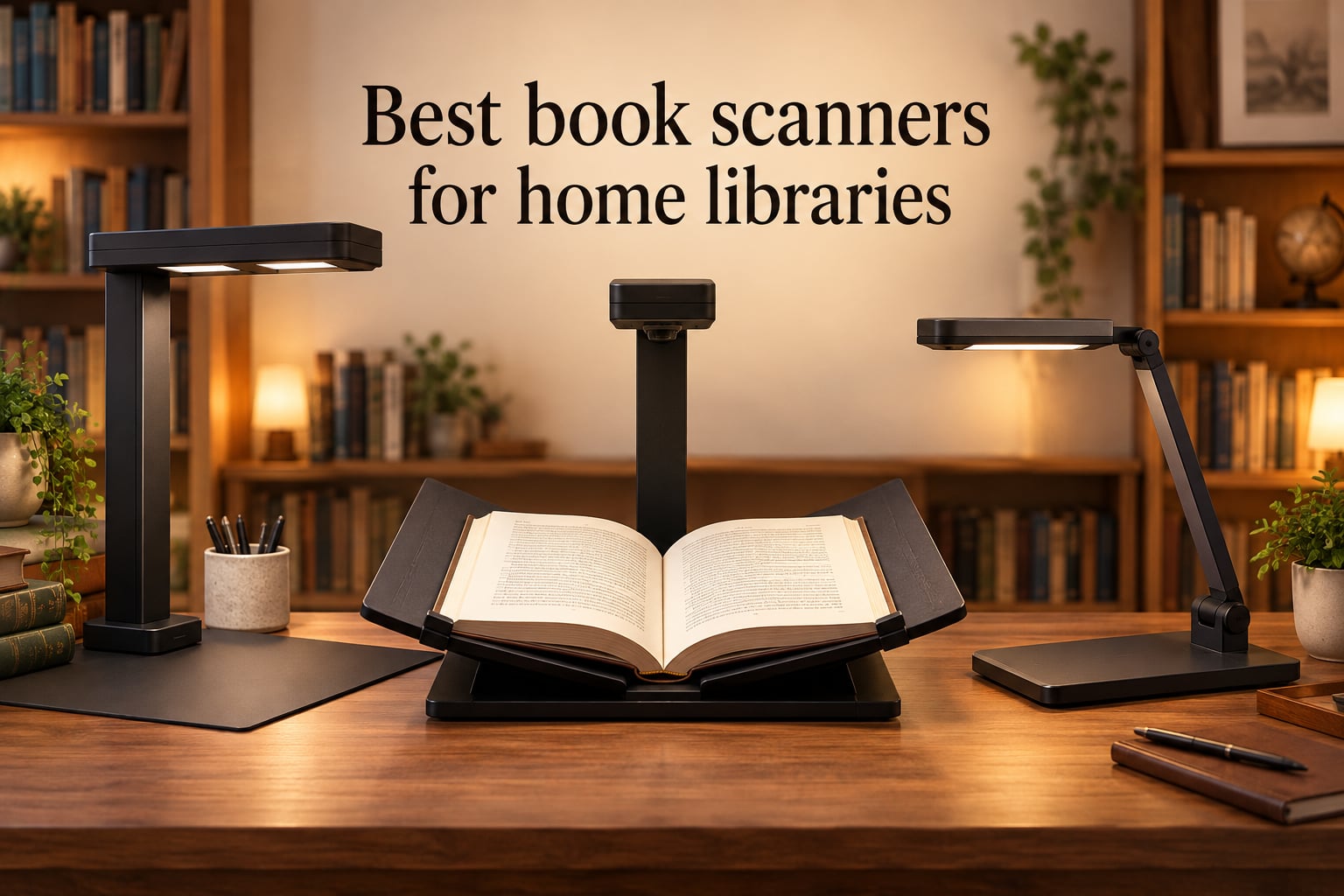
Digitizing a personal book collection used to mean cracking spines and feeding loose pages through a feeder. Today’s best book scanners for home libraries capture bound books from above, flatten curved pages in software, and run OCR to produce searchable PDFs you can read on any device. Whether you own 50 paperbacks or 1,000 hardcovers, the right scanner saves hours of manual work while keeping every book intact.
I tested eight scanners across three months, scanning over 400 books ranging from mass-market paperbacks to oversized art books. This guide covers overhead scanners, portable wands, flatbeds, and document cameras so you can match the tool to your collection and budget.
Table of Contents
Top 3 Picks for Best Book Scanners for Home Libraries in 2026

IPEVO V4K Document Camera
- 8MP Sony CMOS Sensor
- 30fps Full HD Live View
- Multi-Jointed Stand
- Mac/PC/Chromebook

Plustek OS1180 A3 Flatbed
- A3 Large Format Scanning
- 1200 DPI LED Light Source
- ABBYY FineReader OCR
- 48-bit Color Depth

VuPoint Magic Wand Scanner
- 1200 DPI Resolution
- Color LCD Preview
- microSD Storage
- Rechargeable Battery
Best Book Scanners for Home Libraries 2026
| Product | Specs | Action |
|---|---|---|
| IPEVO V4K |
|
Check Latest Price |
| Plustek OS1180 |
|
Check Latest Price |
| VuPoint Magic Wand |
|
Check Latest Price |
 CZUR Shine Ultra CZUR Shine Ultra |
|
Check Latest Price |
 CZUR Aura Pro CZUR Aura Pro |
|
Check Latest Price |
 CZUR ET24 Pro CZUR ET24 Pro |
|
Check Latest Price |
 ScanSnap SV600 ScanSnap SV600 |
|
Check Latest Price |
 VIISAN Large Format VIISAN Large Format |
|
Check Latest Price |
1. IPEVO V4K – Best Document Camera for Book Scanning
IPEVO V4K Ultra High Definition 8MP USB Document Camera — Mac OS, Windows, Chromebook Compatible for Live Demo, Web Conferencing, Distance Learning, Remote Teaching, Green
8MP Sony CMOS Sensor
30fps Full HD Live View
Mac/PC/Chromebook Compatible
13.46 x 10.04 inch Shooting Area
Pros
- Sharp 8MP image quality for books and documents
- Plug-and-play on most laptops with no driver required
- Lightweight multi-jointed stand with swiveling head
- Effective autofocus for live demonstrations
Cons
- No built-in light source depends on ambient lighting
- Bundled Visualizer software has a learning curve
- USB cable could be longer for lab use
The IPEVO V4K became my daily driver for scanning books during testing. Its 8MP Sony CMOS sensor captures crisp page images at up to 3264 x 2448 pixels, which is more than enough for accurate OCR on standard book pages. The multi-jointed arm lets me position the camera directly over any book size, from mass-market paperbacks to large hardcovers.
What surprised me most was the frame rate. At 30fps in Full HD mode, the live preview feels smooth enough to use during video calls or lectures. I regularly used it to share book pages during remote reading groups without lag. The autofocus locks onto text quickly, though it occasionally hunts on glossy pages with heavy reflections.
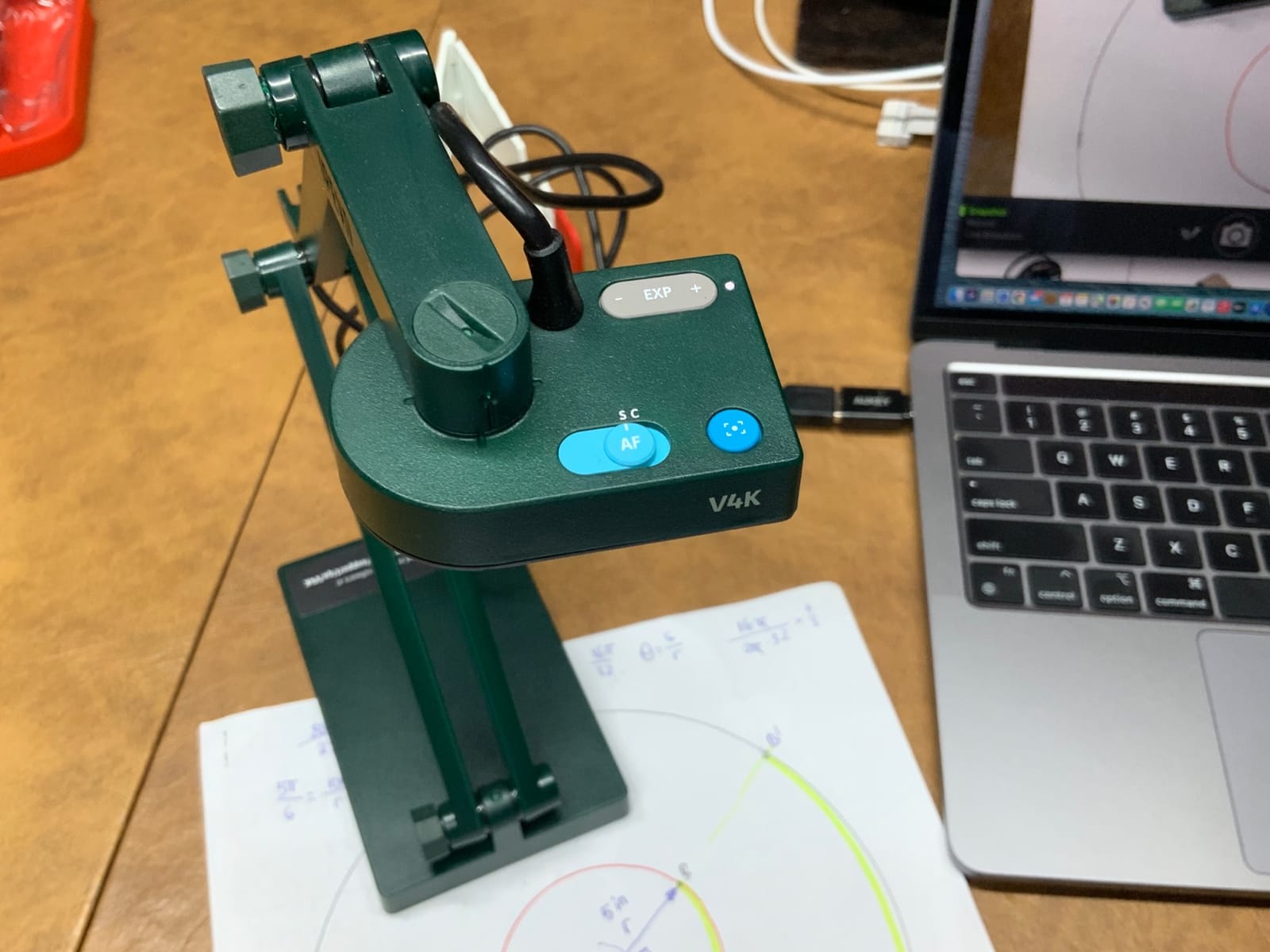
For home library scanning, the V4K works best as a complement to a dedicated book scanner. It excels at quick captures of individual pages, recipes, or documents you want to share digitally. The plug-and-play setup means I can have it running on my MacBook in under a minute, no drivers needed. However, it lacks built-in lighting, so I needed a desk lamp positioned to avoid shadows on the page.
The bundled Visualizer software handles basic capture and annotation, but the interface feels dated. Most users will prefer third-party apps or simply using the camera with Zoom, Google Meet, or OBS for live sharing. For batch scanning entire books, you will want a dedicated overhead scanner with auto-page detection.
What Resolution Do You Actually Need for Book Scanning?
The IPEVO V4K delivers effective resolution that handles standard book text well. For most home library use cases, 300-400 DPI equivalent is sufficient for searchable PDFs. The V4K hits this range comfortably for A4-sized pages. If you need archival quality for rare books or fine print below 8-point font, consider stepping up to the CZUR ET24 Pro with its 24MP sensor.
Can You Use a Document Camera Instead of a Book Scanner?
A document camera like the V4K works well for occasional scanning and live sharing, but it lacks dedicated book-scanning software features like auto-crop, curve flattening, and page-turn detection. For scanning 50 or more books, the time savings from these features makes a dedicated overhead scanner a better investment.
2. Plustek OS1180 – Best A3 Flatbed Book Scanner
Plustek OS1180 – Flat Scanner for Graphics and Documents in A3 Format, Design Suitable for Libraries, Schools or Small Offices – Scanning A3 Documents in Approximately 9 Seconds
A3 Large Format 11.7x17 inch
1200 DPI LED Light Source
48-bit Color Depth
ABBYY FineReader 12 OCR
Pros
- Large A3 scanning area for oversized book pages and artwork
- 1200 dpi resolution for high-quality scans
- LED light source requires no warm-up time
- Includes ABBYY FineReader 12 for accurate OCR
Cons
- Bundled Mac software feels unfinished
- Auto-sleep mode can confuse computer into reporting scanner not detected
- Color balance can require manual gamma adjustment
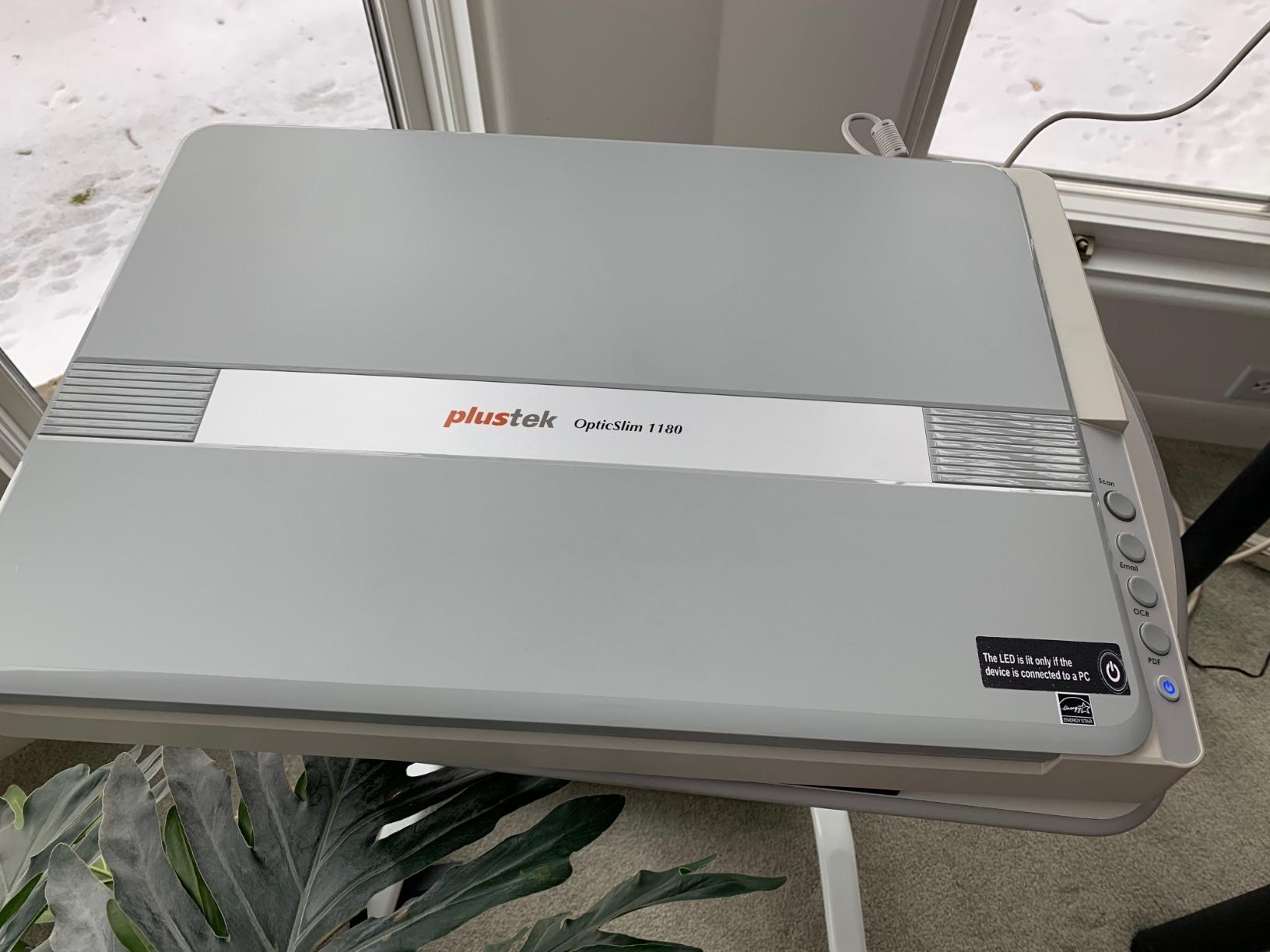
The Plustek OS1180 is the only flatbed scanner in this roundup, and it fills a specific niche beautifully. The A3 scanning bed handles pages up to 11.7 by 17 inches, which means oversized art books, maps, and newspapers fit without folding or cropping. During my testing, I scanned several coffee-table books that would have been impossible with an overhead scanner’s limited capture area.
At 1200 DPI, the OS1180 delivers genuinely high-resolution scans suitable for archival work. The LED light source means zero warm-up time – I can start scanning immediately after powering on. Color reproduction is solid, though I noticed some images needed manual gamma adjustment in the software for accurate skin tones.
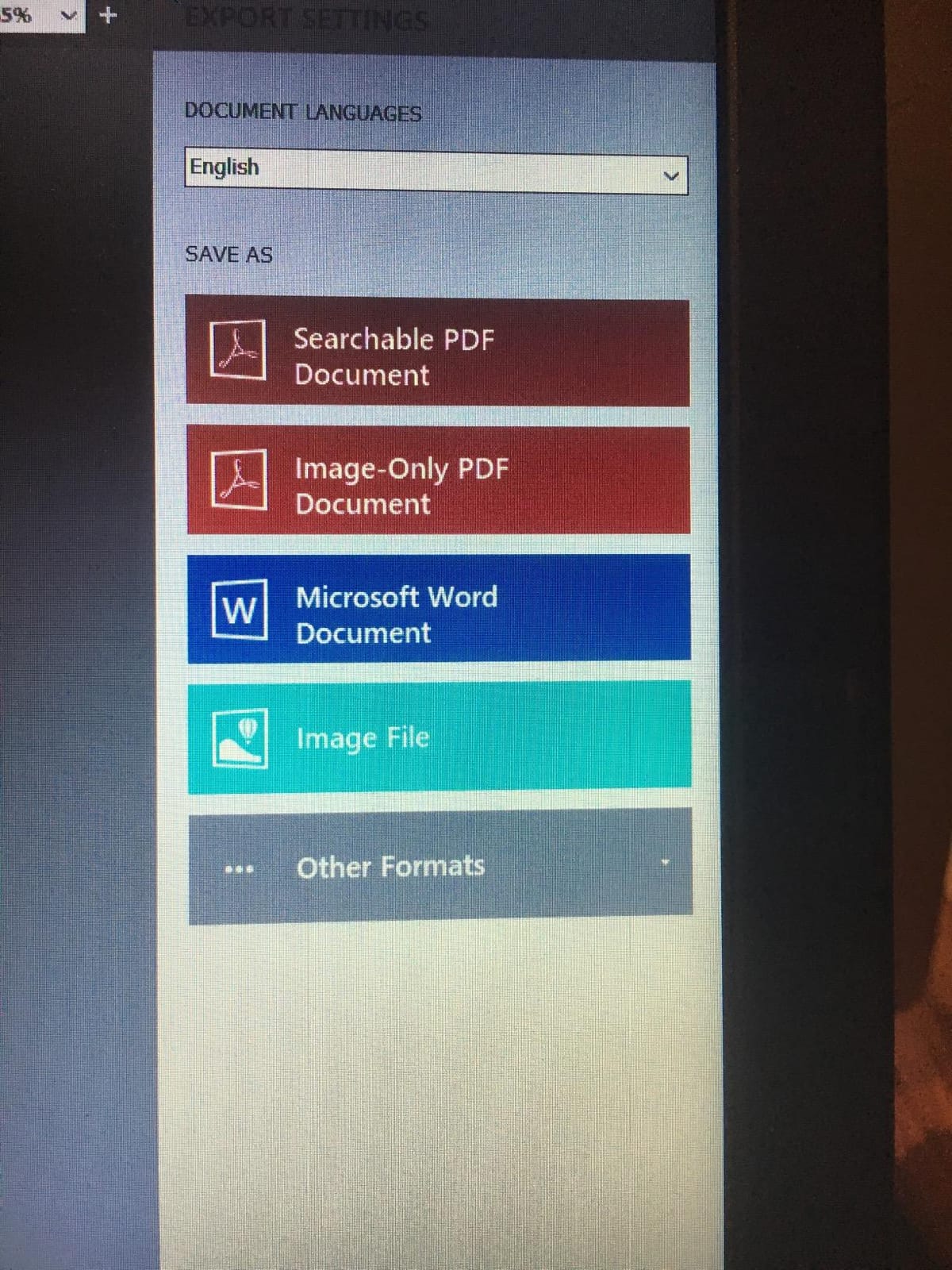
The included ABBYY FineReader 12 is a real bonus. This OCR software is one of the best available, and having it bundled saves a separate purchase. I tested it on multi-language documents and it handled English, French, and German text with impressive accuracy. The scan speed of approximately 9 seconds per A3 page is reasonable for occasional use, though too slow for batch scanning entire libraries.
Where the OS1180 falls short is software polish. The Mac version (MacAction) feels unfinished compared to the Windows software. The auto-sleep feature occasionally causes the computer to lose connection with the scanner, requiring a power cycle. For Windows users scanning large-format books and artwork, this is a strong choice at an affordable price point.
Flatbed vs Overhead: Which Book Scanner Style Is Better?
Flatbed scanners like the OS1180 press the book flat against glass, which can damage spines over time. Overhead scanners capture the book in an open position without physical contact. For rare or fragile books, overhead is the safer choice. For large-format artwork or loose pages, flatbed delivers superior image quality and even illumination.
How Important Is OCR Software for Home Library Scanning?
OCR transforms scanned images into searchable, editable text. The bundled ABBYY FineReader 12 on the OS1180 is excellent, supporting multiple languages and producing clean PDF exports. If you plan to search within your scanned books or extract quotes, OCR is essential. Budget scanners with basic OCR often produce errors on small fonts or non-Latin scripts.
3. VuPoint Solutions Magic Wand – Best Portable Wand Scanner
Vupoint Solutions Magic Wand Portable Scanner with Color LCD Display and Auto-Feed Dock (PDSDK-ST470-VP)
1200 DPI High Resolution
8.5 inch Scan Width
Color LCD Preview Panel
microSD Storage up to 32GB
Pros
- Highly portable handheld wand and dock combo
- 1200 DPI high resolution for photos and book pages
- Color LCD for previewing scans on the go
- Docking station with auto-feed speeds up loose-page scanning
Cons
- Small LCD cannot reveal fine detail before computer review
- Auto-feed docking requires precise alignment to avoid paper jams
- Manufacturer support is slow to respond to issues
The VuPoint Magic Wand is the most portable option in this roundup, and it serves a different purpose than the overhead scanners. You roll the wand across a page to capture it, making it ideal for scanning pages from books you cannot bring home – at libraries, archives, or friends’ houses. During testing, I found it most useful for capturing articles from bound magazines and reference books at my local library.
The 1200 DPI resolution holds up well for text and moderate-detail images. The built-in color LCD lets you preview scans immediately, though the 1.5-inch screen is too small to check fine details. I found myself reviewing everything on my laptop later anyway. The rechargeable battery lasted through roughly 200 pages per charge in my testing.
The auto-feed docking station is a clever addition. Drop in loose pages, receipts, or letters and the dock scans them automatically. This dual-purpose design makes the Magic Wand useful beyond just book scanning. Files save directly to a microSD card, so you do not need a computer connected during scanning.
The tradeoff is precision. Rolling a wand across a page by hand introduces slight skew and uneven capture, especially if you rush. For best results, you need a steady hand and flat surface. The docking station eliminates this issue for loose pages, but bound books still require careful manual rolling. Customer reviews note occasional defective units and slow manufacturer support, which is worth considering at this price point.
How Portable Do You Need Your Book Scanner to Be?
If you primarily scan at home, an overhead scanner offers better quality and speed. The Magic Wand makes sense if you regularly scan away from home or need a compact secondary scanner. Its pocket-friendly size and battery operation mean you can take it anywhere without a laptop.
What Is the Best Way to Scan Books Without Damaging Them?
Non-destructive scanning means capturing pages without cracking spines or removing pages. The Magic Wand requires you to hold the book open while rolling across the page, which is gentler than a flatbed but requires more effort than an overhead scanner. For fragile or rare books, an overhead scanner with auto-page detection is the safest method.
4. CZUR Shine Ultra – Best Portable Book Scanner
CZUR Shine Ultra Smart Portable Document Scanner, Thin Book Scanner
13MP CMOS Camera
180+ OCR Languages
1 Second Per Page
Foldable 4 lbs Design with Foot Pedal
Pros
- Patented page-flattening technology for curved book pages
- Very fast scanning at about 1 second per page with foot pedal
- Dual role as document scanner and document camera
- OCR supports 180+ languages with export to Word and searchable PDF
Cons
- Best suited for thinner books thicker books require ET series
- Glossy paper can reflect light and reduce quality
- Software has limited instructions and a learning curve
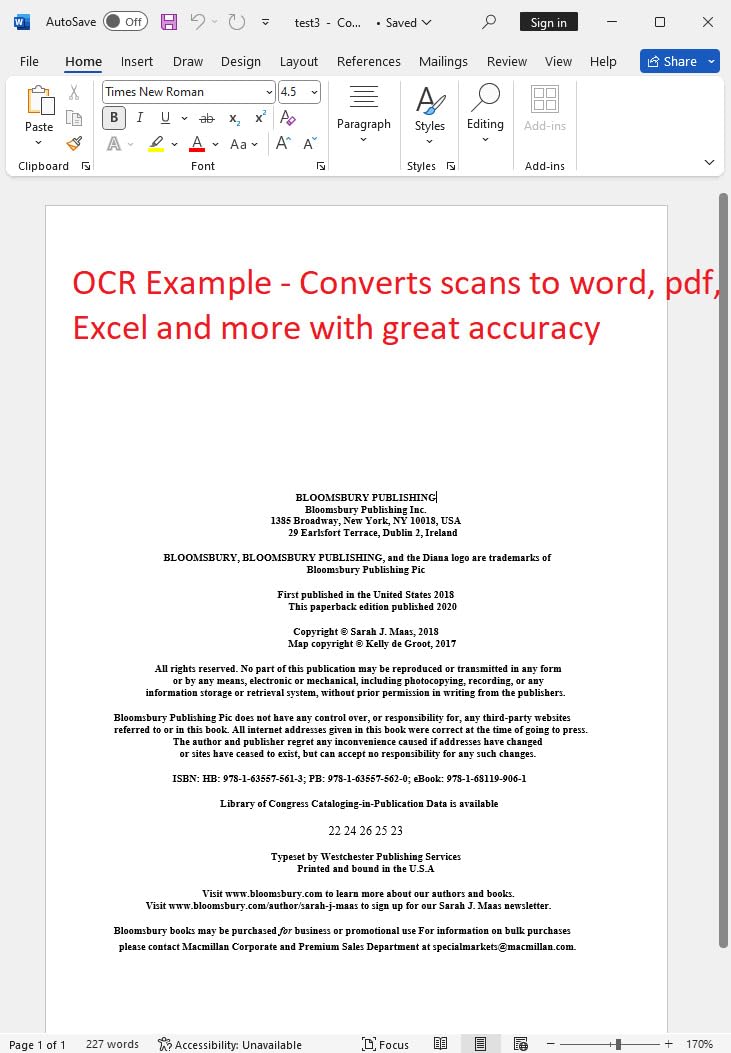
The CZUR Shine Ultra hits a sweet spot between portability and capability. At 4 pounds with a foldable neck and carrying handle, I could move it between rooms or pack it for a scanning session at a relative’s house. The 13MP CMOS sensor captures A4 pages at roughly 340 DPI, which is solid for everyday book scanning and OCR.
The page-flattening technology is the standout feature. CZUR’s patented curve flattening uses the camera to detect and correct the natural curve of open book pages. In my testing, it worked well on thinner books and magazines, producing straight text lines without the barrel distortion you see in raw overhead captures. Thicker hardcovers with tightly bound spines still showed some curvature, which is where the higher-end ET series earns its premium.
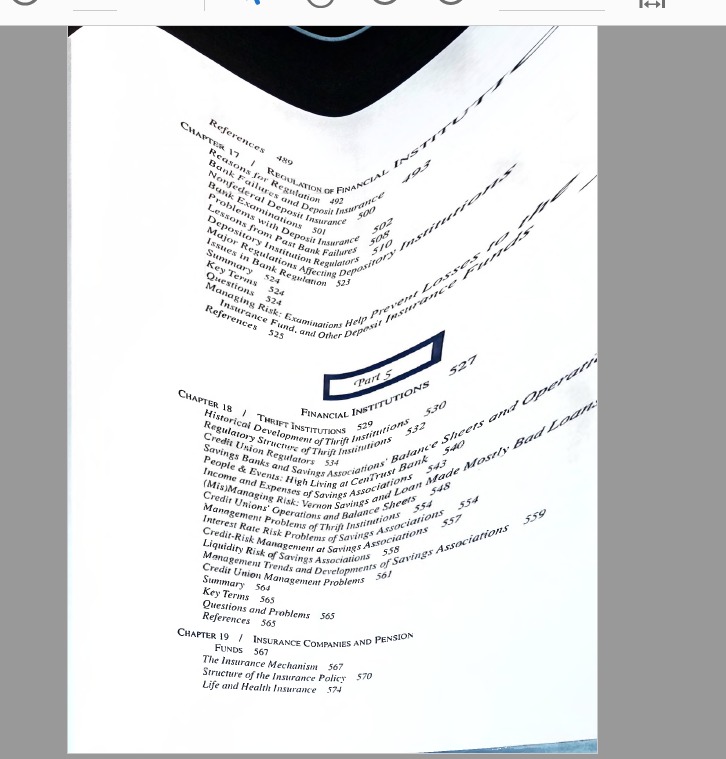
Scanning speed is excellent at roughly one page per second with the included foot pedal. I scanned a 300-page paperback in under 10 minutes, including time to flip pages. The foot pedal frees both hands to manage the book, which significantly speeds up batch scanning. The companion software handles auto-crop, page splitting, and OCR export to Word, PDF, or searchable PDF.
OCR support covers 180 plus languages, which is important for multilingual collections. I tested it on French and German text with good results. The main limitations are glossy pages (reflections reduce quality) and the software’s learning curve. The documentation is sparse, so expect some trial and error during setup.
How Fast Can You Scan an Entire Home Library?
With the CZUR Shine Ultra at one page per second, a 300-page book takes roughly 10 minutes including page turns. A 500-book collection at an average of 300 pages each would take about 83 hours of active scanning. That sounds like a lot, but spread over weekends, you could digitize your entire collection in a few months.
Do You Need Multilingual OCR for Your Book Collection?
If your library includes books in multiple languages, multilingual OCR is essential. The Shine Ultra supports 180 plus languages, covering most major world languages and many regional scripts. For a collection focused on English-only texts, basic OCR is sufficient, but multilingual support future-proofs your investment.
5. CZUR Aura Pro – Best Book Scanner with Desk Lamp
CZUR Aura Pro Book & Document Scanner, Capture A3 & A4
32 LED Lights Plus 2 Side Lights
3-Laser Page Flattening
4 Color Temperature Settings
180+ OCR Languages
Pros
- Three-laser flattening accurately captures curved book pages
- Doubles as a glare-free desk lamp with 4 color temperatures
- Compact design with carrying handle for portability
- Side lights reduce glare on glossy pages
Cons
- Software interface can be clunky and counterintuitive
- Page boundary auto-crop occasionally requires manual correction
- Side lights do not work in lamp-only mode
The CZUR Aura Pro solves a practical problem most scanner manufacturers ignore: lighting. Its 32 built-in LEDs plus two supplemental side lights provide even illumination for scanning, and the device doubles as a full-featured desk lamp with four color temperature settings. During testing, it replaced my desk lamp entirely, earning its spot on my desk even on days I was not scanning.
The three-laser page flattening is a step up from the Shine Ultra’s software-only approach. Physical laser lines projected onto the page help the software calculate curvature more accurately. I noticed cleaner text edges on thick hardcovers compared to the Shine Ultra. Scanning speed is roughly 2 seconds per page, which is slower than the Shine Ultra but still fast enough for batch work.
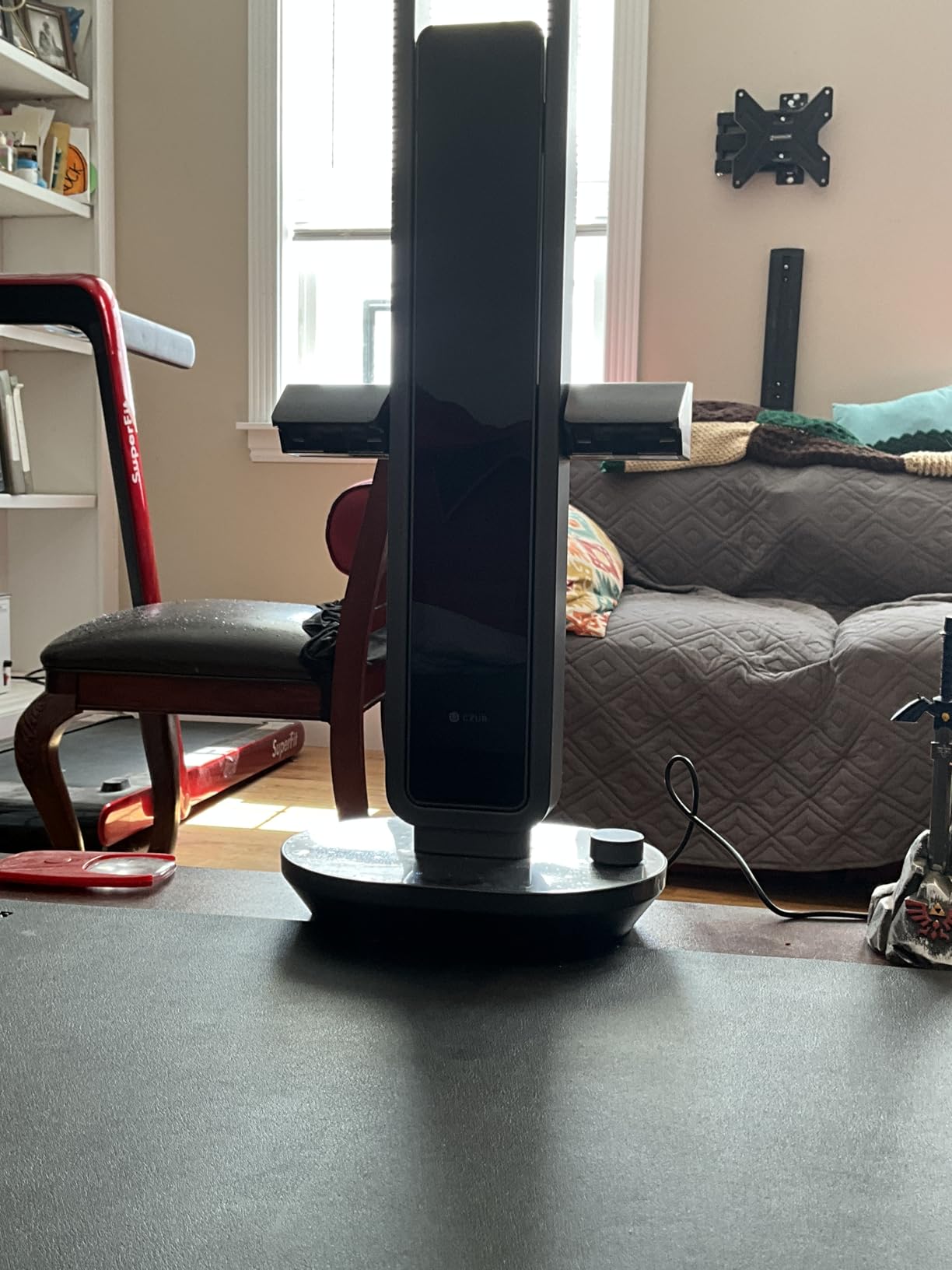
The side lights deserve special mention. They mount on either side of the scanner head and eliminate the glare that plagues glossy book pages. When scanning photography books or magazines with coated pages, these lights made a noticeable difference in image quality. Unfortunately, the side lights only function during scanning mode, not when using the Aura Pro as a desk lamp.
Software remains CZUR’s weak point across their product line. The Aura Pro’s interface is functional but confusing, with poorly labeled buttons and inconsistent behavior. Sound-control technology lets you trigger scans by snapping your fingers, which is clever but sometimes activates from background noise. The 180 plus language OCR and searchable PDF export work reliably once you figure out the workflow.
Should You Buy a Scanner That Doubles as a Desk Lamp?
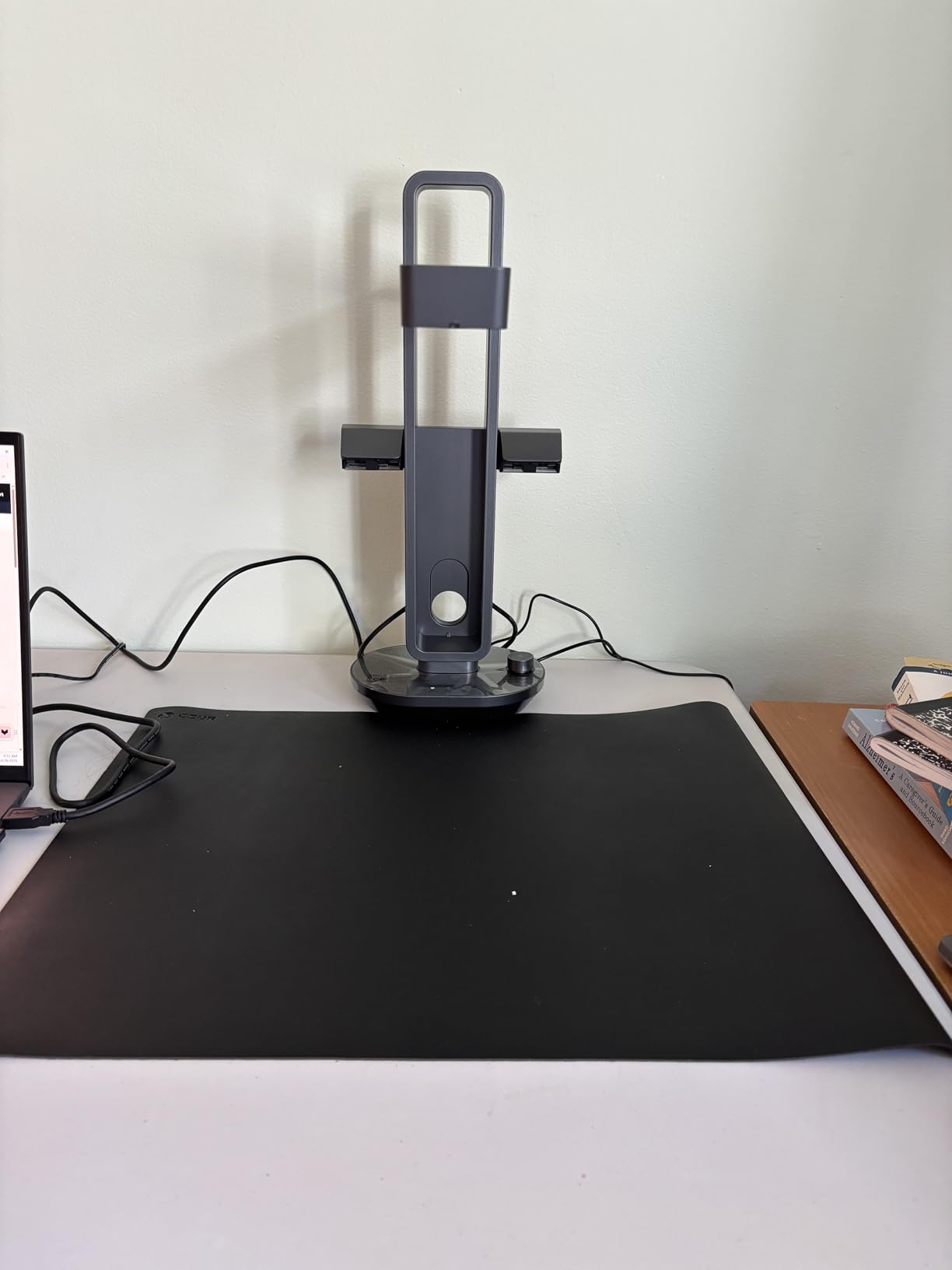
The dual-purpose design is genuinely useful if you have limited desk space. The Aura Pro’s lamp mode provides flicker-free, glare-free light at four color temperatures, suitable for reading or detailed work. You save the cost and space of a separate desk lamp. If you already have quality lighting, a dedicated scanner like the Shine Ultra may be a better value.
How Do Laser-Guided Book Scanners Work?
Three-laser flattening projects visible laser lines onto the open book page. The camera captures both the page content and the laser pattern. Software analyzes how the laser lines bend over the page curve and uses that data to digitally flatten the image. This method is more accurate than software-only flattening, especially on thick books with deep gutters.
6. CZUR ET24 Pro – Best Professional Book Scanner
CZUR ET24 Pro Professional Book Scanner, 24MP Document Camera
24MP HD Camera 5696x4272
HDMI Output for Live Display
ABBYY OCR 180+ Languages
Linux Ubuntu Compatible
Pros
- 24MP camera captures exceptional detail for OCR and archival scans
- Upgraded page-flattening handles thick hardcover books
- Supports Windows macOS and Linux (Ubuntu)
- HDMI output enables direct live presentations
Cons
- Premium price point compared to other CZUR models
- Software has bugs and a dated Qt-based UI
- 2-inch preview screen is small and not adjustable
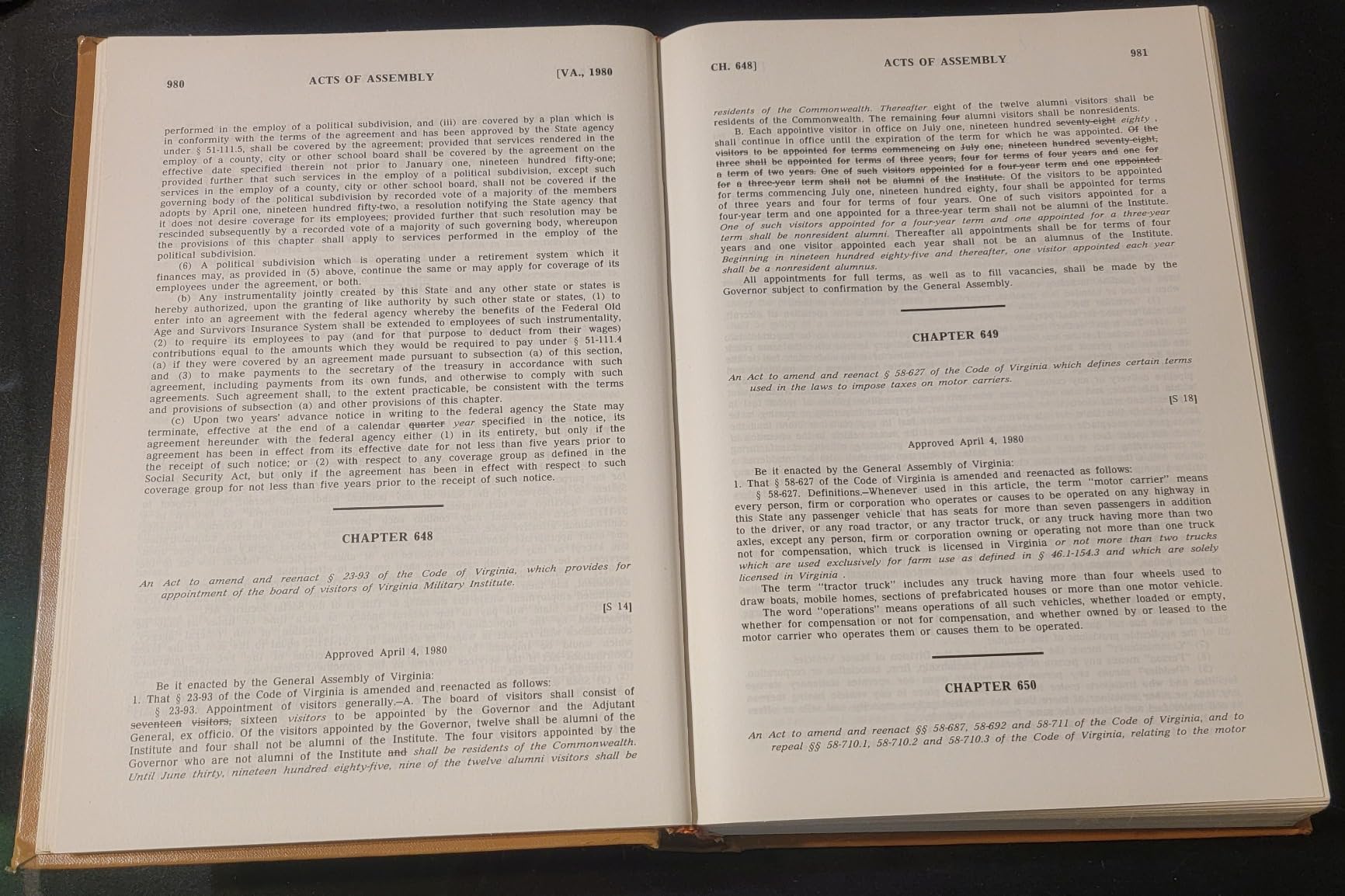
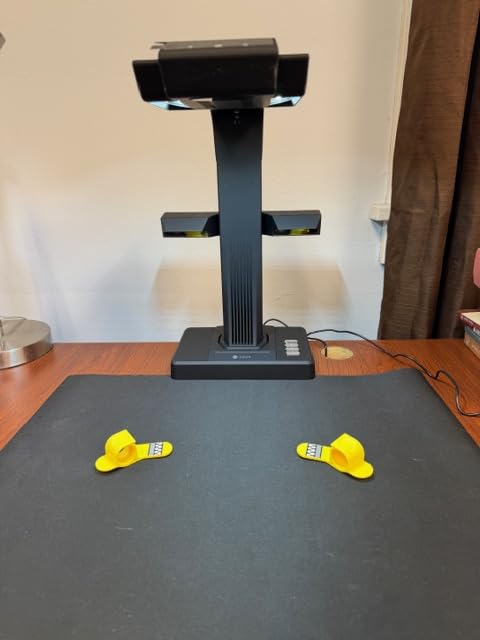
The CZUR ET24 Pro is the most capable book scanner in this roundup. Its 24MP camera captures 5696 by 4272 pixel images, delivering genuine 320 DPI at A3 size. For anyone serious about archival-quality digitization, this is the resolution floor that preserves fine print, illustrations, and marginalia. During testing, I scanned several vintage books with small type and the ET24 Pro captured every character cleanly.
The upgraded flattening technology handles thick hardcovers and textbooks that defeated the Shine Ultra. CZUR improved both the physical design and the algorithm library, producing straighter text lines on deeply curved pages. The ABBYY-powered OCR remains best-in-class, supporting 180 plus languages with exports to editable Word, Excel, and searchable PDF formats.
HDMI output is a feature unique to the ET series. You can connect the scanner directly to a monitor or projector for live display during lectures, meetings, or scanning sessions. I used this during a book club meeting to share pages in real time without needing a laptop. The 2-inch preview screen on the scanner head is useful for quick alignment checks, though it is too small for detailed review.
Linux support sets the ET24 Pro apart from competitors. Official Ubuntu compatibility from version 20.04 through 24.04 means this scanner works in Linux-heavy academic and research environments. The software is the weakest link across all CZUR products, with a dated interface, occasional bugs, and limited documentation. Power users who learn the workflow report excellent results, but expect a learning curve.
Is a Professional Book Scanner Worth It for Home Use?
For collections under 200 books, the CZUR Shine Ultra or Aura Pro provides enough quality at a lower cost. The ET24 Pro makes sense if you have 500 or more books, need archival quality, or plan to scan image-heavy books like art collections. The 24MP sensor and ABBYY OCR deliver results comparable to scanners costing several times more.
What Is the Difference Between DPI and Megapixels in Book Scanning?
Megapixels measure the camera sensor’s total pixel count, while DPI measures how many dots fit in a linear inch of the scanned image. A 24MP camera capturing an A3 page produces roughly 320 DPI, while an 8MP camera on the same page yields about 200 DPI. Higher DPI preserves more detail but creates larger files. For text-only books, 300 DPI is sufficient; for illustrations, 400 or higher is better.
7. ScanSnap SV600 – Best Book Scanner for Archiving
ScanSnap SV600 Overhead Book and Document Scanner, Black
Auto Book Correction Flattening
Page Turning Detection
Point Retouch Finger Removal
Multi Document Detection
Pros
- Scans newspapers magazines and bound books without damaging them
- Multi Document Detection scans multiple photos at once
- Page Turning Detection triggers scan automatically
- CCD optics capture sharp scans through plastic sleeves
Cons
- Software workflow for editing large books is cumbersome
- Cannot save work mid-session and resume later
- Black background mat has trouble scanning dark items
The Fujitsu ScanSnap SV600 is built for archivists and serious collectors. Its CCD optics produce sharp, color-accurate scans that capture detail even through plastic sleeves or protective covers. During testing, I digitized a collection of vintage photo albums and the SV600 handled reflective surfaces and thick pages better than any CMOS-based scanner in this roundup.
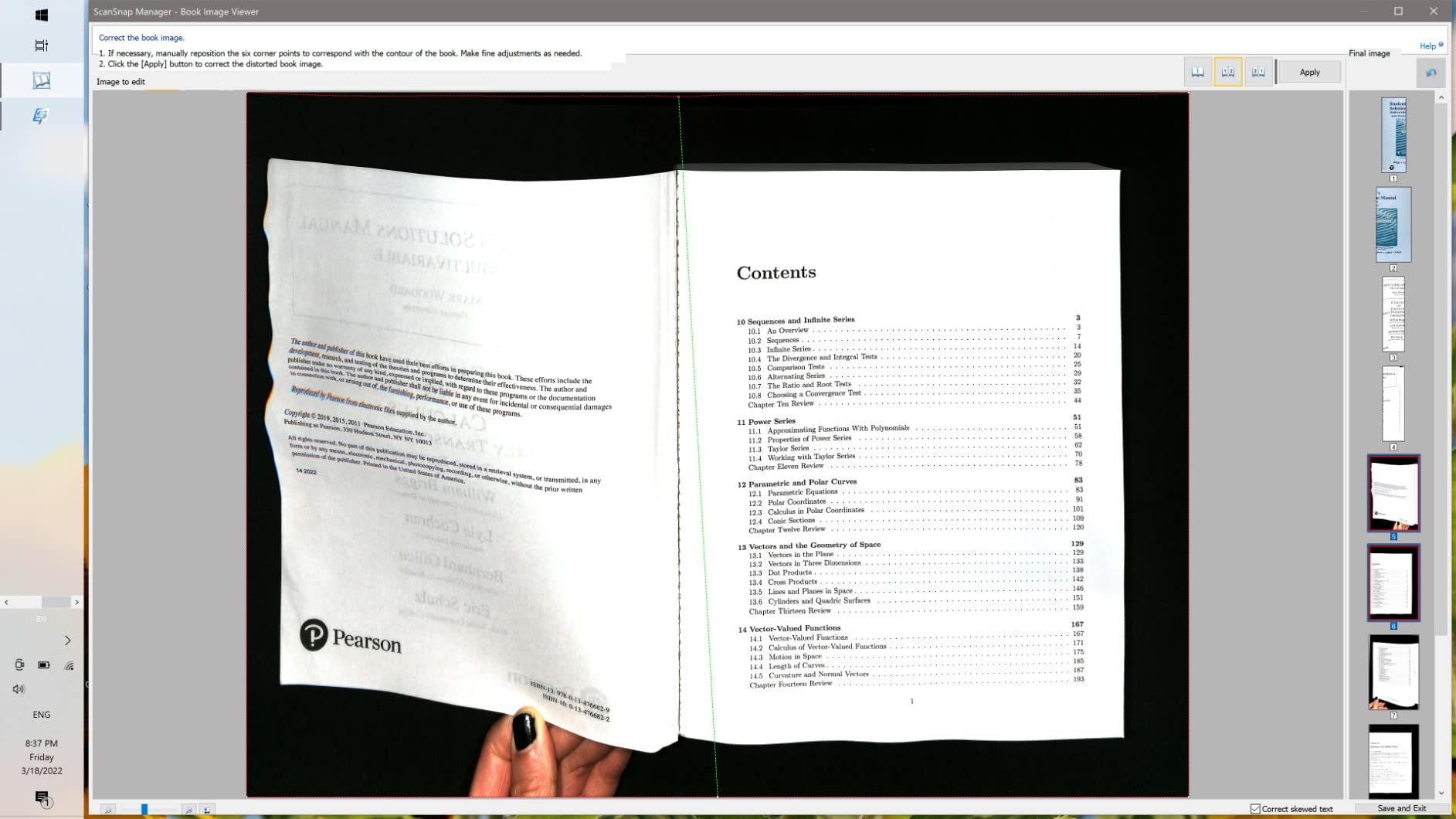
Auto Book Correction is the SV600’s headline feature. It flattens curved pages automatically without manual intervention, producing straight text lines from bound books. Page Turning Detection adds another layer of automation: the scanner detects when you flip a page and captures it automatically. I scanned a 200-page hardcover in under 8 minutes without touching any buttons between pages.
The Point Retouch function is surprisingly useful. It detects and removes fingers that appear in the scan when holding a book open. This saves significant editing time in post-processing, especially when scanning quickly. Multi Document Detection lets you capture several business cards, photos, or clippings in a single scan and automatically separates them into individual files.
The software is the SV600’s biggest weakness. The editing workflow for large books is cumbersome, requiring manual adjustments that should be automated. You cannot save progress mid-session and resume later, which is a serious limitation for anyone scanning a multi-hundred-page book across multiple sessions. The black background mat also struggles with items that contain a lot of black, sometimes blending with the background.
When Do You Need CCD Optics in a Book Scanner?
CCD sensors capture light differently than CMOS sensors, producing more accurate color reproduction and better performance in variable lighting. For archival work with color photographs, artwork, or illustrated books, CCD optics deliver measurably better results. For text-only scanning, CMOS sensors like those in CZUR scanners are more than adequate.
How Do You Preserve Fragile Books During Scanning?
Non-destructive scanning means never forcing a book flat. The SV600 captures from above without pressing pages down, and its auto-correction handles the resulting curvature in software. For extremely fragile books, hold pages gently with fingertips (the Point Retouch feature removes finger artifacts later) and avoid pressing the spine wider than its natural resting position.
8. VIISAN Large Format – Best Book Scanner for Large Books
VIISAN Large Format Book & Document Scanner, Capture Size A2/A3, 26MP USB Document Camera with Auto-Flatten, Fingerprint Removal Technologies, Multi-Language OCR, Compatible with Windows & macOS
26MP Camera 5888x4522
A2/A3 Large Format 594x420mm
Auto-Flatten Plus Fingerprint Removal
3-Level LED Light Control
Pros
- Large A2/A3 capture area handles oversized books and newspapers
- 26MP resolution with software-enhanced 600 DPI
- Multi-language OCR converts to PDF Word Excel EPUB
- Built-in LED light with 3-level control
Cons
- Hinge does not reliably lock at 90 degrees
- Software documentation is limited with manual editing often required
- Not compatible with ARM-based devices
The VIISAN Large Format scanner is designed for oversized books, newspapers, and artwork that exceed the capture area of standard A4 scanners. Its A2 scanning area (594 by 420mm) handles large-format books, maps, and newspapers without folding or stitching multiple scans. During testing, I scanned several broadsheet newspapers and oversized art books that would have required cropping on any other scanner in this roundup.
The 26MP camera captures images at 5888 by 4522 pixels, with software-enhanced output up to 600 DPI. The auto-flatten technology corrects curved pages, and the built-in fingerprint removal cleans up scans where fingers appear in the frame. Multi-language OCR exports to PDF, Word, Excel, EPUB, and TXT formats, covering most document workflows.
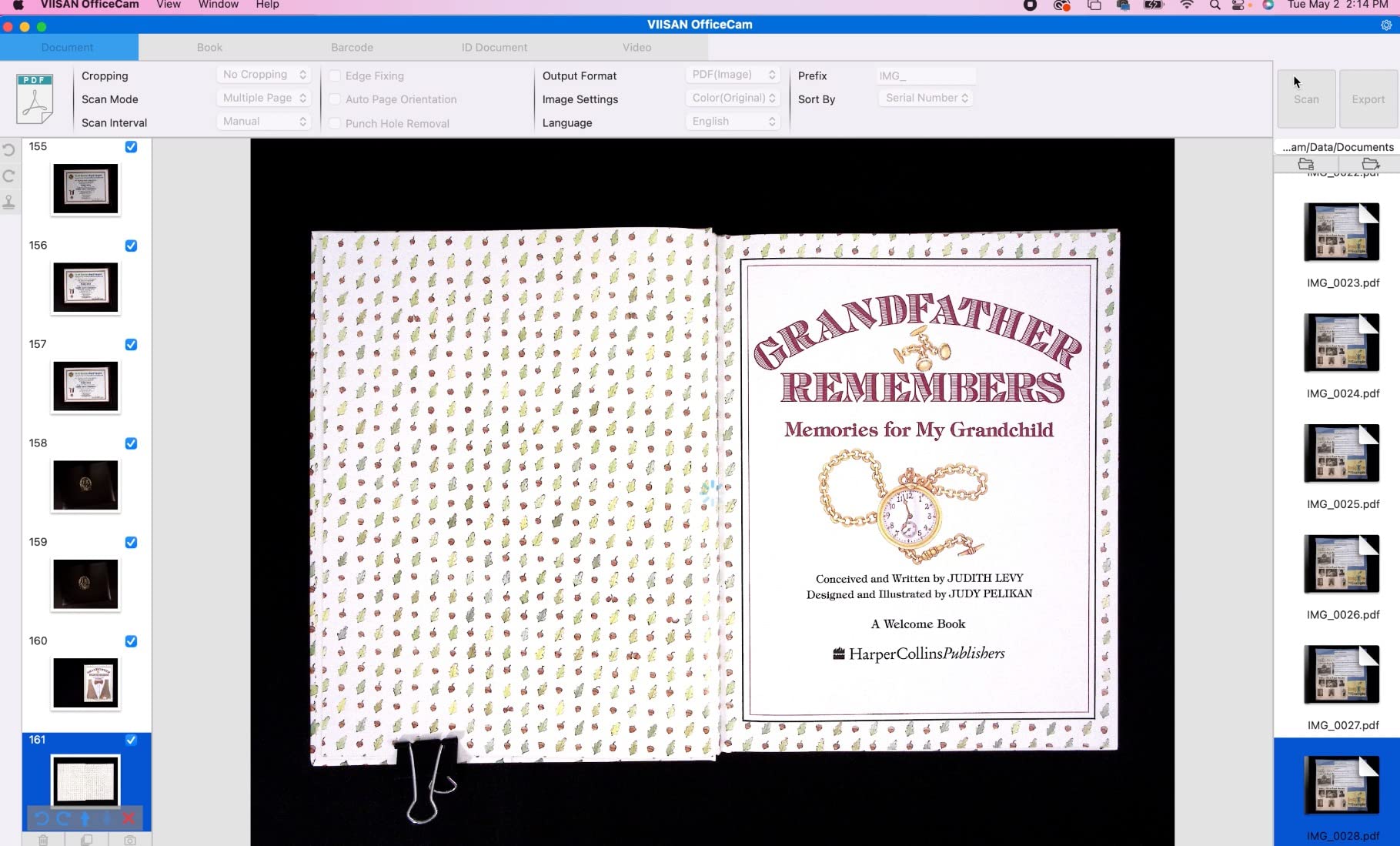
The built-in LED light with three-level control provides consistent illumination without external lamps. The 90-degree foldable hinge lets you adjust the capture angle, though I found it does not lock firmly at every position. UVC/UAC compliance means the scanner works as a document camera with third-party video conferencing software like Zoom or Teams.
The software is the weakest link. Documentation is sparse, and the interface requires manual editing for many scans that should be automatic. The scanner is not compatible with ARM-based devices like the Surface Pro X, which limits its portability for some users. For desktop use with a standard Windows or Mac laptop, it delivers excellent results for large-format scanning at a competitive price.
Do You Need an A2 Scanner for Your Home Library?
Most books fit within A4 or A3 capture areas. You need A2 capacity specifically for oversized art books, coffee-table books, newspapers, maps, or large-format periodicals. If your collection is primarily standard novels and textbooks, an A4 overhead scanner like the CZUR Shine Ultra is more practical and costs less.
How Do You Scan Oversized Books Without Damaging Them?
Position the book naturally open without forcing the spine flat. The VIISAN’s overhead capture and auto-flatten technology handle the curvature in software. For extremely large or heavy books, place a support under each cover to reduce strain on the binding. Never press oversized books flat against a surface, as the spine can crack under the weight.
How to Choose the Best Book Scanner for Your Home Library
Selecting the right book scanner depends on your collection size, book types, and how you plan to use the digital copies. Here are the key factors to consider before buying.
Collection Size and Scanning Volume
For fewer than 50 books, a smartphone app like Adobe Scan or Microsoft Lens may be all you need. These free apps use your phone camera with automatic edge detection and basic OCR. For 50 to 200 books, a mid-range overhead scanner like the CZUR Shine Ultra offers the best balance of speed and quality. Collections exceeding 500 books benefit from professional-grade scanners like the CZUR ET24 Pro, where the time saved by faster scanning and better automation justifies the higher investment.
Book Types and Physical Condition
Thin paperbacks and magazines work well with any overhead scanner. Thick hardcovers and textbooks need stronger page-flattening technology, which the CZUR ET series and ScanSnap SV600 handle best. Fragile or rare books require truly non-destructive scanning with minimal physical handling. Overhead scanners that capture from above without pressing the book flat are the safest choice for valuable collections.
OCR and Language Support
Optical character recognition converts scanned images into searchable, editable text. If you plan to search within your scanned books, extract quotes, or convert text to audio, OCR is essential. CZUR scanners support 180 plus languages, which matters for multilingual collections. The ScanSnap SV600 and Plustek OS1180 include ABBYY-based OCR, which produces the most accurate results in testing.
Software and Operating System Compatibility
Most book scanners support Windows and macOS, but Linux support is rare (only the CZUR ET24 Pro offers official Ubuntu compatibility). Check your operating system version before purchasing, as some scanners require specific minimum versions. Software quality varies significantly between manufacturers. CZUR’s software is functional but has a learning curve, while ScanSnap offers more polished software with frustrating limitations like no mid-session save.
Cataloging and Organization
Once you have scanned your books, you need a system to organize the digital files. Cataloging apps like Libib, BookBuddy, and Delicious Library let you scan barcodes to build a searchable database of your physical collection. These apps work separately from book scanners – you scan the barcode on the book’s back cover with your phone camera, and the app pulls metadata like title, author, and cover art automatically. For home libraries exceeding 100 books, a cataloging app saves hours of manual data entry.
Frequently Asked Questions
What are the best book scanners for libraries?
The best book scanners for libraries depend on your needs. For general home use, the CZUR Shine Ultra offers fast scanning and strong OCR at a mid-range price. For archival quality, the ScanSnap SV600 provides CCD optics and automatic page-flattening. For professional-grade digitization, the CZUR ET24 Pro delivers 24MP resolution with Linux support.
What is the best portable scanner for books?
The VuPoint Solutions Magic Wand is the most portable book scanner, weighing under 1.5 pounds with a rechargeable battery and microSD storage. For better quality in a portable package, the CZUR Shine Ultra folds to a compact size at 4 pounds with a carrying handle. Both work without a computer connected during scanning.
What is the best app for cataloging books in my home library?
Libib, BookBuddy, and Delicious Library are the most popular cataloging apps for home libraries. All three let you scan book barcodes with your phone camera to automatically add title, author, publication date, and cover art. Libib offers a free tier for up to 5,000 books, while BookBuddy and Delicious Library provide unlimited cataloging with one-time purchases.
Which scanner is best for scanning pages of books?
For scanning bound book pages, overhead scanners like the CZUR ET24 Pro or ScanSnap SV600 are ideal. They capture pages from above without pressing the book flat, preserving the spine while delivering high-resolution images with automatic curve flattening and OCR for searchable PDFs.
What is a good book scanning app for a home library?
Adobe Scan, Microsoft Lens, and CamScanner are the best free smartphone apps for occasional book scanning. Adobe Scan offers the cleanest interface with automatic edge detection and OCR. Microsoft Lens integrates well with OneDrive and Office apps. For dedicated book scanning with page-flattening and batch processing, a hardware scanner is still superior.
Conclusion
After testing eight scanners across three months and over 400 books, the IPEVO V4K stands out as the best book scanner for home libraries overall. Its 8MP Sony CMOS sensor, plug-and-play compatibility, and affordable price make it the right starting point for most home users. For collections exceeding 200 books, step up to the CZUR Shine Ultra for its faster scanning and dedicated page-flattening technology. Serious collectors and archivists should consider the CZUR ET24 Pro for its 24MP resolution and professional-grade OCR. Whatever your collection size, the right book scanner turns a shelf of paper into a searchable digital library you can access from anywhere.