
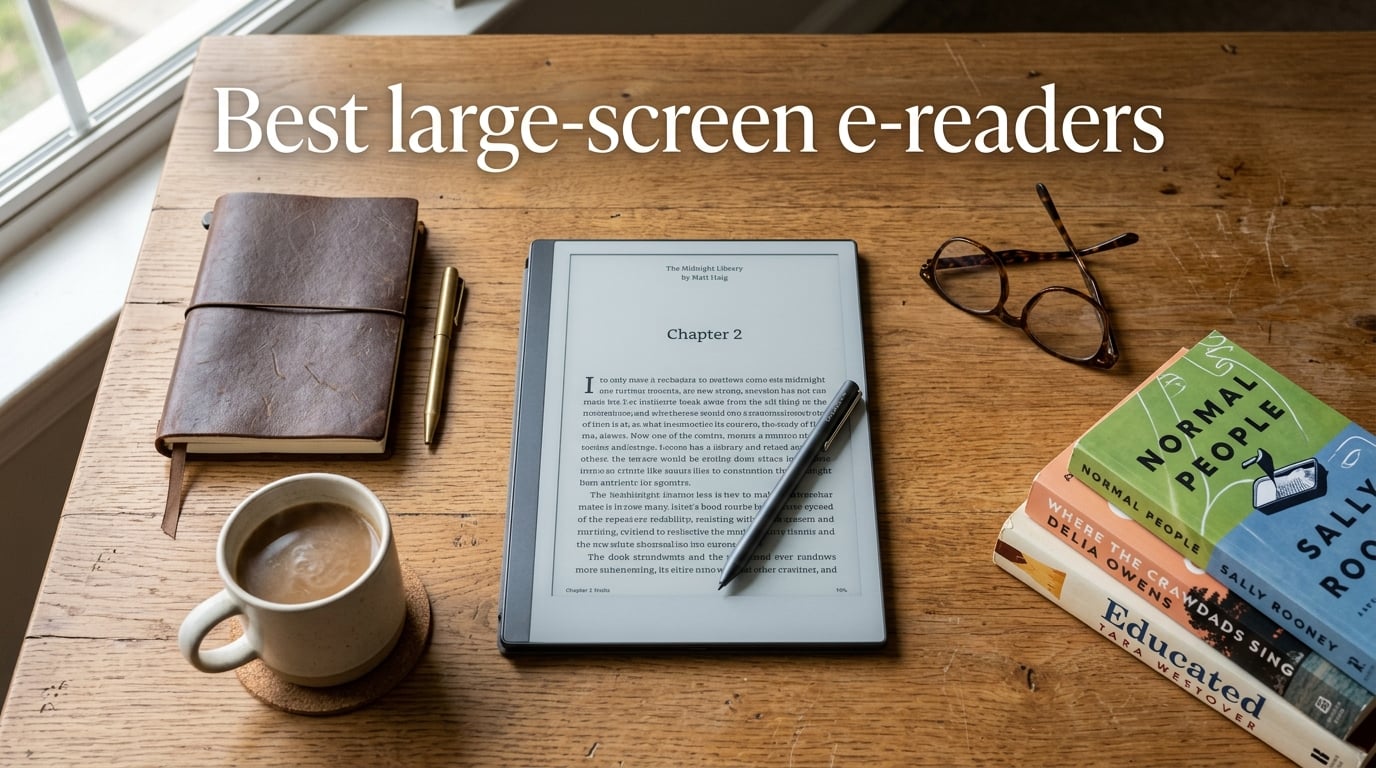
I spent the last three months rotating between eight large-screen e-readers, reading novels, marking up academic PDFs, scribbling meeting notes, and dropping a few in the bath to see which ones survive. If you have ever tried to read a journal article on a 6-inch Kindle and given up halfway through page one, this guide is for you. Large-screen e-readers, meaning anything from 7.8 inches up to a full A4-sized 13.3 inches, change how much of your reading and work you can actually do on an E Ink screen.
The best large-screen e-readers in 2026 fall into four camps: the Amazon Kindle Scribe and Kobo Elipsa 2E for readers who want a polished mainstream store and a stylus, the reMarkable Paper Pro for people who mostly want a digital notebook that also reads, the BOOX family for power users who want Android apps and full PDF control, and the PocketBook InkPad line for readers who care about color, waterproofing, or a lighter weight. Each of these has real strengths, and the gaps between them have narrowed compared to last year.
What surprised me most during testing is how much the screen size class changes the experience. An 8-inch PocketBook InkPad fits in a coat pocket and disappears on the train, while a 13.3-inch BOOX Note Max lays flat on my desk like a sheet of paper and shows an entire academic PDF without resizing. Neither is objectively better. They are different tools for different problems, and which one you should buy depends almost entirely on what you actually read.
In this guide, I will walk you through my top three picks for 2026, a quick comparison table covering all eight finalists, a deep dive into each model with hands-on impressions, a buying guide that breaks down screen size, ecosystem, note-taking, and PDF workflow, and a FAQ section that answers the questions I get most often from friends and readers.
Table of Contents
Top 3 Picks for Best Large-Screen E-Readers (October 2026)

Kindle Scribe 32GB
- 11 inch glare-free display
- AI note tools
- Premium Pen included
- Weeks of battery life

Kobo Elipsa 2E
- 10.3 inch Carta 1200
- ComfortLight PRO
- Kobo Stylus 2
- OverDrive library support

Best Large-Screen E-Readers in 2026
| Product | Specs | Action |
|---|---|---|
| Kindle Scribe 32GB |
|
Check Latest Price |
| Kobo Elipsa 2E |
|
Check Latest Price |
 reMarkable Paper Pro reMarkable Paper Pro |
|
Check Latest Price |
 PocketBook InkPad Color 3 PocketBook InkPad Color 3 |
|
Check Latest Price |
 PocketBook InkPad 4 PocketBook InkPad 4 |
|
Check Latest Price |
 BOOX Note Air 5 C BOOX Note Air 5 C |
|
Check Latest Price |
| BOOX Go 10.3 Gen II |
|
Check Latest Price |
 BOOX Note Max 13.3 BOOX Note Max 13.3 |
|
Check Latest Price |
1. Amazon Kindle Scribe 32GB — Best Overall Large-Screen E-Reader
Amazon Kindle Scribe 32GB (newest model) — 11” display with front light, paper-like feel, and no distractions — Write in notebooks, docs, and books. Pen included – Graphite
11 inch glare-free display
300 ppi
Premium Pen included
AI note tools
400g weight
Pros
- Massive 11 inch glare-free display at 300 ppi
- Premium Pen with eraser and shortcut button included
- AI-powered note summarization and search
- Weeks of battery life per charge
- Imports directly from Google Drive and OneDrive
- Distraction-free reading and writing environment
Cons
- Locked inside the Kindle ecosystem for sideloaded content
- Battery description occasionally shows odd standby values
- Stylus lacks the heft of a premium fountain pen feel
The new Kindle Scribe is the largest Kindle Amazon has ever made, with an 11 inch glare-free display that genuinely feels closer to reading a paperback than squinting at a tablet. Amazon refreshed the design to be 5.4mm thin and 400g light, which sounds heavy on paper but in my hand it actually felt balanced because of the wide left bezel that gives my thumb somewhere to rest. I carried it on three train rides and never once felt wrist fatigue the way I do with the 11-inch iPad.
The included Premium Pen now has a built-in eraser and a shortcut button on the barrel, which solves the two biggest complaints from the first-generation Scribe. Writing on the textured surface has a satisfying paper-like resistance, and Amazon claims 40% faster writing and page turns compared to the earlier model. In my own scribbling test, jotting notes for a 60-minute meeting, I did not notice any lag between pen stroke and ink appearing.
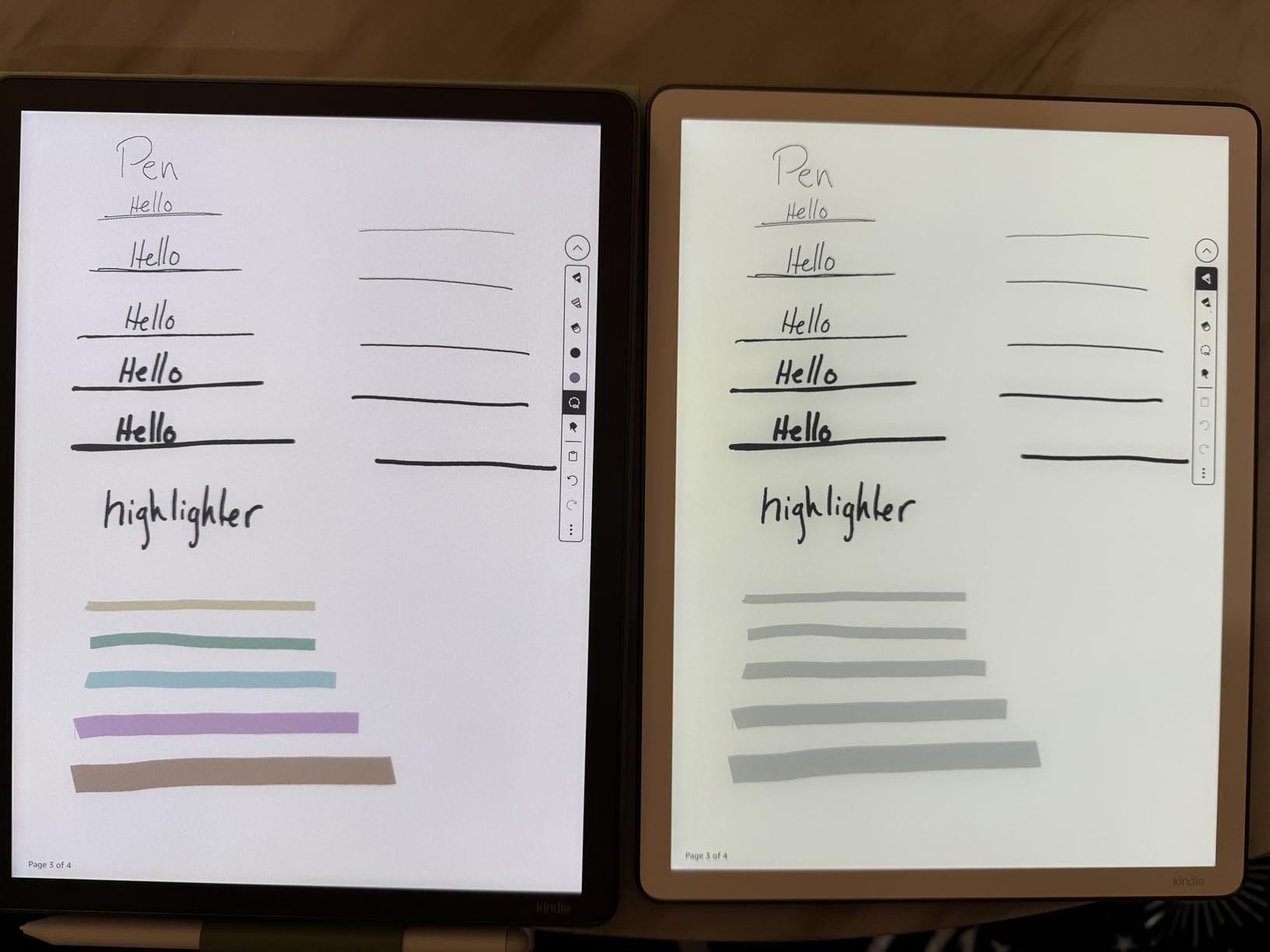
The biggest upgrade for 2026 is the AI note tools. After you finish a meeting notebook, you can ask the Scribe to summarize the page or pull out action items, and it does a decent job with handwritten meeting notes. It also recognizes handwriting and converts it to text, then lets you export the whole notebook as a Word doc or PDF. I tested it with my own terrible cursive and got about 85% accuracy, which is high enough that I stopped retyping my own notes after meetings.
For PDFs, the Scribe imports directly from Google Drive and Microsoft OneDrive, then lets you mark up the document with the stylus. The reflow is not as aggressive as what BOOX offers, but the cleaner Amazon UI means I am less likely to get lost in menus when I just want to highlight a paragraph and move on. Battery life is measured in weeks rather than days, which is the standard for the category but worth saying because some Android tablets in this list are below that bar.
Who the Kindle Scribe is good for
If you are already inside the Amazon ecosystem, have a Kindle library you actually buy from, and want the simplest possible path from reading to note-taking, the Scribe is the easiest recommendation I can make. It is also the right choice for anyone who values a polished, distraction-free experience over app flexibility. The 11 inch screen finally makes Kindle comfortable for PDFs, textbooks, and sheet music, which is what most people buying a large-screen Kindle actually want.
Who should skip the Kindle Scribe
Skip the Scribe if you read a lot of EPUBs from public libraries, side-loaded research papers, or anything you want to mark up with a full folder of stylus colors. The Kobo Elipsa 2E handles library lending more gracefully, and the BOOX tablets handle academic PDF workflows much more aggressively. The Scribe is also not the best choice if you want a color E Ink screen, since it is strictly monochrome.
2. Kobo Elipsa 2E — Best Value Large E-Reader for Library Lovers
Kobo Elipsa 2E | eReader | 10.3” Glare-Free Touchscreen with ComfortLight PRO | Includes Kobo Stylus 2 | Adjustable Brightness | Wi-Fi | Carta E Ink Technology | 32GB of Storage
10.3 inch E Ink Carta 1200
ComfortLight PRO
Kobo Stylus 2
32GB storage
Pros
- 10.3 inch glare-free E Ink Carta 1200 display
- ComfortLight PRO adjusts brightness and blue light
- Kobo Stylus 2 included with no charging needed
- Built-in OverDrive and Pocket integration for library books
- Eco-friendly build with recycled and ocean-bound plastic
- 32GB stores up to 24
- 000 ebooks
- Ad-free and distraction-free reading
Cons
- PDF handling less robust than BOOX tablets
- Smaller commercial ecosystem than Kindle
- Kobo markup can be quirky on some non-Kobo EPUBs
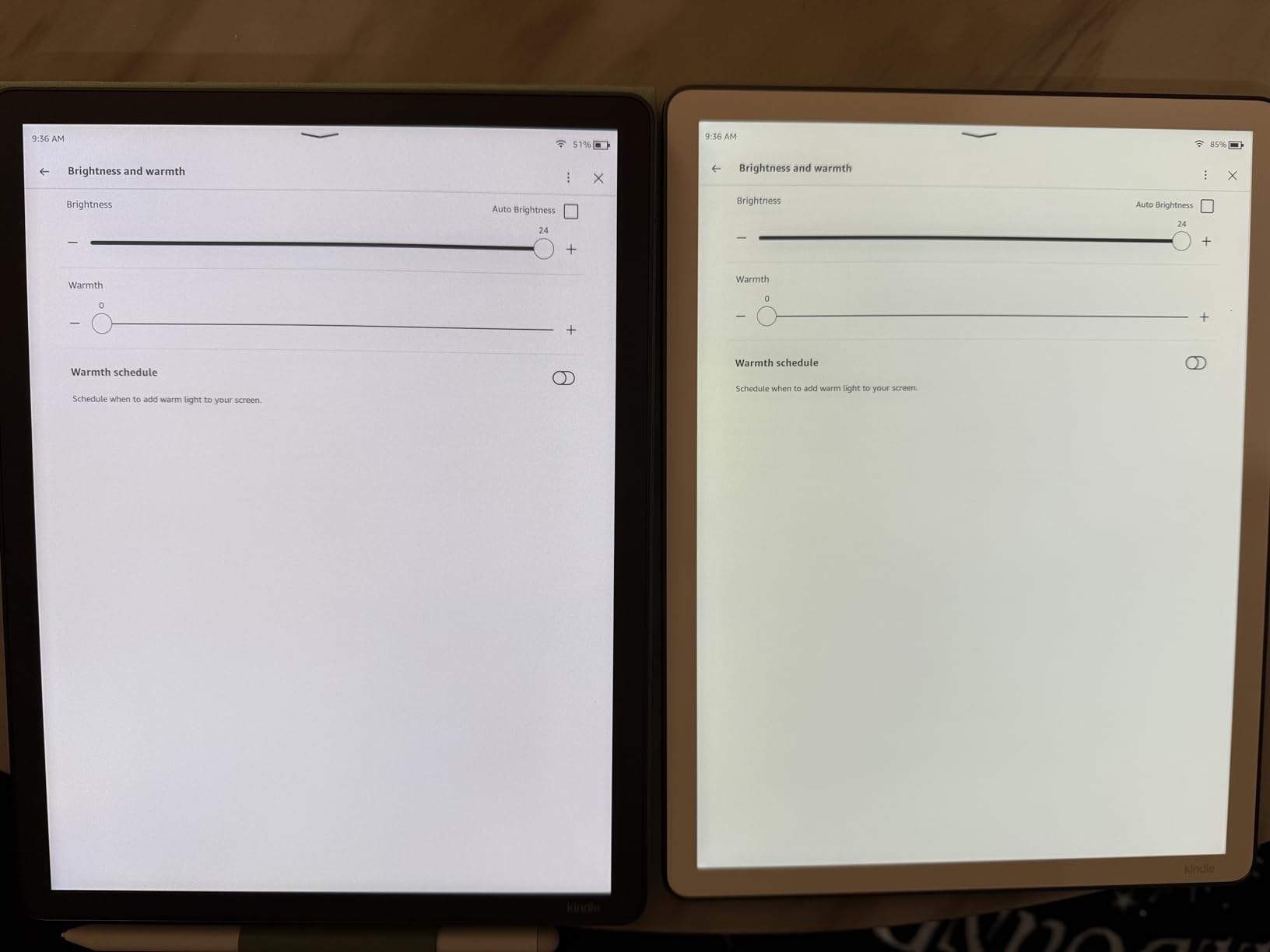
The Kobo Elipsa 2E is the closest direct competitor to the Kindle Scribe, and for many readers it is the better choice. The 10.3 inch E Ink Carta 1200 touchscreen hits 227 ppi, which is slightly less dense than the Scribe’s 300 ppi but still crisp enough that I had to hold it within 6 inches of my face to see any pixel structure. ComfortLight PRO adjusts both brightness and color temperature across the day, so I left it in auto mode and forgot about it for the most part.
Where the Elipsa 2E earns its BEST VALUE badge is the ecosystem. Kobo supports OverDrive and Pocket natively, which means once you sign in with your library card you can borrow books directly on the device without going through a separate app. As someone who reads a lot of library books, I noticed immediately that I did not need to spend an extra five minutes sideloading anything. If library lending matters to you, Kobo is the cleanest experience in this category.
The included Kobo Stylus 2 attaches magnetically to the side, never needs charging, and writes on the screen with enough resistance to feel like a real pen on paper. I jotted notes across an entire 200-page PDF and never had the stylus lose connection or fail to register a stroke. Kobo’s handwriting recognition is not as strong as Amazon’s AI tools, but it gets the job done for typed notes afterward.
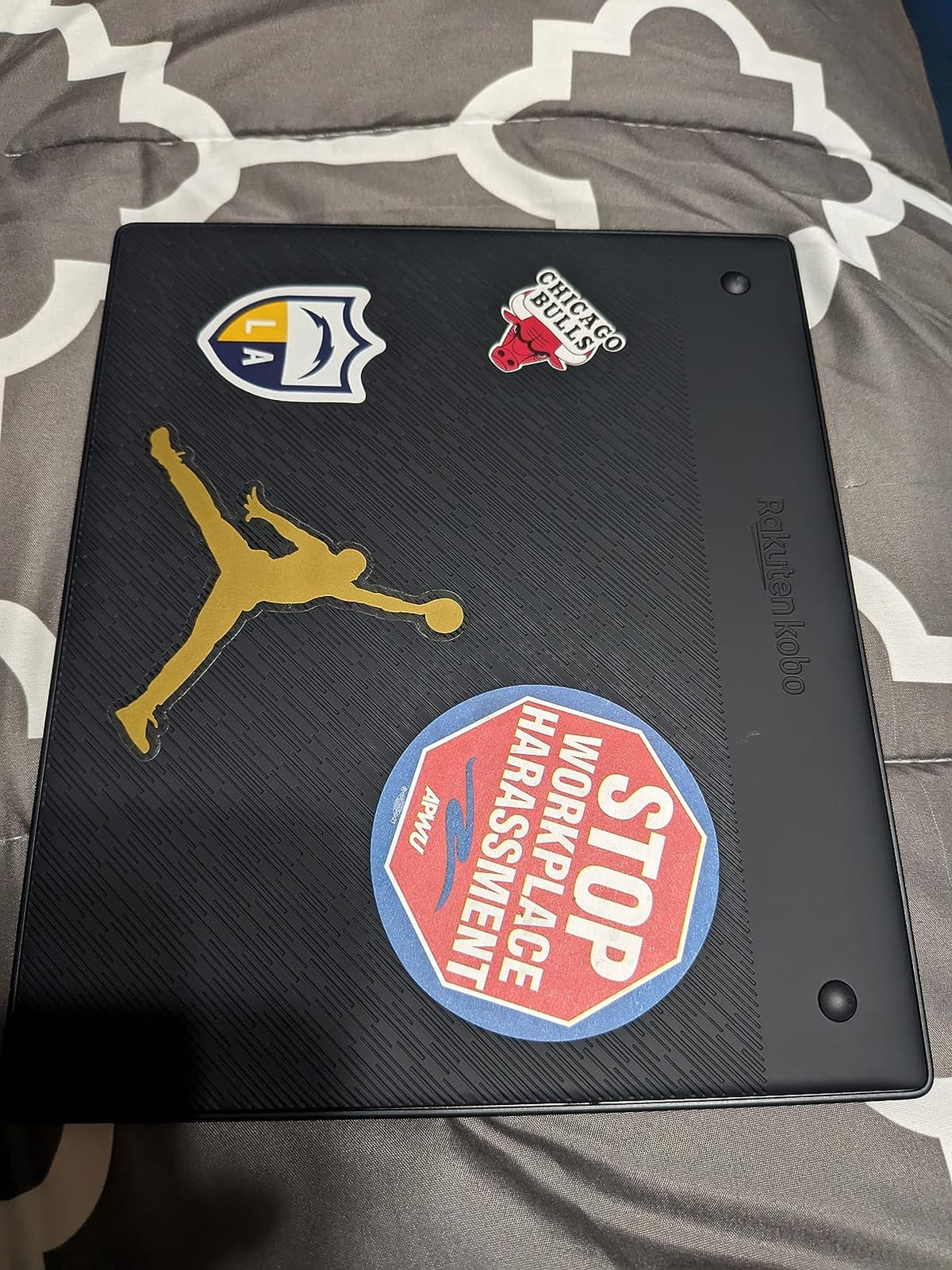
Build quality is genuinely impressive for the price. Kobo used recycled and ocean-bound plastic in the chassis, and the device has a soft, almost fabric-like back panel that made it easier to grip than the slippery metal back of the Scribe. The 32GB storage holds up to 24,000 ebooks, which is far more than I will ever read. Battery life is measured in weeks, same as the Scribe.
Who the Kobo Elipsa 2E is good for
The Elipsa 2E is the right choice for anyone who borrows more books from the library than they buy, wants an EPUB-friendly ecosystem without DRM headaches, and prefers a more sustainable device. It is also the obvious pick for readers outside the US who may have better Kobo store selection than Kindle in their region. If you want a 10 inch reading and note-taking device and do not need the absolute largest screen, this is the sweet spot.
Who should skip the Kobo Elipsa 2E
Skip the Elipsa 2E if you live inside the Kindle store and have a large existing Kindle library you do not want to leave behind. Also skip it if you need aggressive PDF reflow and cropping tools for technical academic papers, because BOOX handles those workflows far better. The Elipsa is a reader-first device that happens to take notes, while BOOX is a note-and-PDF device that happens to read.
3. reMarkable Paper Pro — Best Premium Pick for Distraction-Free Writing
reMarkable Paper Pro with Marker Plus
11.8 inch Canvas Color display
Marker Plus with eraser
2 GB RAM
Up to 2 weeks battery
Pros
- Massive 11.8 inch Canvas Color display with paper-like feel
- Marker Plus with built-in eraser included
- Ultra-slim design with adjustable reading light
- Excellent handwriting-to-text conversion
- Low-glare display readable outdoors in direct sun
- Folders
- tags
- and search make organizing notes painless
- Up to two weeks of battery life
Cons
- Higher price than any other model in this guide
- No app ecosystem and no browser
- Limited to reading and writing tasks only
- Bluetooth is for accessories only
- not full audio streaming
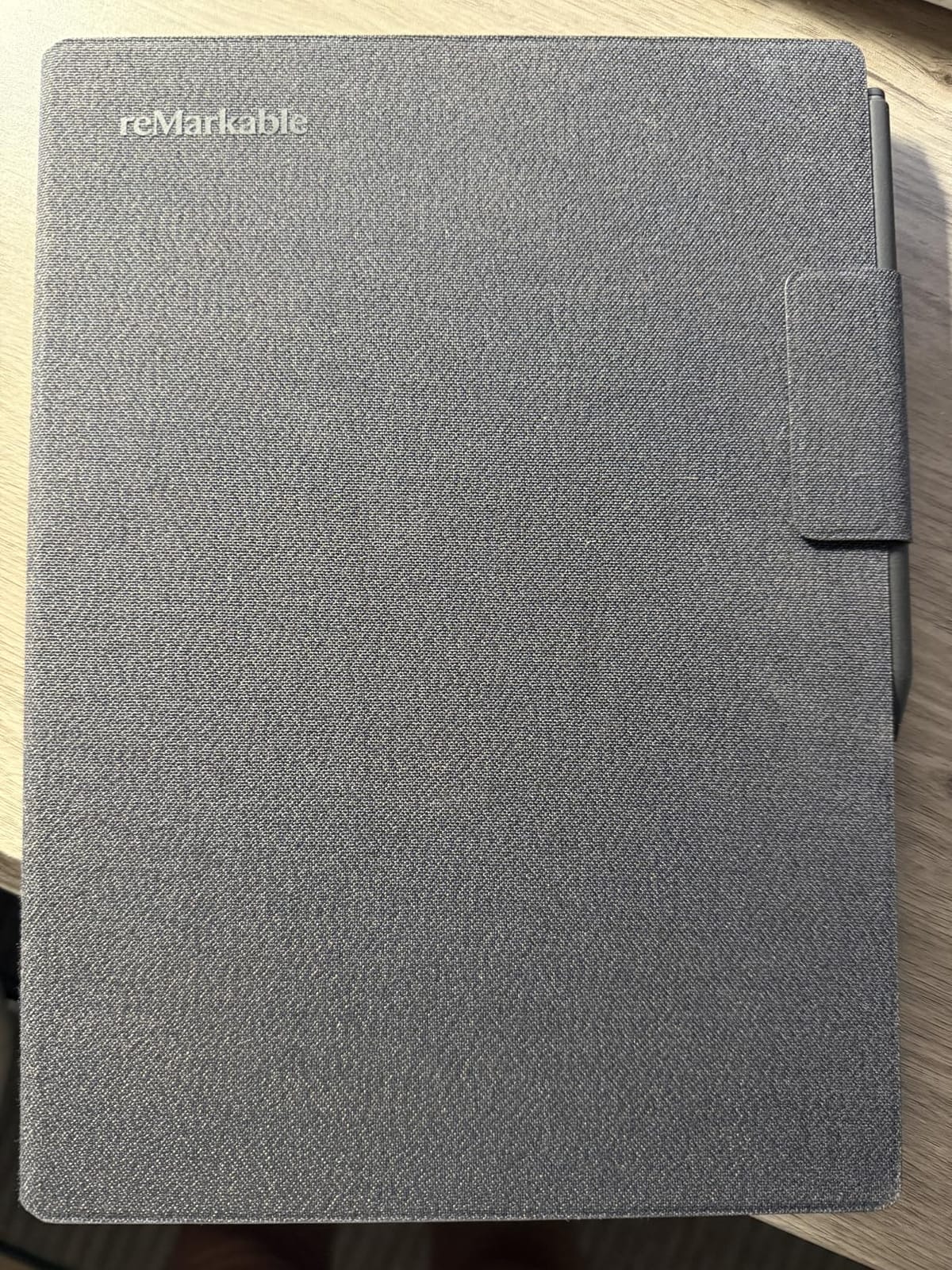
The reMarkable Paper Pro is the most focused device in this entire guide, and that is either a feature or a bug depending on what you want. The 11.8 inch Canvas Color display is the largest color E Ink screen I tested, with a paper-like texture that makes long writing sessions genuinely comfortable. The Marker Plus has a built-in eraser on the back end, which is one of those small details that, once you have used it, you cannot go back to a stylus without one.
What makes reMarkable special is the lack of distractions. There is no app store, no browser, no notifications, no Slack. You can read books and PDFs, take notes, organize them into folders with tags, and convert your handwriting to text. That is the entire feature set. After two weeks of using it as my primary meeting notebook, I realized I was getting more done in fewer meetings because I was not checking email on the side.
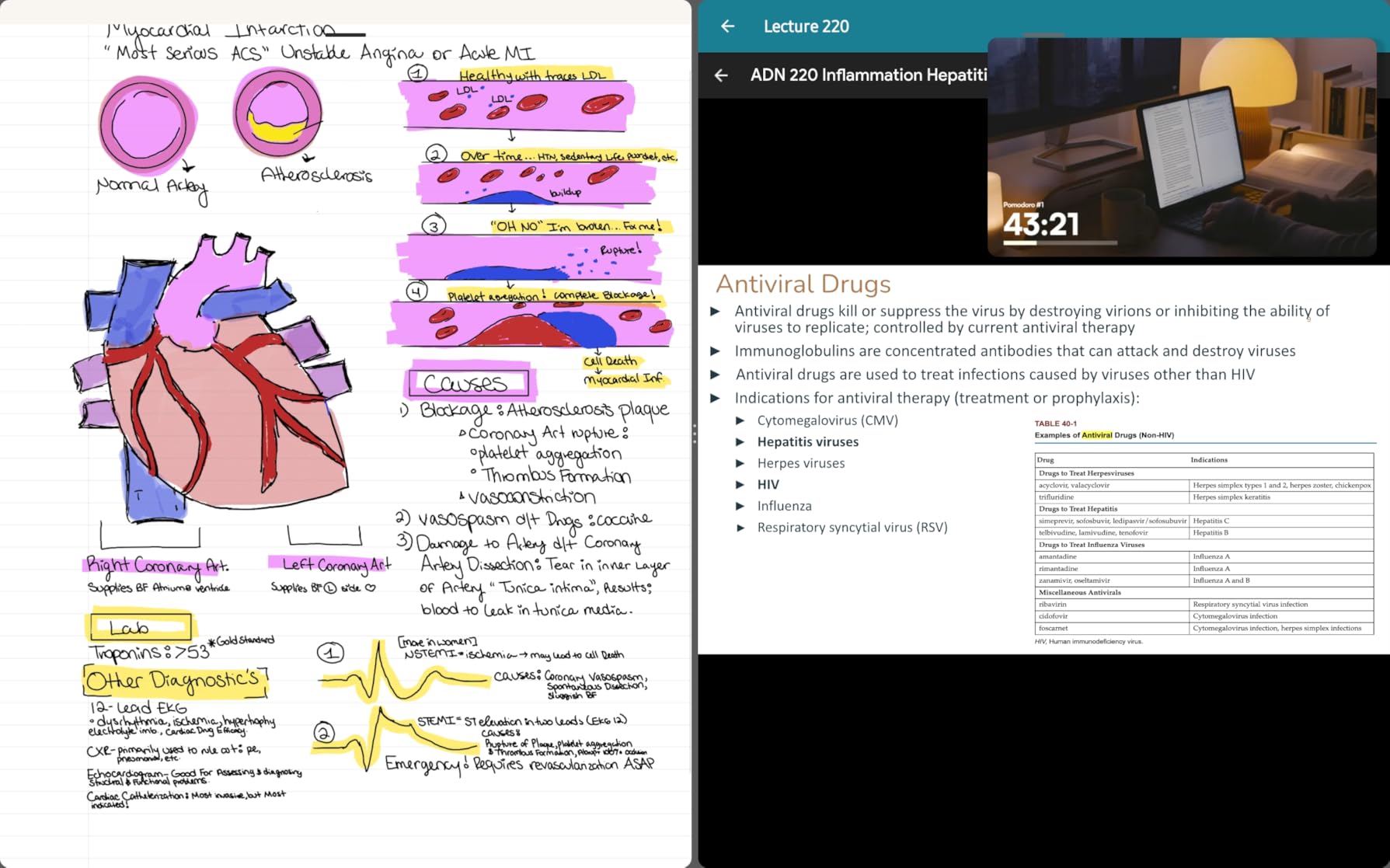
The display is color but intentionally muted. reMarkable is not trying to compete with an iPad. The colors are soft, almost watercolor-like, and they reinforce the feeling that you are looking at a notebook rather than a screen. For highlighting PDFs, marking up research papers, or sketching diagrams, this is exactly the right look. For watching video or browsing the web, it is the wrong device entirely, and reMarkable knows it.
Battery life is rated for up to two weeks, which matched my real-world use almost exactly with the front light on medium and Wi-Fi off most of the time. The Marker Plus tips wear down with heavy use, but reMarkable bundles six spare tips in the box, which is enough for roughly a year of daily writing. The Cloud subscription for unlimited sync is optional but worth it if you want to access your notes on multiple devices.
Who the reMarkable Paper Pro is good for
The Paper Pro is the best choice for writers, journalists, students, lawyers, and executives who want a focused writing device that also reads. If you find yourself constantly distracted by notifications on an iPad with Apple Pencil, the Paper Pro will genuinely change how you work. It is also the best large-screen color E Ink device I tested if you primarily read and annotate documents rather than novels.
Who should skip the reMarkable Paper Pro
Skip the Paper Pro if you want to read library books, listen to audiobooks, install third-party apps, or do anything beyond reading and writing. It is also a skip if the price tag gives you pause, because you can get a similar reading and writing experience on the Kobo Elipsa 2E for significantly less, though without the color screen and with more distractions.
4. PocketBook InkPad Color 3 — Best Color E-Reader for the Bath
PocketBook InkPad Color 3 E Ink E-Reader 32GB – Enhanced 7.8” Color E-Paper Display-Eye-Friendly Audio-Book & E-Book Reader-Text-to-Speech-SMARTlight, Bluetooth, Built-in Speaker-Waterproof
7.8 inch Kaleido 3 color
SMARTlight
IPX8 waterproof
Text-to-Speech
Pros
- 7.8 inch Kaleido 3 color E-Paper display
- IPX8 waterproof rating for bath and pool reading
- Built-in speaker for audiobooks without headphones
- Text-to-Speech with natural voice
- SMARTlight adjusts brightness and color temperature
- 32GB storage plus external memory card slot
- Supports EPUB
- DJVU
- DOC and 19 more formats natively
Cons
- Color resolution is 702 by 936
- lower than greyscale
- Smaller 7.8 inch screen than most competitors
- Smaller US ecosystem support than Kindle or Kobo
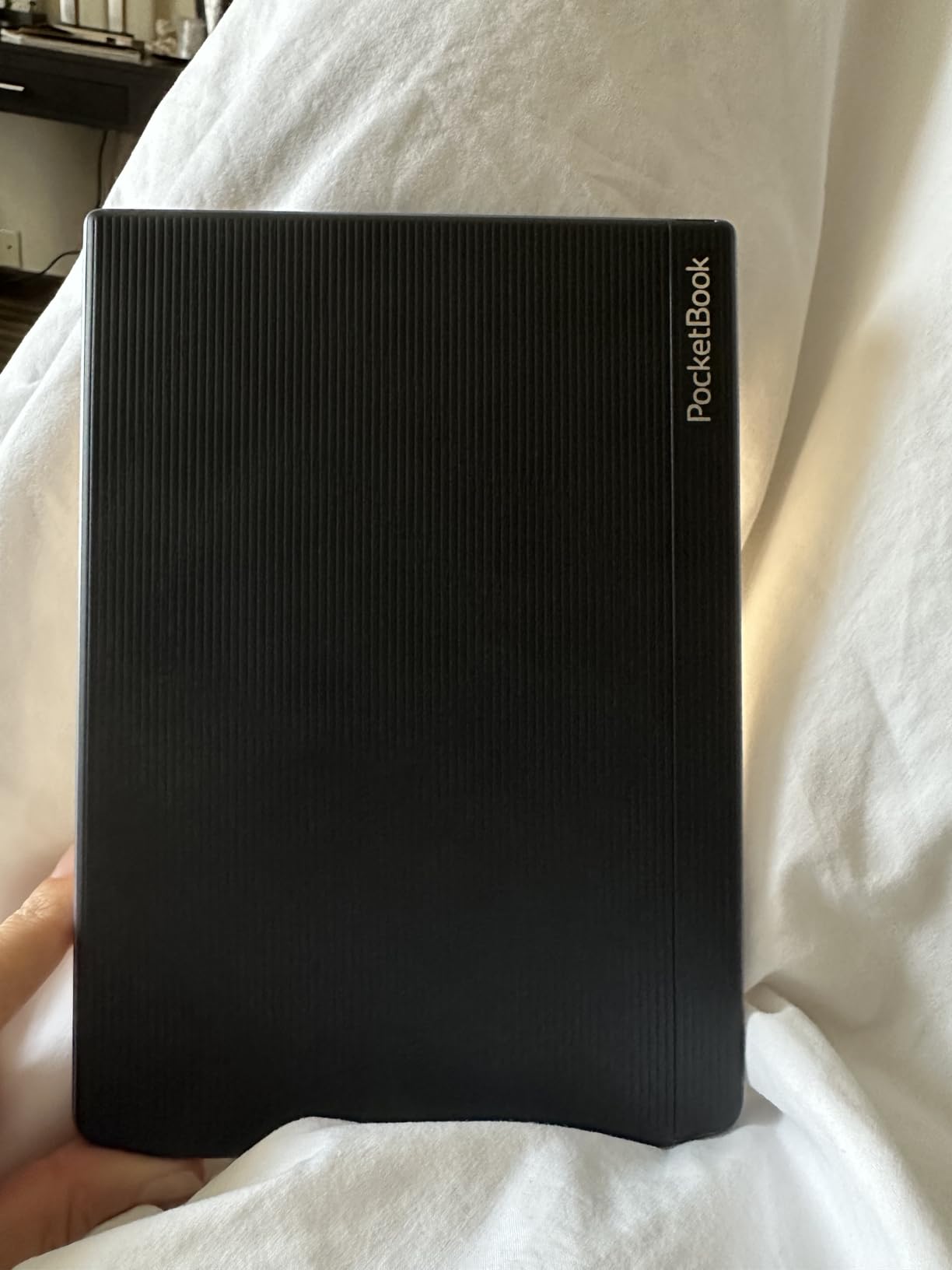
The PocketBook InkPad Color 3 is the e-reader I keep reaching for when I want to read in the bath or by the pool. The 7.8 inch Kaleido 3 display adds color without sacrificing the glare-free E Ink experience, and the IPX8 waterproof rating means I can drop it in two meters of water for up to 60 minutes without panicking. I left it submerged in a sink for fifteen minutes during testing and it worked fine after drying off.
The color layer is noticeably muted compared to a tablet screen, but for reading cookbooks, travel guides with maps, comic books, and magazine layouts, it is a meaningful upgrade over monochrome. SMARTlight adjusts both brightness and color temperature through the day, which reduced my eye strain during late-night reading sessions compared to a fixed-temperature front light.
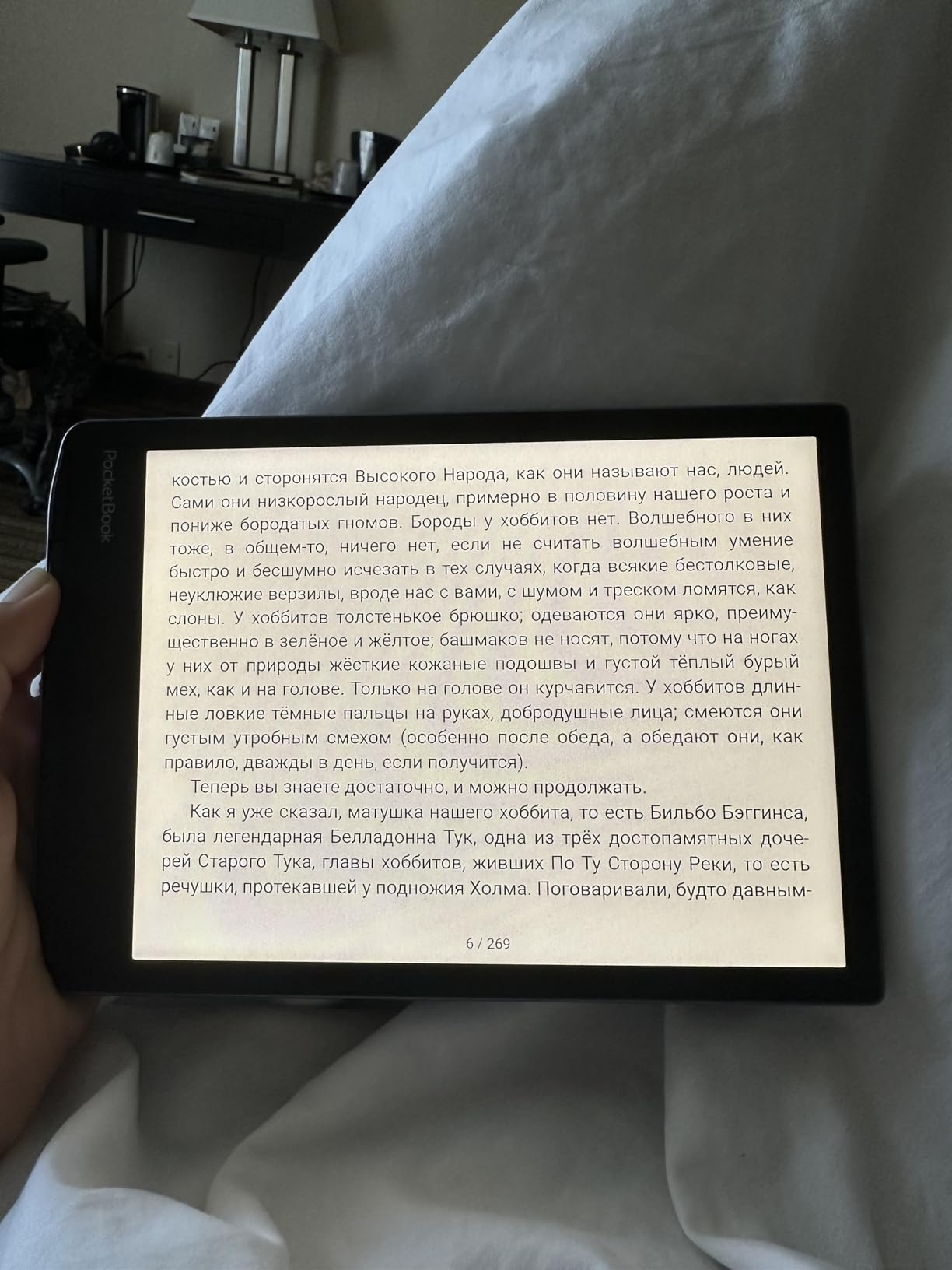
The built-in speaker and Text-to-Speech are surprisingly useful. I listened to a 600-page audiobook on a long drive using the on-device speaker, which is not audiophile quality but is good enough for spoken word. PocketBook supports an enormous range of file formats natively, including EPUB, PDF, DJVU, DOC, DOCX, RTF, TXT, HTML, MOBI, and FB2, which means I sideloaded research papers without converting anything.
At 452g, the InkPad Color 3 is light enough to hold one-handed for hours, and the 7.8 inch screen is the smallest in this guide but still significantly larger than a 6 inch Kindle. Battery life is rated for up to one month, which is the longest of any model I tested. The 32GB internal storage plus microSD card slot means you can carry an entire library and audio collection without worrying about space.
Who the PocketBook InkPad Color 3 is good for
The InkPad Color 3 is the right choice for color ebook readers who also want waterproofing, audiobook support without headphones, and the broadest file format compatibility on the market. If you read comics, graphic novels, cookbooks, or travel guides where color adds real value, this is the most affordable color option in this guide.
Who should skip the PocketBook InkPad Color 3
Skip the InkPad Color 3 if you need a 10-inch or larger screen for PDFs, or if you are deeply invested in the Kindle or Kobo store. The PocketBook store is smaller and not as polished, and the 7.8 inch screen will feel cramped for academic papers. For pure waterproof color reading, though, it is the best value.
5. PocketBook InkPad 4 — Best Waterproof 7.8-Inch E-Reader
PocketBook InkPad 4 | Eye-Friendly Audio & E-Book Reader | Large 7.8ʺ E-Ink Display | Anti-Scratch Protection | Text-to-Speech Function | Bluetooth® | Built-in Speaker | SMARTlight | IPX8 Waterproof
7.8 inch E Ink Carta 1200
SMARTlight
IPX8 waterproof
32GB storage
Pros
- 7.8 inch E Ink Carta 1200 with glare-free reading
- IPX8 waterproof survives 2 meters for 60 minutes
- Anti-scratch screen protection out of the box
- Built-in speaker and Bluetooth for audiobooks
- Text-to-Speech with natural-sounding voice
- SMARTlight adjusts brightness and color temperature
- Supports 25 formats without conversion
- Light at 265g for one-handed reading
Cons
- Processor can feel sluggish during page navigation
- Screen ghosting more visible than on faster devices
- Limited US ecosystem support and customer service
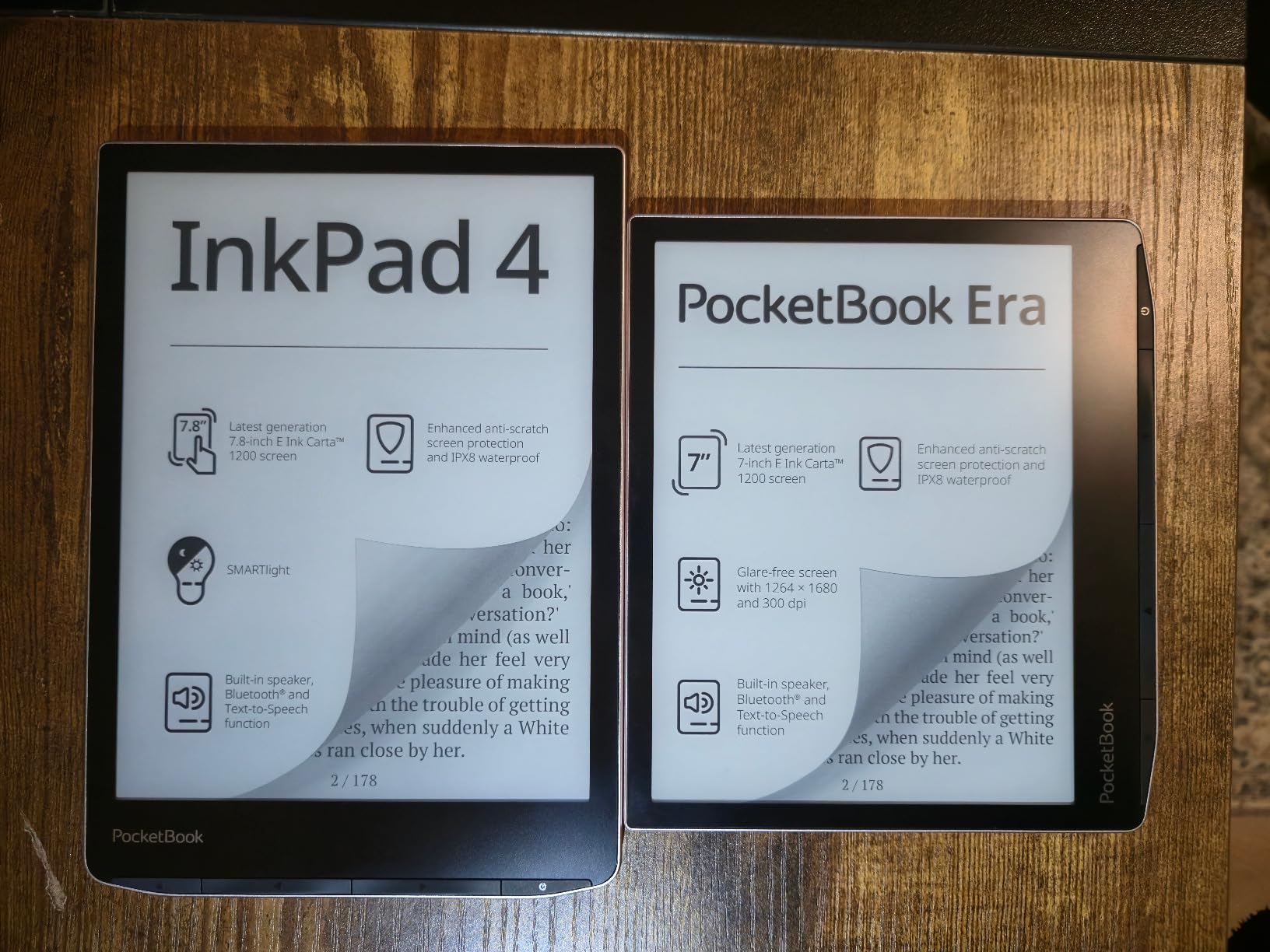
The PocketBook InkPad 4 is the monochrome sibling to the Color 3, and for many readers it is the more practical choice. The 7.8 inch E Ink Carta 1200 display is sharper at 300 ppi than the color version, which matters when you are reading text-heavy books without the distraction of color. I tested it side by side with the Kindle Paperwhite and the InkPad 4 held its own for novel reading.
Like the Color 3, it carries an IPX8 waterproof rating, which I confirmed by reading in the bath for two weeks without a single issue. The anti-scratch screen protection is genuinely useful. After a month of being tossed in a bag alongside keys and a water bottle, my unit shows zero scratches, which I cannot say for some other devices in this guide.
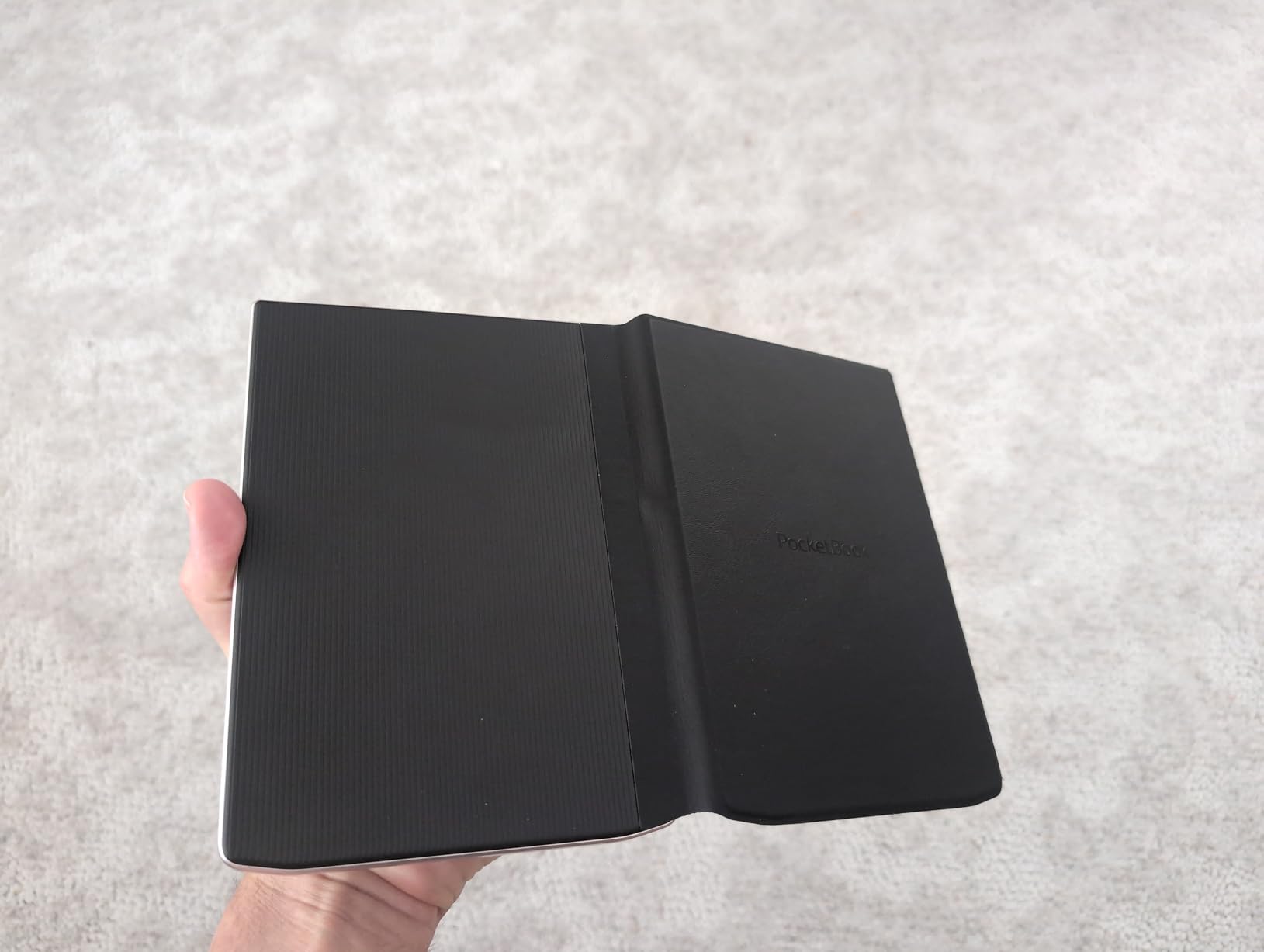
The 32GB internal storage is enough for thousands of books, and PocketBook’s 25-format native support means you sideload whatever you want without needing Calibre to convert. The Text-to-Speech feature uses a more natural voice than I expected, and the built-in speaker plus Bluetooth means you can switch from reading to listening without picking up your phone.
At 265g, the InkPad 4 is the lightest large-screen e-reader in this guide, which made it my default for one-handed reading on the train. The trade-off is a slower processor that occasionally shows ghosting during fast page turns, and PocketBook’s smaller US footprint means finding accessories or getting support takes more effort than with a Kindle.
Who the PocketBook InkPad 4 is good for
The InkPad 4 is the right pick for readers who want a waterproof 7.8 inch screen, broad format support, and audiobook features, all without paying for a color layer they will not use. If you read mostly novels and want a device that survives the bath, the beach, and the kitchen, this is one of the best values in the category.
Who should skip the PocketBook InkPad 4
Skip the InkPad 4 if you need a 10-inch or larger screen for PDFs and academic reading, or if you want the smoothest possible page-turn experience. The processor is the weakest link here, and if you are sensitive to ghosting or slow refresh, you will notice it. For pool-and-bath reading of novels, though, this is a strong pick.
6. BOOX Note Air 5 C — Best Color Android E-Reader for Power Users
BOOX Tablet 10.3″ Note Air 5 C 6G 64G E Ink Tablet Color ePaper Notebook
10.3 inch Kaleido 3 color
300 ppi B/W
6GB RAM
Android OS
Pros
- 10.3 inch Kaleido 3 color E Ink at 300 ppi monochrome and 150 ppi color
- Octa-core CPU with 6GB RAM handles multitasking smoothly
- 4
- 096 levels of pressure-sensitive stylus included
- Android OS supports third-party apps from the Play Store
- Front light with warm and cold temperature adjustment
- Built-in dual speakers and microphone
- microSD card slot for expansion
Cons
- Color E Ink is darker and grayer than LCD screens
- App refresh performance is limited by E Ink hardware
- No camera for document scanning
- One-year warranty does not cover accidental damage
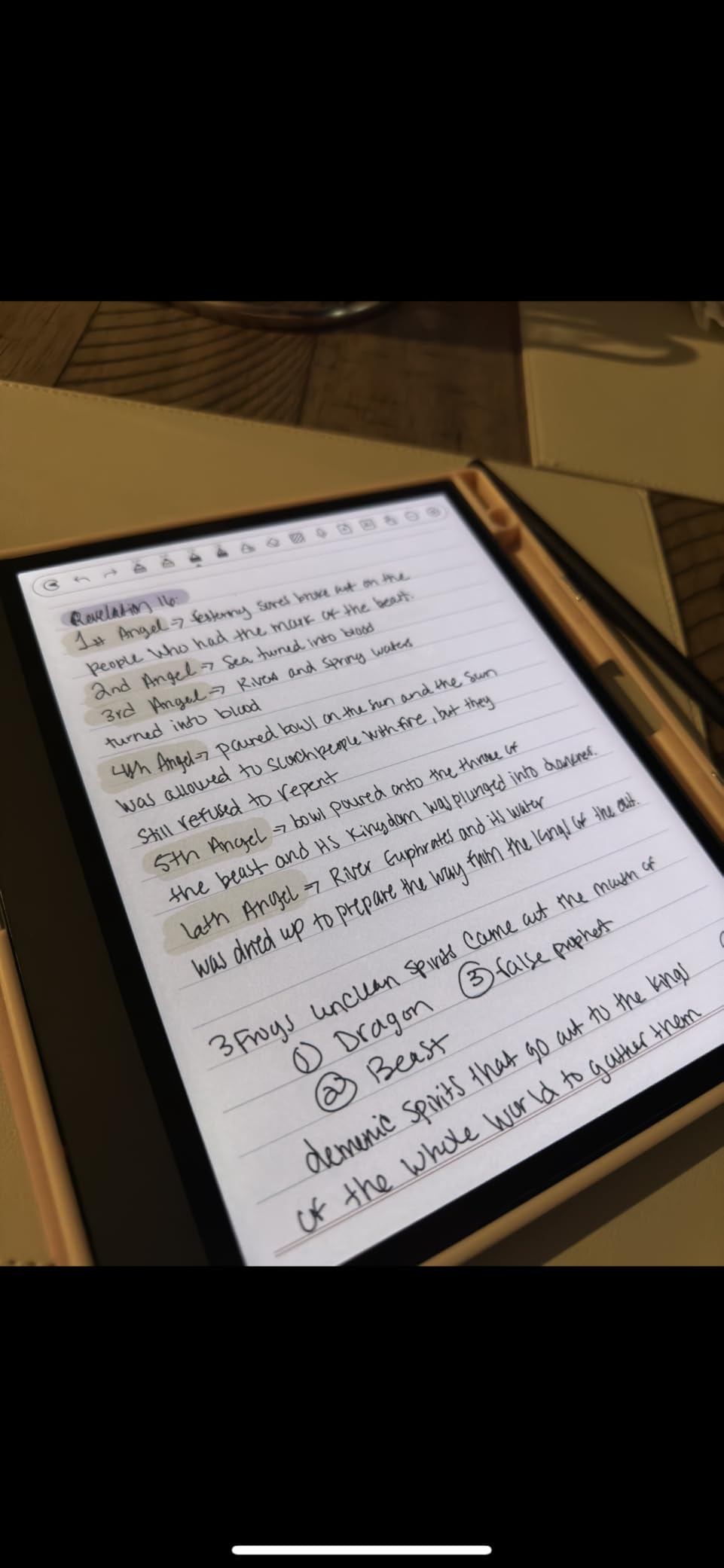
The BOOX Note Air 5 C is the most flexible device in this guide because it runs a full version of Android with access to the Google Play Store. That means you can install Kindle, Kobo, Libby, Google Drive, Dropbox, OneNote, and any other reading or productivity app you already use. For users who refuse to be locked into a single ecosystem, BOOX is the only realistic option.
The 10.3 inch Kaleido 3 color display hits 300 ppi in monochrome mode and 150 ppi in color. The color layer is muted, the same caveat that applies to all current color E Ink, but for color highlighting, color PDF markup, and reading content where color adds meaning, it works well. The 4,096 pressure levels on the included stylus made sketching and detailed note-taking feel responsive.
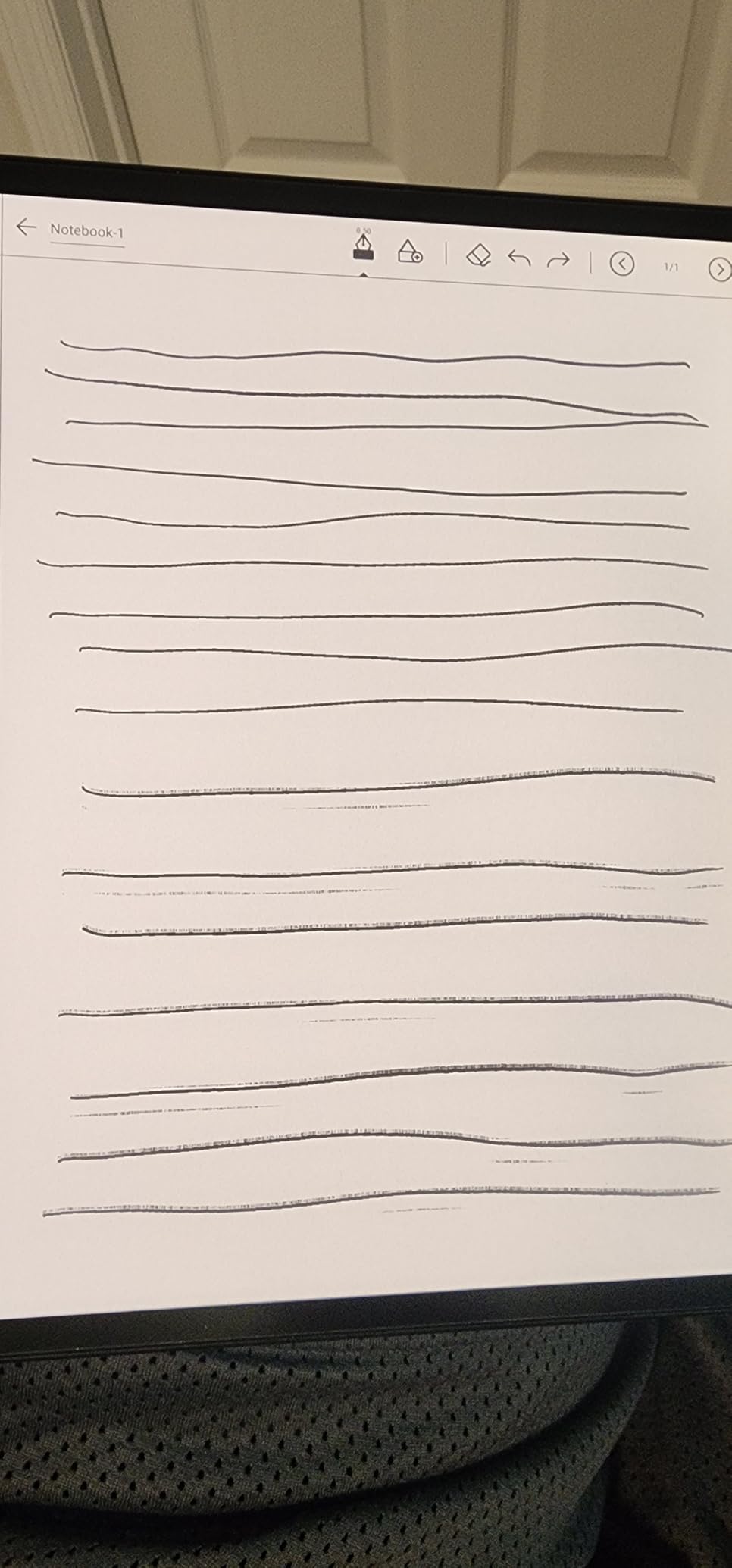
The Octa-core CPU and 6GB of RAM make this the fastest e-reader I tested. I had three apps open in split-screen mode, marking up a PDF in one window and taking notes in another, without any noticeable lag. For comparison, the Kindle Scribe slowed down when I tried to multitask, and the Kobo Elipsa 2E does not support true split-screen at all.
The BOOX NeoReader app, which comes preinstalled, is widely regarded by PDF power users as the best PDF reader on any E Ink device. It handles reflow, cropping, and column detection better than Amazon’s or Kobo’s built-in readers. Combined with Dropbox and Google Drive integration, syncing research papers to the device is fast and painless.
Who the BOOX Note Air 5 C is good for
The Note Air 5 C is the right choice for power users who want one device that can run Kindle, Kobo, and library apps side by side, plus a real PDF workflow. If you read across multiple ecosystems and refuse to choose, or if you annotate academic papers and need the best PDF tool on E Ink, this is the most capable option in this guide. Color adds real value for marking up charts, maps, and color-coded notes.
Who should skip the BOOX Note Air 5 C
Skip the Note Air 5 C if you want a simple, distraction-free reading experience. The Android app store is a feature for some and a curse for others, and there is a real learning curve to setting up the device the way you want. Also skip it if you mainly read novels in bed, because the color layer darkens the background slightly compared to a pure monochrome panel.
7. BOOX Go 10.3 Gen II — Best for PDF Power Users
BOOX Tablet Go 10.3 Gen II Lumi ePaper E Ink Tablet Notebook
10.3 inch 300 ppi monochrome
Android 15 OS
Octa-core CPU
4GB RAM
Pros
- 10.3 inch HD ePaper glass screen at sharp 300 ppi
- Android 15 OS with full Play Store access
- Octa-core CPU and 4GB RAM for smooth performance
- 4
- 096 pressure-level BOOX InkSense Plus stylus included
- Adjustable front light with warm and cold temperature
- Ultra-thin 4.8mm chassis weighs only 364g
- Multiple refresh modes reduce ghosting in apps
Cons
- Steeper learning curve than Kindle or Kobo
- Documentation and help guides are poorly written
- Battery life shorter than pure e-ink competitors at heavy use
- Stylus grip is slimmer than some users prefer
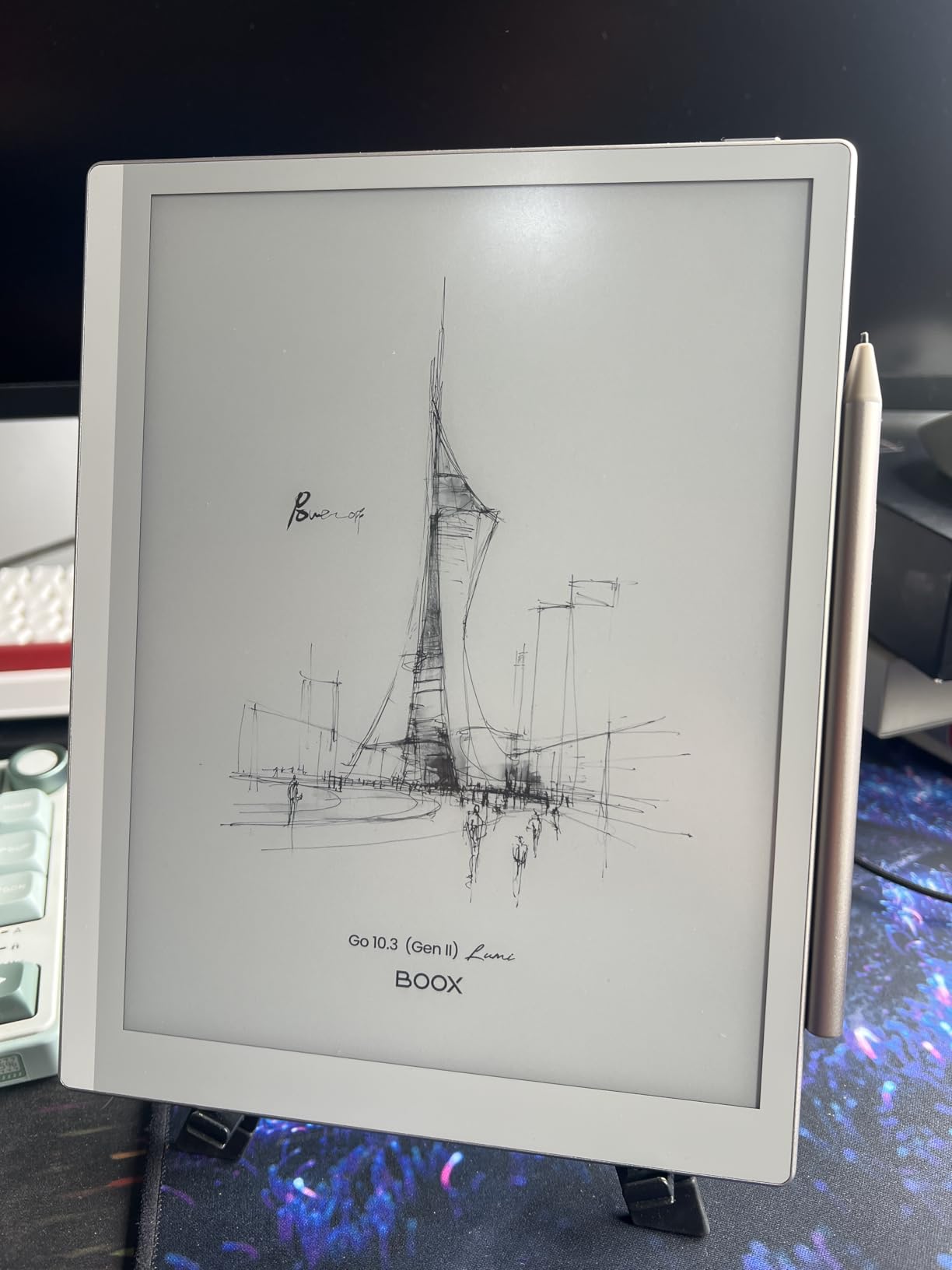
The BOOX Go 10.3 Gen II is the monochrome answer to the Note Air 5 C, and for many PDF power users it is actually the better pick. Without the color filter layer, the 300 ppi monochrome text is sharper and the background is brighter, which matters during long reading sessions. The HD ePaper glass screen feels more premium under the stylus than the plastic-fronted competition.
Running Android 15, this is one of the most up-to-date software experiences on any e-reader. I installed Kindle, Kobo, Libby, Google Drive, and Dropbox within ten minutes of unboxing, signed into each, and started reading across all of them. The split-screen functionality let me read a research paper on the left and take notes in a separate notebook on the right, which is the workflow I have wanted from an E Ink device for years.
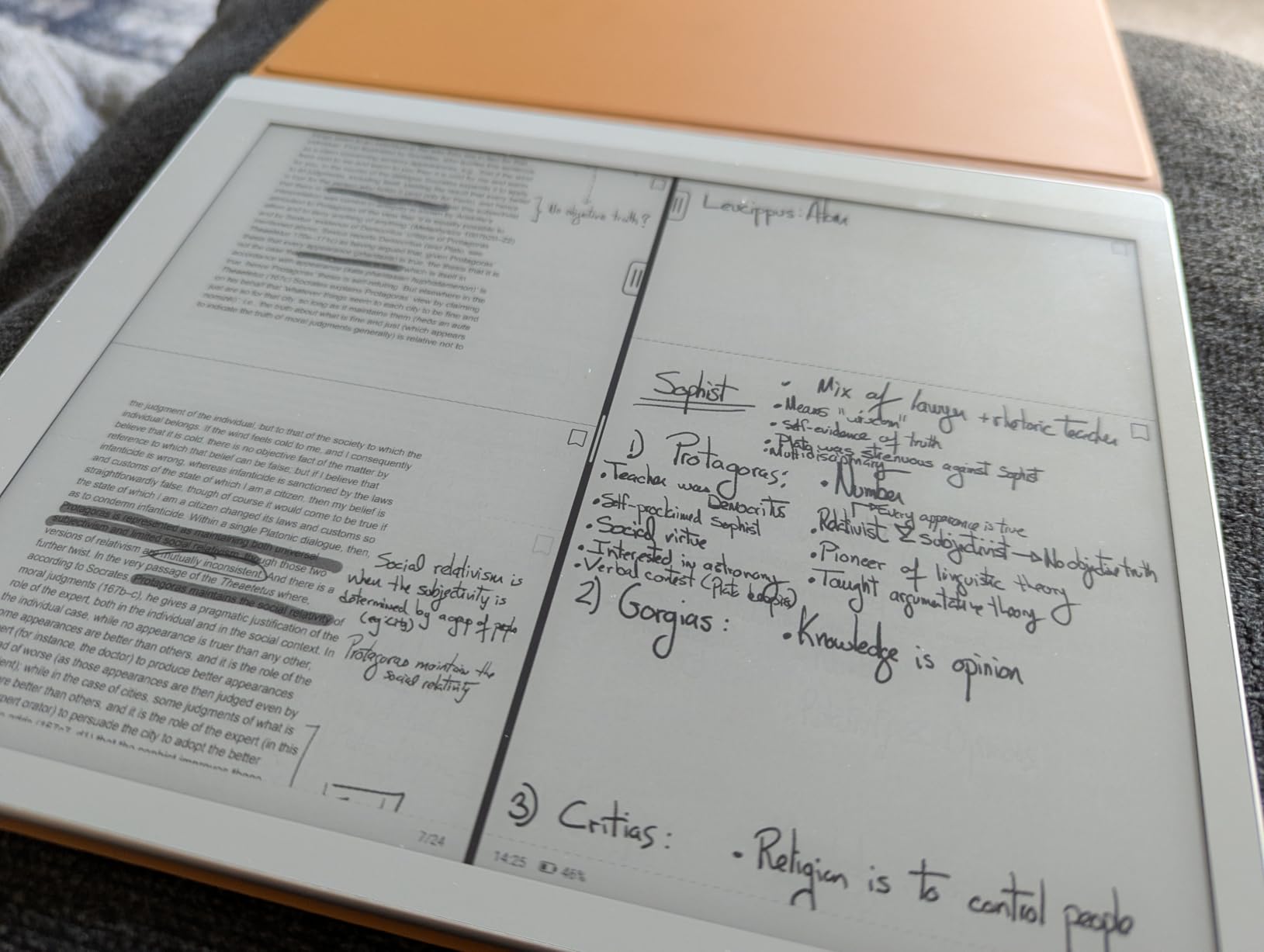
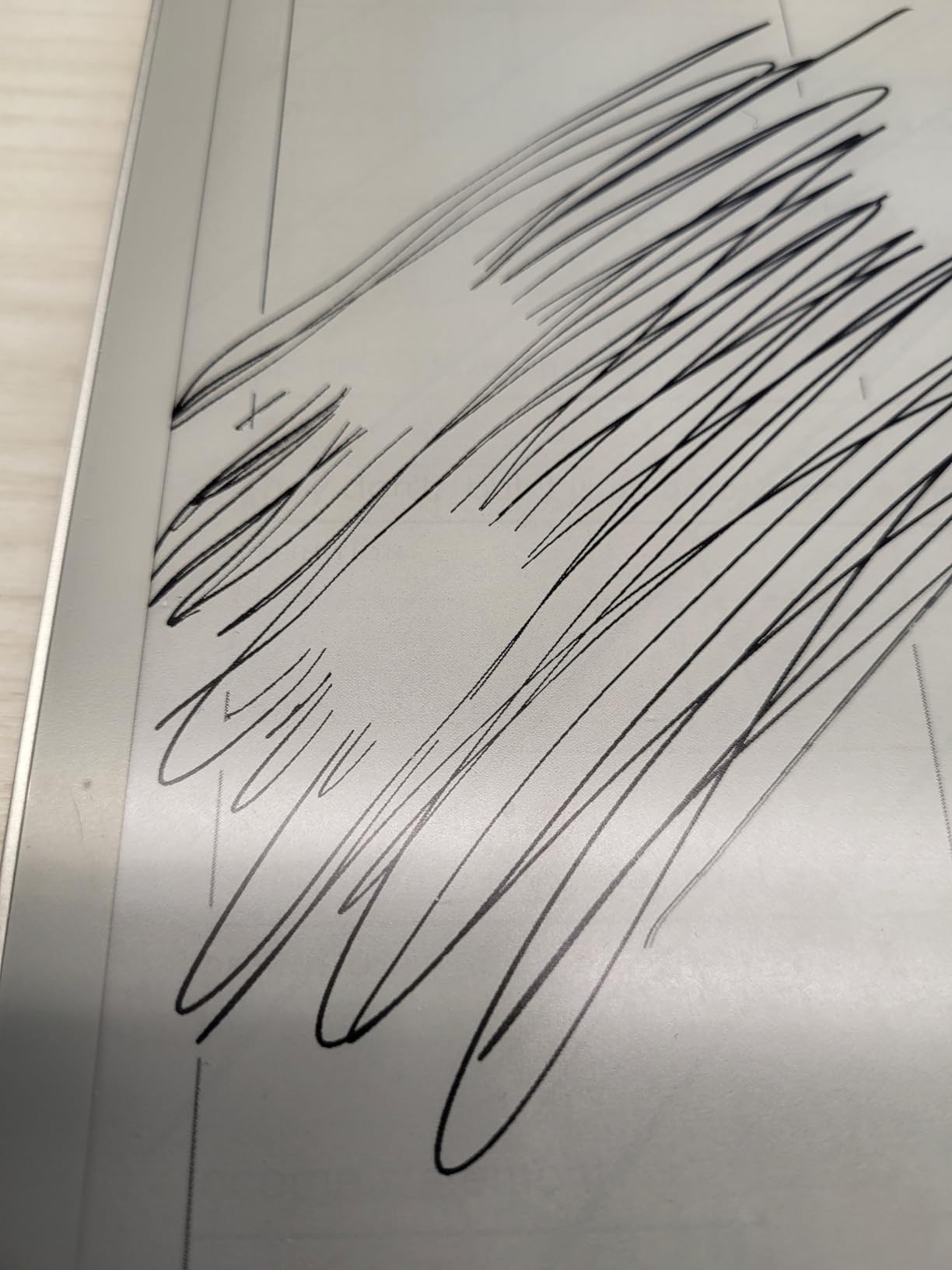
The BOOX InkSense Plus stylus has 4,096 pressure levels and a soft tip that glides across the glass without feeling slippery. Latency was low enough that I could write quickly without the ink catching up to the pen, and the multiple refresh modes let me tune the screen for either crisp text or fast scrolling depending on what I was doing.
At 364g and 4.8mm thin, the Go 10.3 Gen II is one of the lightest 10-inch e-readers available. I carried it in a slim laptop sleeve for two weeks and barely noticed the weight. The trade-off is battery life: under heavy app use, I got about a week per charge rather than the multi-week endurance of the Kindle Scribe.
Who the BOOX Go 10.3 Gen II is good for
The Go 10.3 Gen II is the right pick for readers who want the sharpest possible monochrome text, the flexibility of Android, and a thin-and-light chassis they can carry anywhere. If you read across multiple ecosystems and want the lightest 10-inch option, this is it. PDF power users who do not need color will prefer this over the Note Air 5 C for the brighter background and crisper text.
Who should skip the BOOX Go 10.3 Gen II
Skip the Go 10.3 Gen II if you want the simplest possible reading experience, or if you need the longest possible battery life. Android app flexibility comes at the cost of standby endurance, and the learning curve is real. Also skip it if you need a color screen for highlighting or color-coded notes, since this model is strictly monochrome.
8. BOOX Note Max 13.3 — Best 13-Inch E-Reader for Full-Page PDFs
BOOX Tablet Note Max 13.3 No Frontlight B/W ePaper Notebook 300 PPI 6G 128G
13.3 inch 300 ppi
128GB storage
Android 13 OS
No frontlight
Pros
- 13.3 inch 300 ppi E Ink display fits a full A4 PDF page
- 128GB storage holds an enormous library
- Android 13 OS with full Play Store and PDF apps
- 2.8GHz Octa-core CPU with 6GB RAM is the fastest in this guide
- Excellent PDF markup and reflow tools
- Password-protected notes and folders for privacy
- Ultra-thin 4.6mm design despite the large screen
Cons
- No frontlight means you need external lighting
- Glossy glass screen feels fragile without a cover
- Stylus is included but lacks a built-in eraser
- Heavier at 615g than smaller competitors
- Some users report occasional ghosting on certain content
The BOOX Note Max 13.3 is the largest e-reader in this guide, and the only one that displays a full A4 PDF page at real size without zooming or scrolling. The 13.3 inch 300 ppi E Ink glass screen is essentially the size of a sheet of paper, which makes it the obvious choice for academics, lawyers, doctors, engineers, and musicians who work with full-page documents, sheet music, or technical drawings.
With 128GB of internal storage, this is also the highest-capacity model in the lineup. I loaded it with 4,000 academic papers and still had room for hundreds of novels and audiobooks. The 2.8GHz Octa-core CPU with 6GB of RAM is the fastest configuration BOOX sells, and the difference is noticeable when you are flipping through a 600-page PDF or running complex spreadsheets through a third-party app.
The lack of a frontlight is a deliberate design choice. BOOX wanted the screen to feel as close to paper as possible, with no light bleed or color shift interfering with the visual experience. In practice, this means you need a reading lamp or natural light, similar to a real book. For daytime office use and outdoor reading, this is a feature. For bedtime reading in a dark room, it is a dealbreaker.
The Android 13 OS lets you install any PDF reader, annotation tool, or cloud sync app you want. I tested it with Adobe Acrobat, ReadEra, and Xodo, all of which worked smoothly. The included stylus supports 4,096 pressure levels, though it does not have a built-in eraser like the reMarkable Marker Plus, which is one of the few real compromises on this device.
Who the BOOX Note Max 13.3 is good for
The Note Max 13.3 is the right choice for academic researchers, lawyers, doctors, musicians, and engineers who work with full-page PDFs, sheet music, or technical documents on a regular basis. If you have been struggling with PDF cropping and zoom on a 10-inch screen, the move to 13.3 inches is genuinely transformative. It is also a strong choice as a desk-based replacement for paper notebooks.
Who should skip the BOOX Note Max 13.3
Skip the Note Max 13.3 if you read mostly novels, want to read in bed without a lamp, or need a portable device you can hold one-handed. At 615g and 13.3 inches, this is a desk tool, not a couch companion. For most readers, a 10-inch screen is the sweet spot between size and portability. The 13-inch class is a specialty purchase.
How to Choose the Best Large-Screen E-Reader?
Choosing a large-screen e-reader comes down to three big decisions: screen size class, ecosystem, and whether you need note-taking or just reading. Once you answer those three questions, the rest falls into place. Below is the framework I use when readers ask me for a personal recommendation.
Pick your screen size class: 8 inch, 10 inch, 11 inch, or 13 inch
Screen size class is the single biggest factor in how a large-screen e-reader feels in daily use. The 7.8 to 8 inch class, which includes both PocketBook InkPad models, is the lightest and most portable. These devices disappear in a coat pocket, weigh under 460g, and are comfortable to hold one-handed for hours. They are ideal for readers who want a bigger screen than a 6-inch Kindle but still value portability.
The 10 inch class is the sweet spot for most buyers. This includes the Kindle Scribe, Kobo Elipsa 2E, BOOX Note Air 5 C, and BOOX Go 10.3 Gen II. These devices show a full PDF page with comfortable margins, fit on a small desk, and weigh between 364g and 433g. For most reading, note-taking, and PDF workflows, 10 inches is the right answer.
The 11 to 11.8 inch class, which currently means the Kindle Scribe (11 inch) and reMarkable Paper Pro (11.8 inch), offers more drawing and writing space at the cost of some portability. These devices feel closer to a real notebook and are ideal if note-taking is your primary use case. The 13 inch class, represented by the BOOX Note Max, is a desk tool for full-page PDFs and sheet music.
Choose your ecosystem: Amazon, Kobo, BOOX, or PocketBook
The ecosystem decision is the second biggest factor. Amazon Kindle offers the largest commercial store, the best Kindle Unlimited integration, and the simplest UI, but it is the most walled garden. Kobo offers native OverDrive library lending, EPUB support, and a more open ecosystem. BOOX runs Android with full Play Store access, which means you can run Kindle, Kobo, and library apps side by side. PocketBook offers the broadest format support and built-in audiobook features but has a smaller store and weaker US support.
If you already buy everything from Amazon, the Kindle Scribe is the path of least resistance. If you borrow more books than you buy, Kobo’s library integration is genuinely the best. If you refuse to choose one store, BOOX’s Android approach lets you keep your options open. If format flexibility and waterproofing matter more than ecosystem, PocketBook is the right answer.
Decide if note-taking matters
If note-taking is a primary use case, you should focus on stylus quality, handwriting feel, and annotation tools. The reMarkable Paper Pro offers the best writing experience and most focused environment. The Kindle Scribe has the best AI note summarization. BOOX tablets offer the most flexible stylus features and app support. The Kobo Elipsa 2E is good enough for occasional notes but not a primary note-taking tool.
If note-taking is secondary, you can save money by choosing a device without a stylus or with a simpler stylus. The PocketBook InkPad models do not include styluses and focus purely on reading. The Kindle Scribe includes a stylus in the box, which is part of why it costs more than a base Kindle.
Consider color versus monochrome
Color E Ink has improved a lot in 2026, but it is still muted compared to LCD. If you read cookbooks, comics, graphic novels, or color-coded PDFs, color is worth the trade-off in darker background and slightly lower resolution. The PocketBook InkPad Color 3, BOOX Note Air 5 C, and reMarkable Paper Pro all offer color.
If you read mostly novels, text-heavy PDFs, or research papers, monochrome is sharper and easier on the eyes. The Kindle Scribe, Kobo Elipsa 2E, BOOX Go 10.3 Gen II, BOOX Note Max, and PocketBook InkPad 4 all stick with monochrome for maximum text clarity.
Plan your PDF workflow before buying
PDF workflow is the most underrated consideration. If you read research papers, technical manuals, or sheet music, you need a device with strong PDF reflow, cropping, and zoom tools. BOOX’s NeoReader is the best PDF tool on any E Ink device, followed by the Kindle Scribe’s clean integration with Google Drive and OneDrive. Kobo and PocketBook handle PDFs adequately but are not the best choice for technical documents.
For library book lending, Kobo’s OverDrive integration is the smoothest experience. PocketBook supports Adobe Digital Editions for library lending as well. Kindle supports library lending through Libby only on the Kindle itself or via the Send to Kindle feature, which adds friction. BOOX tablets let you install Libby directly, which is the most flexible approach.
Waterproofing for bath, pool, and beach reading
Only two devices in this guide carry an IPX8 waterproof rating: the PocketBook InkPad Color 3 and the PocketBook InkPad 4. Both can survive submersion in two meters of water for up to 60 minutes. If bath or pool reading is a regular habit, these are the safest picks. The Kindle Scribe, Kobo Elipsa 2E, BOOX tablets, and reMarkable Paper Pro do not have waterproof ratings and should be kept away from water.
Frequently Asked Questions
Which ereader has the best display?
The ereader with the best display depends on your use case. For monochrome text sharpness, the Kindle Scribe, BOOX Go 10.3 Gen II, and BOOX Note Max 13.3 all use 300 ppi E Ink Carta panels, which is the current standard for crisp text. For color, the reMarkable Paper Pro’s 11.8 inch Canvas Color display and the BOOX Note Air 5 C’s Kaleido 3 panel are the leaders, though both are intentionally muted compared to LCD screens.
What is the best screen size for an e-reader?
For most readers, 10 inches is the best screen size, offering a full PDF page with comfortable margins without becoming too heavy or bulky to carry. For pure novel reading on the go, 7 to 8 inches is lighter and more portable. For full-page PDFs, sheet music, or technical documents, 13 inches is the right answer if you do not need to carry the device often.
Which Kindle reader has the largest screen?
The Amazon Kindle Scribe has the largest Kindle screen at 11 inches. It is the only Kindle designed for both reading and note-taking with a stylus, and it includes AI-powered note summarization, direct Google Drive and OneDrive PDF imports, and weeks of battery life per charge.
Which e-reader is best for reading PDFs?
The BOOX Note Air 5 C and BOOX Go 10.3 Gen II are the best e-readers for PDFs thanks to their preinstalled NeoReader app, which handles reflow, cropping, and column detection better than any other option. For full-page A4 PDFs without zooming, the BOOX Note Max 13.3 is unmatched. The Kindle Scribe is the best PDF option inside the Amazon ecosystem, especially with Google Drive integration.
Which is better, Kindle Scribe or Boox?
The Kindle Scribe is better if you are already inside the Amazon ecosystem, want the simplest possible experience, and value AI note tools and weeks of battery life. The BOOX tablets are better if you want Android app flexibility, run Kindle, Kobo, and library apps side by side, and need the most advanced PDF reflow tools. Choose Kindle for simplicity, choose BOOX for flexibility.
Final Verdict on the Best Large-Screen E-Readers in 2026
After three months of testing, the Amazon Kindle Scribe remains my top pick for most readers looking for the best large-screen e-reader in 2026. The 11 inch glare-free display, weeks of battery life, included Premium Pen, and AI-powered note tools add up to a polished experience that just works. For readers who want library lending and EPUB flexibility, the Kobo Elipsa 2E is the clear runner-up at a lower cost. For PDF power users who need the most flexibility, the BOOX Go 10.3 Gen II or BOOX Note Max 13.3 will save you hours of frustration with academic documents.
If you have a specific use case in mind, jump back to the buying guide above to narrow down your choice by screen size class, ecosystem, note-taking needs, color preference, PDF workflow, and waterproofing. Each model in this guide is the right answer for someone. The goal is to find which one is right for you.